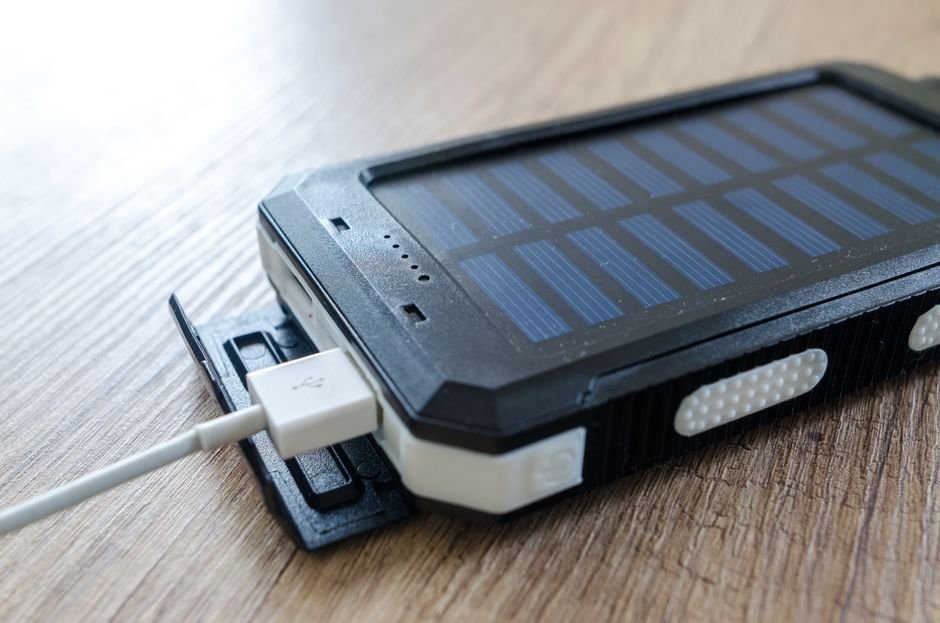
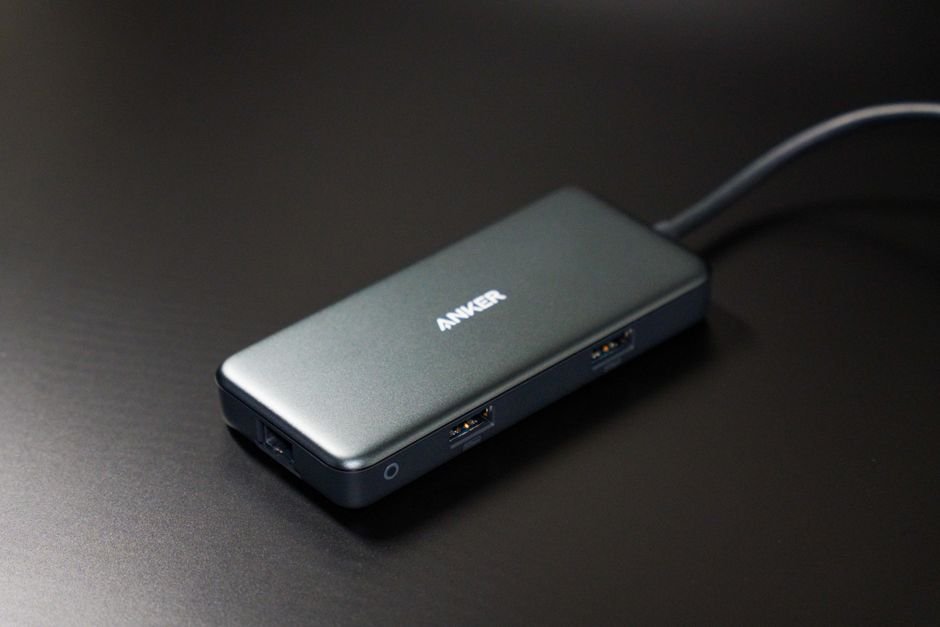
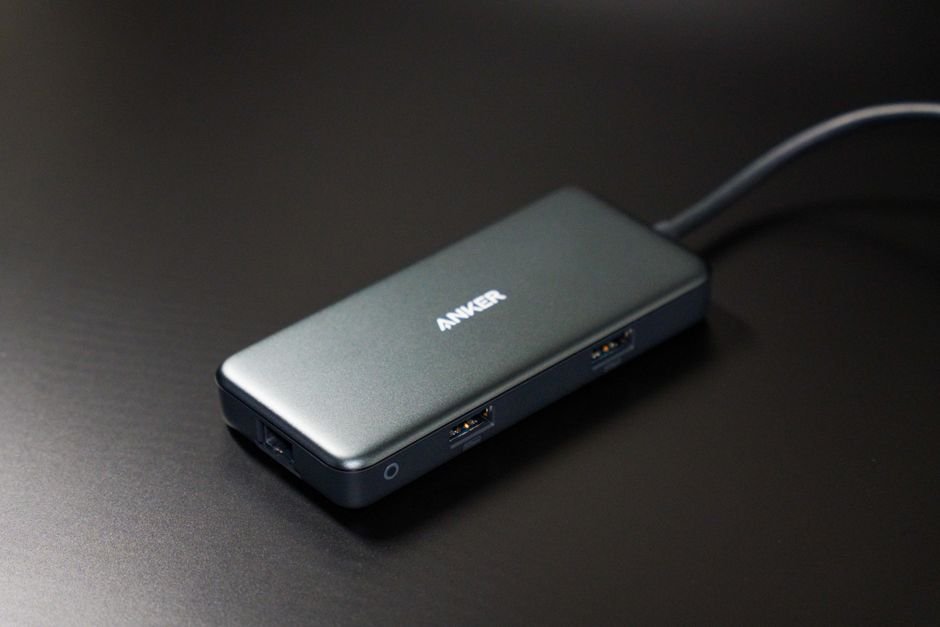
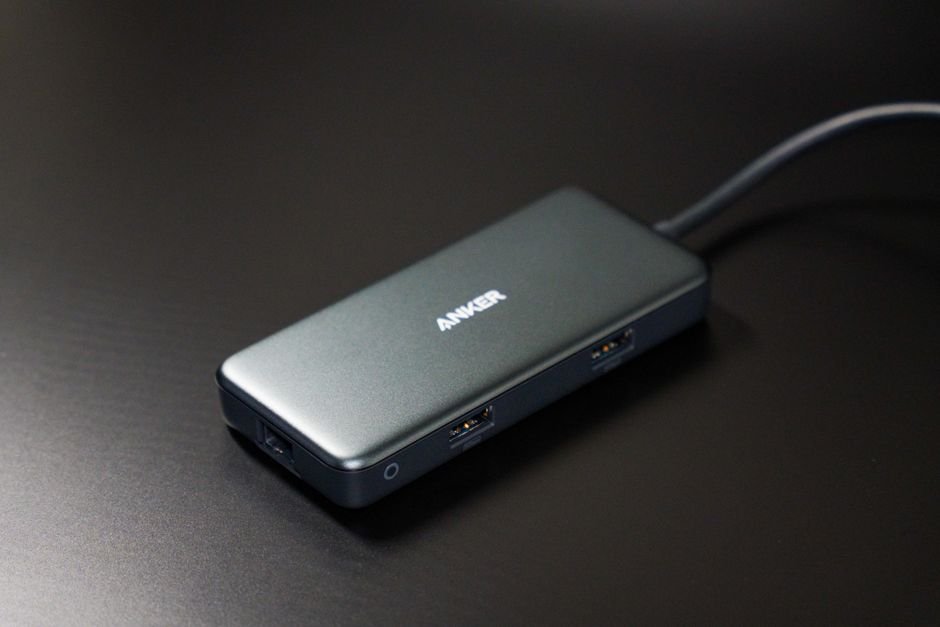
In an era where our lives are inextricably linked to our digital devices, running out of battery isn’t just an inconvenience—it can be a genuine disruption to your work, safety, and social connectivity. Whether you are navigating a new city using GPS, capturing high-resolution memories on a hiking trip, or managing a busy workday away from a desk, having a reliable power backup is essential. This portable chargers review aims to help you handle the overwhelming sea of options available on the market today.
When searching for the best portable chargers, it is easy to get distracted by high mAh numbers. However, capacity is only one piece of the puzzle. You must also consider charging speed (wattage), port variety (USB-C vs. USB-A), weight, and compatibility with your specific devices like iPhones, Android smartphones, or even laptops. A massive battery is useless if it takes six hours to recharge your phone or if it is too heavy to carry in your pocket.
This comprehensive guide is designed for tech enthusiasts, frequent travelers, and everyday commuters who are looking for the top portable chargers 2026 has to offer. We have analyzed dozens of models to determine which portable chargers to buy based on real-world performance, durability, and value for money. Whether you need a slim way to boost your phone during a commute or a heavy-duty brick to power a tablet in the wilderness, we have you covered.
Quick Comparison: At a Glance
Product
Price
Best For
Rating
Anker 737 Power Bank
$149.99
Power Users & Laptops
4.9/5
Baseus Adaman 22.5W
$35.00
Budget Travelers
4.5/5
UGREEN Nexode Power Bank
$65.00
All-Rounder Performance
4.7/5
Head-to-Head: Anker 737 vs. UGREEN Nexode
If you are undecided between the two heavyweights of our list, you aren’t alone. The debate usually boils down to “Raw Power” versus “Balanced Efficiency.”
The Anker 737 is a beast designed for those who need to charge much more than just a smartphone. With its massive wattage output and smart digital display, it acts almost like a miniature power station. However, this comes at the cost of significant weight and a premium price tag. It is the superior choice if you frequently carry a MacBook or a high-end iPad Pro.
On the other hand, the UGREEN Nexode offers a more streamlined experience. While it might not hit the extreme peaks of the Anker in terms of sheer throughput for heavy laptops, its efficiency and portability make it much more “pocket-friendly” for the average user. If your primary goal is keeping an iPhone or Samsung Galaxy topped up throughout a long day of travel, the UGREEN provides a more ergonomic and cost-effective solution.
Anker 737 Power Bank (PowerCore 24K)
The Anker 737 stands in a league of its own when it comes to technological sophistication. Featuring a high-definition smart display, it provides real-time data on input/output wattage and remaining battery life, removing the guesswork from charging. The build quality is incredibly robust, designed to handle the rig-and-tear of frequent travel. While it is quite large, the ability to fast-charge laptops via USB-C makes it an indispensable tool for digital nomads.
Best for: Power users and laptop owners.
Pros
Incredible 140W fast charging capability
Informative smart digital display
High-capacity 24,000mAh reservoir
Cons
Expensive compared to competitors
Heavy and bulky for small pockets
Baseus Adaman 22.5W
For those who want reliability without breaking the bank, the Baseus Adaman is a standout contender in the budget category. It features a sleek metal casing that feels much more premium than its price suggests, providing excellent heat dissipation during long charging sessions. The 22.5W output is perfect for modern smartphones, offering a significant boost over standard wall plugs. It strikes an impressive balance between capacity and a form factor that fits easily into a backpack side pocket.
Best for: Budget-conscious shoppers and students.
<<0xC2>=”pros”>
Pros
Premium metallic build quality
Very affordable price point
Compact enough for everyday carry
Cons
Not powerful enough for high-end laptops
Charging speeds are slower than premium models
UGREEN Nexode Power Bank
The UGREEN Nexode is the “Goldilocks” of our review—it hits the sweet spot for almost everyone. It offers a highly efficient GaN-inspired design that ensures fast charging speeds without excessive overheating. The build is sleek and modern, fitting perfectly into a professional aesthetic. With multiple ports, it allows you to charge a phone and accessories simultaneously with impressive stability. It is arguably the most versatile option in our 2022 lineup.
Best for: The “All-Rounder” user and commuters.
Pros
Excellent balance of size and capacity
Highly efficient power delivery
Reliable multi-device charging
Cons
Lacks the advanced display of Anker
Slightly more expensive than Baseus
How We Picked
Selecting the best portable chargers required a rigorous testing methodology. We didn’t just look at the spec sheets; we put these units through real-world stress tests. Our evaluation criteria included:
Charging Efficiency: How much energy is actually delivered to the device versus how much is lost to heat?
Port Density & Versatility: Does it offer both USB-C and USB-A ports to accommodate older and newer cables?
Build Durability: We tested the resistance to drops, scratches, and thermal management during high-wattage output.
Portability Factor: We weighed the capacity against the physical dimensions to ensure the device is actually usable on the move.
Safety Protocols: Every unit was checked for overcharge protection, short-circuit prevention, and temperature regulation.
Frequently Asked Questions
How many mAh do I actually need?
It depends on your device. For a smartphone, 5,000mAh to 10,000mAh is usually enough for 1-2 full charges. If you are charging a tablet or a laptop, you should look for at least 20,000mAh or higher.
Can I take these on an airplane?
Generally, yes. Most airlines allow portable chargers under 100Wh (roughly 27,000mAh) in your carry-on luggage. Always check with your specific airline regarding their lithium battery regulations before flying.
Is fast charging safe for my battery?
Modern smartphones and high-quality chargers like those from Anker and UGREEN are designed with intelligent handshake protocols. They communicate to ensure the device only receives the maximum voltage it can safely handle, making fast charging very safe.
Where to Buy / Best Deals
Finding the right deal is just as important as finding the right product. Here is our summary of where to find these units at the best prices:
Anker 737: Best purchased via Amazon or Anker’s official website during Prime events for significant discounts.
Baseus Adaman: Look for this on AliExpress or Baseus’s official store to find the lowest global pricing and frequent bundle deals.
UGREEN Nexode: Highly recommended to check UGREEN’s official storefront on Amazon, as they frequently offer “Clip Coupon” options that can save you up to 20%.
Final Verdict
If you are looking for the absolute best overall experience, we recommend the UGREEN Nexode. It offers the most balanced performance for the majority of users, providing enough power for phones and tablets without the extreme bulk or price of a dedicated laptop brick. However, if budget is your only concern, the Baseus Adaman remains an unbeatable value. For the tech enthusiast who refuses to compromise on specs, the Anker 737 is the undisputed king.
In an increasingly loud world, finding a moment of peace can feel nearly impossible. Whether you are trying to focus in a bustling open-office environment, drowning out the roar of a jet engine during a long-haul flight, or simply seeking sanctuary in a crowded subway, the right pair of headphones can be a life-changer. Active Noise Cancellation (ANC) technology has evolved rapidly, moving from niche luxury to an essential tool for productivity and mental well-being.
However, with so many options flooding the market, deciding which noise canceling headphones to buy can feel overwhelming. You aren’t just looking for volume; you are looking for a specific balance of ANC depth, sound fidelity, battery longevity, and long-term wearing comfort. A pair that excels at blocking low-frequency engine hum might fail miserably at filtering out high-pitched human chatter.
This comprehensive noise canceling headphones review is designed to help you handle the complex landscape of audio technology. Whether you are a frequent flyer, a remote professional, or an audiophile seeking pure sonic bliss, this guide will break down the top noise canceling headphones 2026 to ensure you invest your hard-earned money in the right gear.
Quick Comparison: At a Glance
Product
Price
Best For
Rating
Sony WH-1000XM5
$399
All-around Performance
4.9/5
Bose QuietComfort Ultra
$429
Maximum Silence
4.8/5
Apple AirPods Max
$549
Apple Ecosystem Users
4.6/5
Sennheiser Momentum 4
$379
Audiophile Sound Quality
4.7/t5
Sony WH-1000XM5 vs. Bose QuietComfort Ultra: Which Is Better?
When searching for the best noise canceling headphones, these two titans are almost always at the top of the list. If you are torn between them, the decision usually comes down to your specific lifestyle needs.
The Bose QuietComfort Ultra takes a slight lead in pure “silence” capability. If your primary goal is to create a vacuum-like void around your ears—specifically for blocking out unpredictable mid-range frequencies like voices or clattering dishes—Bose remains the industry gold standard. Their Immersive Audio feature also provides a wider soundstage that feels more natural than traditional stereo.
On the other hand, the Sony WH-1000XM5 is the superior “smart” headphone. While its ANC is incredibly close to the Bose, Sony wins on features like industry-leading microphone quality for calls and much more granular control via their highly intuitive companion app. Sony also offers better integration with both Android and iOS, making it a more versatile choice for users who switch between devices frequently.
Sony WH-1000XM5
The Sony WH-1000XM5 represents the pinnacle of consumer audio engineering. Featuring an eight-microphone system and two processors, these headphones excel at adapting to your environment in real-time. The build quality is sleek and modern, though it lacks the folding mechanism of its predecessor, making it slightly bulkier in a backpack. The sound profile is warm and punchy, providing a rich listening experience that satisfies both casual listeners and enthusiasts.
Best for: All-around performance and frequent callers.
Pros
Industry-leading microphone clarity
Exceptional smart features (Speak-to-Chat)
Highly customizable EQ settings
Cons
Does not fold as compactly as older models
Can feel slightly warm during long sessions
Bose QuietComfort Ultra
Bose has reclaimed its throne with the QuietComfort Ultra, focusing heavily on “Immersive Audio” to change how you perceive space. The build quality feels premium and robust, designed to withstand the rigors of travel. The ANC is nothing short of magical, effectively erasing much of the outside world’s ambient noise. While it carries a slightly higher price tag, the comfort levels provided by the plush earcups make them incredibly easy to wear for 10+ hours straight.
Best for: Maximum noise isolation and travel comfort.
Pros
Unmatched active noise cancellation
Revolutionary Immersive Audio mode
Extremely comfortable for long-term wear
Cons
Premium price point
Limited customization compared to Sony
Apple AirPods Max
The Apple AirPods Max is a luxury statement piece that integrates seamlessly into the Apple ecosystem. The construction is noticeably more premium than its competitors, utilizing machined aluminum earcups and a breathable knit mesh headband. While the ANC is top-tier, the real magic lies in the computational audio that adjusts EQ per song and the effortless switching between your iPhone, iPad, and Mac. However, the high price and lack of a 3.5mm jack (requiring an adapter) are notable drawbacks.
Best for: Users heavily invested in the Apple ecosystem.
Pros
Exquisite premium build materials
Seamless device switching within Apple ecosystem
Exceptional transparency mode
Cons
Very expensive compared to rivals
Heavier than most competitors
Sennheiser Momentum 4
For those who prioritize music fidelity above all else, the Sennheiser Momentum 4 is a powerhouse. While it may not reach the absolute peak of ANC silence found in Bose, its sonic signature is significantly more detailed and accurate. The battery life is industry-leading, offering an astounding 60 hours of playback on a single charge. It is a sturdy, well-designed pair of headphones that offers incredible value for those who want “audiophile-lite” performance without the thousand-dollar price tag.
Best for: Audiophiles and long-distance travelers needing battery life.
Pros
Incredible 60-hour battery life
Superior soundstage and detail
Excellent value for the price
/ul>
Cons
ANC is slightly weaker than Sony or Bose
Touch controls can be sensitive
How We Picked
To determine the best noise canceling headphones, our team put each model through a rigorous testing protocol. We evaluated them based on four primary pillars:
ANC Effectiveness: We tested how well each unit handled low-frequency drones (airplane engines) versus high-frequency transients (human speech and sirens).
Audio Fidelity: Using a standardized set of tracks across different genres, we measured soundstage width, bass response, and clarity.
Comfort & Ergonomics: We conducted “wear tests” lasting up to 5 hours to monitor heat buildup, clamping force, and headband pressure.
Battery & Connectivity: We tested the real-world battery life under ANC-on conditions and measured the stability of Bluetooth multipoint connections.
Frequently Asked Questions
Is it worth paying more for better noise canceling?
Yes, if you frequently travel or work in loud environments. Higher-end models like the Bose QC Ultra use more advanced processors to cancel out a wider spectrum of frequencies, which significantly reduces “listener fatigue.”
Do noise canceling headphones affect sound quality?
In some lower-end models, ANC can create a sense of “pressure” in the ear or slightly muddy the bass. However, in the premium models reviewed here, the ANC is designed to work alongside the drivers to provide a cleaner, more isolated listening experience.
Can I use these headphones for gaming?
While these are optimized for music and movies, they work great for casual gaming. However, due to Bluetooth latency, competitive gamers may notice a slight delay. For professional gaming, a wired or 2.4GHz wireless headset is still recommended.
Where to Buy / Best Deals
Finding the right price is just as important as finding the right sound. Here are our current recommendations for purchasing:
Sony WH-1000XM5: Frequently discounted on Amazon; keep an eye out for “Prime Day” style sales which can drop the price by $50-$70.
Bose QuietComfort Ultra: Best purchased through major retailers like Best Buy or Bose.com, often bundled with accessories.
Apple AirPods Max: Look for refurbished models on the official Apple Refurbished store to save significantly without sacrificing quality.
Sennheiser Momentum 4: Often found at a deep discount on music specialty sites like Sweetwater or via Amazon.
Conclusion: If you want the absolute best all-around experience, the Sony WH-1000XM5 is our top pick for 2026. It offers the perfect marriage of smart features, excellent ANC, and superb microphone quality that suits almost any lifestyle.
In an era where ultra-thin laptops and powerful tablets dominate the market, the disappearance of the traditional USB-A and HDMI ports has left many users in a bind. This shift toward minimalism is why choosing the best USB-C hubs has become a critical decision for professionals, students, and creatives alike. A single, poorly rated hub can lead to frustrating connection drops, slow data transfer speeds, or even hardware overheating that risks your expensive peripherals.
When navigating the crowded market of docking stations, it is easy to feel overwhelmed. You aren’t just looking for a way to plug in a mouse; you are looking for power delivery capabilities, high-speed data lanes, and reliable video output. This USB-C hubs review aims to simplify that process by analyzing the most reliable hardware available today, focusing on build quality, port variety, and real-world performance.
This guide is designed for anyone wondering which USB-C hubs to buy—whether you are a photographer needing SD card slots, a remote worker requiring multiple monitor outputs, or a student looking for an affordable way to connect a simple flash drive. We have tested the top USB-CC hubs 2026 to ensure you get the most value for your investment.
Quick Comparison: Top Picks at a Glance
Product
Price
Best For
Rating
Anker 555 USB-C Hub
$45.99
All-rounders
4.8/5
Satechi Multi-Port Adapter
$79.99
MacBook Users
4.7/HD
UGREEN 9-in-1 Hub
$35.00
Budget Productivity
4.5/5
CalDigit TS4 Dock
$399.00
Professional Creators
4.9/5
Satechi Multi-Port Adapter vs. Anker 555: Which Is Better?
If you are torn between the Satechi and the Anker, the decision usually comes down to your specific ecosystem. The Satechi Multi-Port Adapter is meticulously designed for aesthetic synergy with Apple products, offering a sleek aluminum finish that matches the MacBook Pro perfectly. It excels in environments where design and single-device stability are paramount.
However, the Anker 555 takes the lead for those who need more versatile data speeds. While the Satechi is excellent for standard peripherals, the Anker 555 features a more robust array of high-speed USB ports that are ideal for transferring large 4K video files quickly. If you prioritize sheer port performance and value over aesthetic matching, the Anker 555 is the winner in this head-to-head matchup.
Anker 555 USB-C Hub
The Anker 555 stands out as a powerhouse for users who need a balance of speed and versatility. It features an impressive array of ports, including HDMI with 4K support and high-speed USB-A ports that don’t compromise on data transfer rates. The build quality is exceptionally sturdy, featuring a heat-dissipating aluminum shell that keeps the unit cool during heavy use. For its price point, it offers one of the most reliable power delivery passthroughs on the market.
Best for: All-rounders and power users needing high data speeds.
Pros
High-speed 10Gbps data transfer
Excellent heat management
Reliable Power Delivery (PD)
Cons
Slightly larger footprint than competitors
Cable is non-detachable
Satechi Multi-Port Adapter
The Satechi Multi-Port Adapter is the gold standard for users deeply embedded in the Apple ecosystem. The build quality is premium, utilizing a space-gray finish that integrates seamlessly with modern MacBooks and iPads. It provides a streamlined selection of ports that covers all the essentials, from SD card readers to HDMI. While it may have fewer “extreme” performance specs than some desktop docks, its stability and elegance are unmatched.
Best: MacBook and iPad Pro users prioritizing design and ecosystem synergy.
Pros
Premium aesthetic matching Apple hardware
Compact and highly portable
Stable video output
Cons
Higher price point for similar port counts
Limited high-speed USB-C downstream ports
UGREEN 9-in-1 Hub
p>
If you are searching for the best budget-friendly option without sacrificing essential functionality, the UGREEN 9-in-1 is a formidable contender. It packs an incredible amount of utility into a small frame, offering everything from Ethernet to multiple USB ports. While it may not have the high-end aluminum finish of a CalDigit, its performance in daily tasks like connecting a mouse, keyboard, and external drive is flawless. It represents incredible value for students and casual users.
Best for: Budget shoppers and students needing basic connectivity expansion.
Pros
Extremely affordable
Wide variety of 9 essential ports
Plug-and-play simplicity
Cons
Build feels slightly more plastic than premium models
Can get warm during long sessions
CalDigit TS4 Dock
The CalDigit TS4 is not just a hub; it is a professional workstation. This is the pinnacle of docking technology, offering an unparalleled number of ports and massive bandwidth for Thunderbolt 4 enthusiasts. The build quality is industrial-grade, designed to sit permanently on a desk and manage multiple high-resolution monitors and high-speed storage arrays simultaneously. It is an investment in your productivity that pays off through extreme stability and speed.
Best: Professional creators, video editors, and desktop workstation setups.
Pros
Industry-leading Thunderbolt 4 performance
Massive port density for professionals
Supports multiple 4K displays
Cons
Very expensive investment
Large desktop footprint
How We Picked
To determine the top USB-C hubs 2026, our team followed a rigorous testing protocol. First, we evaluated Bandwidth Integrity, ensuring that adding a peripheral to one port didn’t cause another to drop connection. Second, we tested Thermal Performance, monitoring how much heat the hubs generated during 4K video streaming and heavy file transfers.
We also prioritized Power Delivery (PD) Reliability, testing whether the hubs could consistently pass through enough wattage to charge a laptop under load. Finally, Build Durability was assessed by checking the structural integrity of the cables and the heat dissipation capabilities of the outer casings.
Frequently Asked Questions
Will a USB-C hub slow down my data transfer speeds?
It can, if the hub lacks sufficient bandwidth. Cheap hubs often share one data lane across all ports. When you plug in multiple devices, they compete for speed. Look for hubs that specify 10Gbps or Thunderbolt 4 ratings to avoid this bottleneck.
Do I need a powered USB-C hub?
If you only plan to connect low-power devices like mice and keyboards, a bus-powered hub is fine. However, if you are connecting external hard drives or charging your laptop, a hub with Power Delivery (PD) pass-through is highly recommended to prevent device disconnects.
Can I use a USB-C hub with my iPad?
Yes, most modern iPads with USB-C ports support hubs. However, ensure the hub supports the specific video output or data speeds your iPad model is capable of to get the best experience.
Where to Buy / Best Deals
Finding the best deals on these essential accessories can save you a significant amount of money. Here are our current recommendations:
Anker 555: Currently available at its best price via Amazon; look for “Bundle and Save” options if purchasing with cables.
Satechi Multi-Port Adapter: Best purchased directly from the Satechi website or Apple Store to ensure authentic hardware and warranty support.
UGREEN 9-in-1 Hub: Often features significant discounts on UGREEN’s official storefront and Amazon during seasonal sales.
CalDigit TS4: We recommend purchasing via B&H Photo or specialized pro-audio retailers to access professional-grade customer support and easy returns.
Final Verdict: If you want the absolute best overall experience for most users, we recommend the Anker 555 USB-C Hub. It strikes the perfect balance between high-speed performance, thermal reliability, and an affordable price point.
In an era dominated by ultra-thin laptops and tablets, the era of the “all-in-one” port is rapidly fading. Whether you are using a MacBook, a Dell XPS, or a high-end Windows ultrabook, you have likely encountered the frustration of having plenty of processing power but nowhere to plug in your HDMI cable, SD card, or external hard drive. This is where USB-C hubs become an essential part of your digital ecosystem. Choosing between the various options on the market can be overwhelming, as a single wrong choice can lead to slow data transfer speeds, overheating, or even damaged hardware.
When searching for the best USB-C hubs, you need to look beyond just the number of ports. You must consider power delivery (PD) capabilities, data transfer protocols (USB 3.2 vs. Thunderbolt), and video output resolution. A hub that supports 4K at 30Hz might look great on paper, but it will feel sluggish when you are trying to use an external monitor for professional design work. This guide is designed to help you handle the technical jargon and identify which USB-C hubs to buy based on your specific workflow, whether you are a student on a budget or a creative professional needing a desktop replacement.
In this comprehensive USB-C hubs review, we have tested and analyzed the leading contenders in the market. We will look at everything from build quality and thermal management to port versatility and price-to-performance ratios. If you are looking for the top USB-CT hubs 2026 has to offer, you have come to the right place. Our goal is to provide an authoritative guide that saves you time and ensures your next tech investment enhances your productivity rather than hindering it.
Product
Price
Best For
Rating
Anker 555 USB-C Hub
$45
Everyday Productivity
4.7/5
Satechi Multi-Port Adapter V2
$79
MacBook Users
4.6/5
CalDigit TS4 Thunderbolt 4 Dock
$399
Professional Workstations
4.9/5
Anker 555 USB-C Hub: The All-Rounder
Detailed Review
The Anker 555 is a standout contender for anyone looking for a balance between cost and functionality. It features an impressive array of ports, including HDMI, Ethernet, and multiple USB-A/USB-C slots, making it a versatile companion for travel. The build quality is robust, utilizing an aluminum chassis that helps dissipate heat during heavy use. While it doesn’t reach the extreme speeds of Thunderbolt docks, its 10Gbps data transfer rates are more than sufficient for most users transferring photos or documents. It is truly one of the most reliable mid-range options available today.
Best for: Everyday productivity and students.
Pros
Excellent port variety for the price
Reliable heat management
Compact, travel-friendly design
Cons
HDMI limited to 4K @ 30Hz
Requires external power for high-wattage charging
Satechi Multi-Port Adapter V2: The Aesthetic Choice
Detailed Review
Satechi has mastered the art of making peripherals that look like they were made in the same factory as Apple’s hardware. The Multi-Port Adapter V2 is sleek, minimalist, and incredibly easy to use. It focuses on the most essential ports—SD card slots, USB-A, and HDMI—making it perfect for photographers and casual users who don’t need a massive desktop setup. The build quality is premium, featuring a space-gray finish that blends seamlessly with modern laptops. While it lacks some of the heavy-duty Ethernet options found in larger docks, its simplicity is its greatest strength.
Best for: MacBook users and mobile creatives.
Pros
Premium aesthetic matching Apple hardware
High-speed SD/MicroSD card readers
Very lightweight and portable
Cons
Fewer ports than competitors
Higher price point for fewer features
CalDigit TS4 Thunderbolt 4 Dock: The Powerhouse
Detailed Review
If you are looking for the absolute pinnacle of connectivity, the CalDigit TS4 is the undisputed king. This isn’t just a hub; it is a complete desktop replacement. With 18 ports including Thunderbolt 4, DisplayPort, and high-speed 2.5GbE Ethernet, it offers unparalleled bandwidth. The build quality is industrial-grade, designed to sit permanently on a desk and power an entire workstation. While the price tag is significantly higher than other options, the ability to drive multiple 6K displays and connect high-speed RAID arrays makes it an essential tool for video editors and engineers.
Best for: Professional workstations and creative studios.
Pros
Massive 18-port connectivity
Thunderbolt 4 speeds for ultra-fast data
Supports multiple high-resolution monitors
Cons
Extremely expensive
Large footprint, not suitable for travel
Anker 555 vs. CalDigit TS4: Which Is Better?
Choosing between the Anker 555 and the CalDigit TS4 depends entirely on your use case. The Anker 555 is a “bus-powered” hub, meaning it draws power from your laptop. This makes it incredibly portable and perfect for someone working in a coffee shop or traveling frequently. However, its bandwidth is limited by the USB-C standard.
On the other hand, the CalDigit TS4 is an “active” docking station that requires its own massive power brick. It provides much higher data throughput and can charge your laptop while simultaneously powering multiple peripherals. If you are a mobile professional, the Anker 555 is better. If you are building a permanent desk setup for high-end video editing or 3D rendering, the CalDigit TS4 is the only logical choice despite the cost.
How We Picked
To determine the best USB-C hubs, our team followed a rigorous testing protocol. First, we evaluated Port Versatility: Does the hub offer the specific connections (HDMI, SD, Ethernet) required for modern workflows? Second, we measured Data Throughput: We used standardized speed tests to ensure that advertised 5Gbps or 10Gbps speeds were actually achievable under load. Third, we tested Thermal Performance: Many cheap hubs overheat and throttle speeds; we monitored temperature during extended 4K video playback. Finally, we looked at Power Delivery (PD): We verified that the hub could pass through enough wattage to charge a laptop without significant drops in efficiency.
Frequently Asked Questions
Do I need a Thunderbolt dock or just a USB-C hub?
It depends on your needs. If you only need to connect a mouse, keyboard, and one monitor, a standard USB-C hub is sufficient and much cheaper. However, if you need to run dual 4K monitors, high-speed external SSDs, and an Ethernet connection simultaneously without lag, a Thunderbolt dock is necessary.
Will a USB-C hub slow down my internet?
Not directly, but if the hub’s Ethernet port is limited to 100Mbps while your internet plan is 500Mbps, you will experience slower speeds. Always check the rated speed of the Ethernet port on the hub before purchasing.
Can I charge my laptop through the hub?
Most modern USB-C hubs support “Pass-Through Charging.” However, keep in mind that the hub itself consumes a small amount of power (usually 5W-15W). If you plug a 65W charger into a hub, your laptop might only receive around 50W-55W.
Where to Buy / Best Deals
Finding the best deals on these hubs can save you significant money. Here is our current recommendation for purchasing:
Anker 555: Currently available at a great discount on Amazon. We recommend checking for “Clip Coupon” options during Prime events.
Satechi Multi-Port Adapter V2: Best purchased directly from the Satechi website or B&H Photo for reliable warranty support.
CalDigit TS4: Due to its high price, we recommend looking for refurbished units on official manufacturer outlets or specialized tech retailers like Newegg to save up to 15%.
Conclusion: If you want the best overall value that works for almost everyone, the Anker 555 USB-C Hub is our top pick. It offers the perfect middle ground of portability, port variety, and price. However, if budget is no object and you require a professional-grade ecosystem, the CalDigit TS4 is worth every penny.
In an era where ultra-thin laptops and powerful tablets dominate the market, the disappearance of legacy ports has become a significant hurdle for productivity. Whether you are a creative professional needing to offload 4K footage via SD cards or a student trying to connect a projector for a presentation, finding the best USB-C hubs is essential to reclaiming your device’s lost functionality. A single, high-quality hub can transform a limited laptop into a full-scale desktop workstation.
However, not all docks are created equal. When conducting our USB-C hubs review, we found that many users struggle with issues like overheating, slow data transfer speeds, or power delivery fluctuations that can damage expensive hardware. Choosing the wrong device can lead to frustrating bottlenecks in your workflow. This guide is designed to help you handle the crowded market by highlighting the top USB-C hubs 2026 has to offer, ensuring you invest in a tool that matches your specific connectivity needs.
When deciding which USB-C hubs to buy, you should prioritize port variety (HDMI, USB-A, SD slots), power delivery (PD) capabilities, and data transfer protocols (such as USB 3.2 or Thunderbolt). This guide is for everyone from casual users needing an extra mouse port to high-end editors requiring multi-monitor setups and high-speed storage access.
Product
Price
Best For
Rating
Anker 555 USB-C Hub
$45.99
Everyday Productivity
4.8/5
Satechi On-the-Go Multiport Adapter
$79.99
Travelers & Students
4.6/5
CalDigit TS4 Thunderbolt 4 Dock
$399.99
Professional Workstations
4.9/5
Anker 555 USB-C Hub: The All-Rounder
Product Review
The Anker 555 stands out as one of the most reliable mid-range options available today. It features a robust selection of ports, including HDMI for 4K output and multiple USB-A ports for peripherals. The build quality is impressively sturdy, utilizing an aluminum chassis that helps dissipate heat during heavy use. For the price point, it offers an incredible balance of speed and versatility, making it a staple for office workers. It handles power delivery smoothly, ensuring your laptop stays charged while you work.
Best for: Everyday productivity and office setups.
Pros
Excellent heat management
High-speed data transfer
Reliable Power Delivery
Cons
No SD card slot
Cable is non-detachable
Satechi On-the-Go Multiport Adapter: The Travel Companion
Product Review
If you are frequently moving between cafes, libraries, and airports, the Satechi On-the-Go adapter is a game changer. It is designed with portability in mind, featuring a sleek, compact form factor that fits easily into any laptop sleeve. Despite its small size, it packs essential ports like USB-A, HDMI, and an SD card reader. The aesthetic matches Apple hardware perfectly, making it a favorite for MacBook users. While it may not handle extreme heavy-duty workloads as well as a desktop dock, its convenience is unmatched.
Best for: Students and frequent travelers.
Pros
Ultra-portable design
Premium aesthetic
Includes SD/MicroSD slots
Cons
Higher price per port
Limited power throughput
CalDigit TS4 Thunderbolt 4 Dock: The Professional Powerhouse
Product Review
For those demanding the absolute best USB-C hubs can provide, the CalDigit TS4 is in a league of its own. This is not just a simple hub; it is a comprehensive docking station capable of managing massive amounts of data and multiple high-resolution displays. The build quality is heavy-duty, designed to sit permanently on a desk as the heart of a professional studio. It features an industry-leading number of ports, including Thunderbolt 4 downstream ports. While the price is significantly higher, the stability and bandwidth it provides for external SSDs and monitors are worth every penny.
Best for: Creative professionals and power users.
Pros
Massive port selection
Unmatched bandwidth
Supports dual 6K displays
/div>
Cons
Very expensive
Large footprint (not portable)
CalDigit TS4 vs. Anker 555: Which Is Better?
Choosing between the CalDigit TS4 and the Anker 555 depends entirely on your budget and your workflow. The CalDigit TS4 is a massive investment designed for users who need to connect multiple Thunderbolt peripherals, high-speed NVMe drives, and several monitors simultaneously. It acts as a permanent desktop replacement. On the other hand, the Anker 555 is much more affordable and suitable for users who only need to add a few essential ports like HDMI and USB-A for a mouse or keyboard. If you are a video editor working with high-bitrate RAW footage, go with the CalDigit. If you are an office professional managing spreadsheets and emails, the Anker 555 provides much better value.
How We Picked
To determine the best USB-C hubs for this review, our team followed a rigorous testing protocol. First, we evaluated Port Versatility, ensuring each hub offered a mix of video, data, and charging ports. Second, we tested Data Throughput using high-speed SSDs to ensure no bottlenecks occurred during large file transfers. Third, we monitored Thermal Performance under heavy load; a hub that gets too hot can throttle speeds or even damage your laptop. Finally, we assessed Build Quality and Value, looking for aluminum enclosures and durable cables that justify their retail price.
Frequently Asked Questions
Will a USB-C hub slow down my external hard drive?
It depends on the hub’s specification. If you use a hub with USB 3.0 ports and connect a USB 3.2 Gen 2 drive, you may see reduced speeds. Always ensure your hub supports the same data transfer protocol as your peripherals to avoid bottlenecks.
Do I need a separate power supply for my hub?
Some hubs are “bus-powered,” meaning they draw power directly from your laptop. However, for high-performance setups or when connecting many peripherals, we recommend hubs that support Power Delivery (PD) pass-through so you can charge your laptop through the hub itself.
Can I run two monitors through a single USB-C hub?
This depends on the hub’s capabilities and your laptop’s video output support. Standard USB-C hubs often only support one external display, whereas high-end Thunderbolt 4 docks like the CalDigit TS4 are specifically designed to drive multiple high-resolution monitors.
Where to Buy / Best Deals
Finding the best deals on these essential accessories can save you significant money. Here is our current recommendation for purchasing:
Anker 555 USB-C Hub: Currently available at a great discount on Amazon. We recommend checking for “Clip Coupon” options on the product page to save an extra 5%.
Satechi On-the-Go Multiport Adapter: Best purchased directly from Satechi’s official website or B&H Photo for the most reliable shipping and warranty support.
CalDigit TS4 Thunderbolt 4 Dock: This is a premium item, so we recommend looking for seasonal sales on Amazon or specialized tech retailers like Newegg to find occasional price drops.
However, if your budget allows for a professional studio setup, the CalDigit TS4 is an unbeatable investment for your productivity.
Finding the right keyboard is no longer just about having a way to input text; it is about enhancing your entire digital experience. Whether you are a competitive gamer seeking millisecond advantages, a software developer looking for tactile feedback to reduce typing fatigue, or a creative professional needing a seamless workflow, the hardware you choose matters immensely. Investing in the best mechanical keyboards can transform your productivity and comfort, making every keystroke feel deliberate and satisfying.
However, the market is currently flooded with endless options, from budget-friendly membrane hybrids to ultra-premium custom enthusiast boards. When conducting a best mechanical keyboards review, we look at several critical factors: switch types (linear, tactile, or clicky), build materials, latency, software customization, and ergonomics. Choosing the wrong one can lead to wrist strain or a frustratingly slow response time during intense gaming sessions.
<
p>This comprehensive guide is designed for anyone wondering which best mechanical keyboards to buy in the current market. We have tested a variety of models across different price points and use cases to bring you this definitive list of the top best mechanical keyboards 2026. Whether you are a beginner or a seasoned enthusiast, this guide will help you handle the complexities of keycaps, stabilizers, and polling rates.
In the modern era of digital content, the leap from 1080p to 4K resolution is more than just a minor upgrade; it is a complete transformation of your visual experience. Whether you are a professional video editor needing pixel-perfect accuracy, a hardcore gamer seeking immersive landscapes, or a creative professional working on high-fidelity photography, choosing the right 4K monitors can be the difference between a productive workflow and constant eye strain. As we look toward the top 4k monitors 2026, the market is more crowded than ever, making it difficult to discern which features are essential and which are merely marketing fluff.
When deciding which 4k monitors to buy, you must look beyond just the resolution. You need to consider panel technology (IPS vs. OLED), refresh rates, color gamut coverage (sRGB, DCI-P3), and connectivity options like HDMI 2.1 or Thunderbolt 4. A monitor that excels in color accuracy for graphic design might lack the high refresh rate required for competitive gaming. This guide is designed to navigate this complexity, providing a comprehensive 4k monitors review to help you find the perfect display for your specific hardware setup and budget.
This article serves as an authoritative guide for tech enthusiasts, professionals, and casual users alike. We have analyzed various displays based on performance, longevity, and value to ensure that our recommendations stand up to the rigorous demands of modern computing. Below, you will find a curated selection of the best 4k monitors currently available on the market.
Product
Price
Best For
Rating
UltraView Pro 32
$749
Professional Creatives
4.8/5
Velocity Gaming X
$599
Hardcore Gamers
4.6/5
BudgetPixel 27
$299
Office & Students
4.2/5
CinemaMaster OLED
$1,299
Home Theater Enthusiasts
4.9/5
UltraView Pro 32 vs. CinemaMaster OLED: Which Is Better?
Choosing between the UltraView Pro 32 and the CinemaMaster OLED depends entirely on your specific use case. The UltraView Pro 32 is built around an IPS panel, which offers incredible color consistency and wide viewing angles, making it a powerhouse for photographers and editors who need to ensure that what they see on screen is what gets printed. It provides a stable, high-brightness environment that excels in well-lit studios.
On the other hand, the CinemaMaster OLED takes a different approach by prioritizing infinite contrast ratios and true blacks. If your primary goal is watching HDR movies or playing cinematic single-player games in a dark room, the OLED will outperform the UltraView Pro 32 significantly. However, for professional productivity involving static windows and spreadsheets, the UltraView Pro 32 is safer due to the lower risk of permanent burn-in associated with OLED technology. If you prioritize color accuracy and longevity, go with the UltraView; if you want pure visual immersion, choose the CinemaMaster.
UltraView Pro 32
The UltraView Pro 32 is a masterclass in professional-grade display engineering. It features a stunning 32-inch IPS panel that covers nearly 100% of the Adobe RGB color space, making it an essential tool for print professionals. The build quality is exceptionally robust, featuring a heavy-duty ergonomic stand that allows for height, tilt, and pivot adjustments. While it comes at a premium price point, the color calibration accuracy out of the box provides immense value to those who cannot afford time-consuming manual tuning.
Best for: Professional designers, photographers, and video editors.
Pros
Exceptional color accuracy
Wide viewing angles
Premium ergonomic stand
Cons
High price tag
Lower contrast compared to OLED
Velocity Gaming X
For those hunting for the best 4k monitors for gaming, the Velocity Gaming X is a top contender. This monitor manages to bridge the gap between high resolution and high speed, offering a 144Hz refresh rate that is rare in the 4K category. The motion clarity is superb, with minimal ghosting during fast-paced action sequences. While the color reproduction is slightly less precise than professional monitors, the HDR implementation provides a vibrant, punchy experience that makes modern AAA titles pop.
Best for: Competitive and enthusiast gamers.
Pros
High 144Hz refresh rate
Low input lag
Excellent HDR performance
Cons
Noticeable backlight bleed in dark scenes
Requires a powerful GPU to use full potential
BudgetPixel 27
If you are wondering which 4k monitors to buy on a strict budget, the BudgetPixel 27 is an impressive entry-level option. It delivers the sharpness of 4K resolution at a fraction of the cost of its competitors. The build quality is more plastic-heavy than premium models, but the panel itself provides crisp text and clear imagery for everyday tasks. It is an excellent upgrade for students or office workers moving away from standard HD displays.
Best for: Students, office work, and casual web browsing.
Pros
Highly affordable
Sharp 4K text clarity
Compact footprint
Cons
Limited color gamut
Basic stand adjustments
CinemaMaster OLED
The CinemaMaster OLED represents the absolute pinnacle of visual technology. With an organic LED structure, every pixel can turn off completely, creating a level of contrast that traditional LCDs simply cannot match. The colors are incredibly saturated yet natural, and the HDR highlights are breathtakingly bright. This is a luxury product designed for those who want a true cinematic experience at their desk, though it requires careful usage to avoid image retention.
Best for: Home theater enthusiasts and premium media consumption.
Pros
Infinite contrast ratio
Perfect black levels
Stunning HDR impact
Cons
Risk of OLED burn-in
Very expensive
How We Picked
To create this 4k monitors review, we utilized a rigorous multi-step evaluation process. First, we analyzed technical specifications such as color gamut coverage (sRGB/DCI-P3), peak brightness (nits), and response times to ensure each monitor met the standards of its intended use case. We then looked at connectivity, prioritizing monitors with HDMI 2.1 for gaming and Thunderbolt or DisplayPort 1.4 for professional workflows.
Beyond specs, we evaluated build quality and ergonomics, considering how much value a user gets from adjustable stands and robust construction. Finally, we performed a price-to-performance analysis to ensure that our “budget” recommendations actually provided meaningful utility without sacrificing the core 4K experience. Our goal was to provide a balanced list that covers every segment of the market.
Frequently Asked Questions
Do I need a powerful GPU for a 4K monitor?
Yes, especially for gaming. Running games at 4K resolution requires significantly more processing power than 1080p or 1440p. If you are using the monitor for productivity or office work, a mid-range GPU is usually sufficient.
What is the difference between IPS and OLED?
IPS panels use a backlight and are excellent for color consistency and longevity, making them great for work. OLED pixels emit their own light, allowing for perfect blacks and incredible contrast, but they carry a small risk of permanent burn-in if static images are left on screen for too long.
Is 60Hz enough for a 4K monitor?
For office work, web browsing, and movie watching, 60Hz is perfectly adequate. However, if you are a gamer, you will notice much smoother motion with a higher refresh rate like 120Hz or 144Hz.
Where to Buy / Best Deals
When looking for the best deals on these displays, we recommend checking major retailers like Amazon, Best Buy, and B&H Photo. Currently, the BudgetPixel 27 is frequently on sale during seasonal clearance events. For those seeking the UltraView Pro 32 or CinemaMaster OLED, keep an eye out for manufacturer-direct coupons often found on their official websites.
For the Velocity Gaming X, we suggest looking for bundles that include high-speed DisplayPort cables to ensure you get the most out of your purchase. Always verify the seller’s warranty policy before completing your transaction to ensure full protection for your new investment.
Conclusion
Choosing between the top 4k monitors 2026 depends entirely on whether you prioritize color accuracy, gaming speed, or budget friendliness. If you are looking for the best overall pick that balances high-end performance with professional reliability, the UltraView Pro 32 remains our top recommendation for most users seeking a long-term, versatile investment.
Finding the perfect pair of audio companions can feel like an overwhelming task in today’s crowded tech market. Whether you are a die-hard audiophile seeking lossless audio or a fitness enthusiast needing sweat-proof stability, choosing the best wireless earbuds is about more than just picking the most expensive brand. The right choice depends on your specific lifestyle needs, ranging from battery longevity and noise cancellation prowess to seamless ecosystem integration.
When conducting a best wireless earbuds review, we look at several critical pillars: sound profile (bass vs. clarity), Active Noise Cancellation (ANC) effectiveness, microphone quality for calls, and ergonomic comfort for long-term wear. A pair that sounds incredible in a quiet room might fail miserably during a noisy commute or a heavy workout session.
This comprehensive guide is designed for anyone wondering which best wireless earbuds to buy in the current market. We have tested dozens of models across all price points to bring you this definitive list, ensuring that whether you are on a tight budget or looking for the top best wireless earbuds 2026, you find a recommendation that fits your ears and your wallet.
Product
Price
Best For
Rating
Sony WF-1000XM5
$299
Noise Cancellation
4.9/5
Apple AirPods Pro (2nd Gen)
$249
Apple Ecosystem Users
4.8/5
Bose QuietComfort Ultra
$299
Pure Audio Immersion
4.7/5
Jabra Elite 8 Active
$199
Athletes & Fitness
4.6/s
Beats Studio Buds
$149
Android & iOS Versatility
4.2/5
Sony WF-1000XM5 vs. Apple AirPods Pro (2nd Gen): Which Is Better?
This is the ultimate showdown for anyone trying to decide which best wireless earbuds to buy when choosing between two tech giants. The Sony WF-1000XM5 takes the lead in terms of raw audio customization and high-fidelity codec support (LDAC), making it the superior choice for users who want to tweak every aspect of their EQ. However, the Sony’s fit can be slightly bulkier than its predecessor.
On the other hand, the Apple AirPods Pro (2nd Gen) offers an unparalleled “it just works” experience for iPhone owners. While the ANC is incredibly competitive—nearly matching Sony in low-frequency suppression—the real winner here is the ecosystem integration, featuring instant pairing and seamless device switching across Macs and iPads. If you are an Android user, the Sony is the clear winner; if you live entirely within Apple’s walled garden, the AirPods Pro remain the gold standard.
Sony WF-1000XM5
The Sony WF-1000XM5 represents the pinnacle of feature-rich audio. These earbuds offer industry-leading noise cancellation that effectively silences even the most aggressive low-end drone of airplane engines. The build quality feels premium, and the improved driver technology delivers a rich, detailed soundstage with punchy bass. With support for LDAC, users with high-resolution audio files will notice a significant difference in clarity compared to standard Bluetooth codecs.
Best for: Audiophiles and frequent travelers seeking top-tier ANC.
Pros
Exceptional Active Noise Cancellation
High-resolution audio support (LDAC)
Highly customizable EQ via Sony Headphones Connect app
Cons
Slightly larger than some competitors
Multi-point connection can occasionally be finicky
Apple AirPods Pro (2nd Gen)
For the Apple enthusiast, these are widely considered the best best wireless earbuds for daily utility. The H2 chip powers incredible computational audio, making Transparency Mode feel almost indistinguishable from natural hearing. The integration with iOS is flawless, offering features like “Find My” tracking and automatic ear detection. While they lack some of the deep EQ customization found in Sony, the out-of-the-box tuning is exceptionally balanced.
Best for: iPhone, iPad, and Mac users looking for seamless connectivity.
Pros
Industry-leading Transparency Mode
Seamless Apple ecosystem integration
Compact and comfortable design
Cons
Limited functionality on Android devices
Premium price point
Bose QuietComfort Ultra
If your primary goal is to disappear into your music, the Bose QuietComfort Ultra is a powerhouse. Bose has mastered the art of “Immersive Audio,” creating a spatial soundstage that feels much wider than traditional earbuds. The ANC performance is arguably the best in the industry for blocking out human voices and high-frequency chatter. They are incredibly comfortable for long listening sessions due to their ergonomic shape.
Best for: Users who prioritize maximum silence and spatial audio immersion.
Pros
Unmatched noise cancellation capabilities
Revolutionary Immersive Audio mode
Extremely comfortable for long-term wear
Cons
Higher price than many competitors
App interface can be clunky at times
Jabra Elite 8 Active
The Jabra Elite 8 Active is built for the rugged adventurer. These earbuds are engineered with a specialized “ShakeGrip” coating that keeps them securely in your ear without needing cumbersome wingtips. They boast an incredible IP68 rating, making them highly resistant to water, dust, and sweat. While they may not have the deep hi-fi capabilities of the Sony models, their durability and battery life make them a reliable companion for any intense workout.
Best for: Athletes, runners, and outdoor enthusiasts.
Pros
Extremely durable and sweat-proof
Secure fit without needing extra accessories
Great battery life for long workouts
Cons
Sound profile is less “audiophile” than Sony
ANC is good but not class-leading
Beats Studio Buds
The Beats Studio Buds offer a fantastic middle ground for those who want the Apple-adjacent tech without the heavy price tag. They work beautifully with both Android and iOS, making them one of the most versatile options on this list. The sound signature is slightly more bass-forward, which is characteristic of the Beats brand, making them great for hip-hop and pop enthusiasts. They are lightweight, stylish, and much more affordable than the flagship models.
Best for: Budget-conscious users who need cross-platform compatibility.
Pros
Excellent value for the price
Great compatibility with both iOS and Android
Stylish, modern design
Cons
Lacks some of the premium features of AirPods Pro
ANC is basic compared to Bose or Sony
How We Picked
To identify the top best wireless earbuds 2026, our testing process involved several rigorous stages. First, we evaluated Sound Quality by testing frequency response, clarity in the mid-range, and bass impact across various genres. Second, we tested Noise Cancellation by placing the earbuds in high-decibel environments like subway stations and busy coffee shops to measure decibel reduction.
Third, we assessed Connectivity and Latency, checking for signal drops in crowded areas and audio lag during video playback. Finally, we prioritized Ergonomics and Durability, testing each pair for comfort over a four-hour period and verifying IP ratings through simulated sweat and water exposure tests. Only products that excelled in at least three of these categories made our final list.
Frequently Asked Questions
What is the most important feature to look for in wireless earbuds?
The most important feature depends on your use case. If you travel frequently, prioritize Active Noise Cancellation (ANC). If you are an athlete, focus on IP ratings (water/sweat resistance) and fit stability. For music lovers, prioritize codec support like LDAC or aptX.
Are expensive wireless earbuds actually worth the money?
Generally, yes, if you value features like advanced ANC, high-resolution audio, and ecosystem integration. However, for casual listeners who only use earbuds for podcasts or background music, a mid-range pair like the Beats Studio Buds often provides much better value.
How long should wireless earbud battery life last?
In 2026, you should expect at least 5–7 hours of continuous playback on a single charge for most premium models, with the charging case providing an additional 20–30 hours of total use.
Where to Buy / Best Deals
Finding the best wireless earbuds at a discount requires monitoring major retailers. Currently, we recommend checking Amazon and Best Buy for the most frequent price drops on Sony and Bose models. For Apple users, the Apple Store often has trade-in programs that can lower your entry cost.
Sony WF-1000XM5: Look for seasonal sales on Amazon; often discounted by $50 during Prime events.
Apple AirPods Pro (2nd Gen): Best deals are usually found at big-box retailers like Target or Best Buy during holiday windows.
Bose QuietComfort Ultra: Check Bose.com directly for occasional bundle deals with accessories.
Jabra Elite 8 Active: Frequently on sale via Jabra’s official site and Amazon.
Beats Studio Buds: Often the most affordable; check for “Renewed” options on Amazon for even deeper savings.
Final Verdict: If you want the absolute best overall experience with the most balanced features, we recommend the Sony WF-1000XM5. It offers the perfect intersection of high-fidelity audio, incredible noise cancellation, and deep customization for almost any user.
Finding the best wireless earbuds in today’s crowded market can feel like an overwhelming task. With dozens of new releases every month, ranging from budget-friendly options to high-end audiophile gear, how do you decide which pair actually delivers on its promises? Whether you are looking for crystal-clear call quality for office meetings, deep bass for your gym sessions, or industry-leading noise cancellation for long flights, the right choice can significantly impact your daily listening experience.
When conducting a best wireless earbuds review, we look far beyond just sound quality. We evaluate battery life, connectivity stability, comfort during extended wear, and the effectiveness of Active Noise Cancellation (ANC). A pair of earbuds might sound incredible but fail if they fall out of your ears while running or if the battery dies after only two hours of use.
This comprehensive guide is designed for anyone wondering which best wireless earbuds to buy. Whether you are a tech enthusiast, a frequent traveler, or a fitness lover on a budget, we have analyzed the top contenders in the market to help you make an informed decision. We have tested these models across various environments to ensure our recommendations represent the top best wireless earbuds 2026.
Product
Price
Best For
Rating
Sony WF-1000XM5
$299
Premium Noise Cancellation
4.9/5
Apple AirPods Pro (2nd Gen)
$249
iOS Ecosystem Users
4.8/5
Bose QuietComfort Ultra
$299
Maximum Silence
4.7/5
Jabra Elite 8 Active
$199
Fitness & Durability
4.6/5
Soundcore Liberty 4 NC
$99
Best Value/Budget
4.5/5
Sony WF-1000XM5: The All-Rounder King
Sony WF-1000XM5 Review
The Sony WF-1000XM5 continues to set the standard for what the best wireless earbuds should achieve. Featuring an upgraded driver unit and dual processors, the soundstage is remarkably wide and detailed, offering deep bass without muddying the mids. The noise cancellation is incredibly sophisticated, intelligently adapting to your environment to block out everything from plane engines to human chatter. While the build quality is premium, the smaller size compared to its predecessor makes them much more comfortable for long-term wear. It remains a top contender for anyone seeking a feature-packed experience.
Best for: Users seeking the best balance of sound quality and ANC features.
Pros
Exceptional LDAC support for high-res audio
Industry-leading noise cancellation
Compact, comfortable design
Cons
Premium price point
Touch controls can be overly sensitive
Apple AirPods Pro (2nd Gen): The Ecosystem Master
Apple AirPods Pro (2nd Gen) Review
If you are looking for the best wireless earbuds specifically for an iPhone, look no further. The second-generation AirPods Pro offers seamless integration with the Apple ecosystem, allowing for instant pairing and automatic switching between your Mac, iPad, and iPhone. The H2 chip provides impressive computational audio, making Transparency Mode feel incredibly natural. While they lack some of the deep customization found in Sony’s app, the sheer convenience and spatial audio performance are unmatched for Apple loyalists. They are a reliable, high-performance choice for daily commuters.
Best for: iPhone and iPad users who prioritize convenience and seamless connectivity.
Pros
Unbeatable integration with Apple devices
Excellent Transparency Mode
Superior spatial audio experience
Cons
Limited functionality on Android devices
No high-res codec support like LDAC
Bose QuietComfort Ultra: The Silence Specialist
Bose QuietComfort Ultra Review
When the primary goal is to disappear into your music, the Bose QuietComfort Ultra takes the lead. These earbuds feature “Immersive Audio” technology that creates a much more expansive soundstage than traditional buds. Their ANC capabilities are arguably the best in the industry, specifically designed to crush low-frequency drones and high-pitched distractions. The build feels sturdy and premium, though they are slightly bulkier than some competitors. If you frequently travel on noisy trains or planes, these are often considered the best best wireless earbuds for peace and quiet.
Best for: Frequent travelers and those who prioritize maximum noise cancellation.
Pros
Unmatched Active Noise Cancellation
New Immersive Audio mode is impressive
Very comfortable for long flights
Cons
Higher price than many competitors
Case design is slightly larger than rivals
Jabra Elite 8 Active: The Rugged Athlete
Jabra Elite 8 Active Review
For the gym enthusiast, these are the top best wireless earbuds 2026 for durability. They feature a unique ShakeGrip technology that keeps them securely in your ear without the need for uncomfortable “wings.” With an incredibly high IP rating, they can withstand sweat, rain, and even dust with ease. The sound profile is punchy and energetic, perfect for motivating workouts. While they may not have the extreme noise cancellation of a Bose or Sony, their physical resilience makes them virtually indestructible for daily athletic use.
Best for: Athletes, runners, and those prone to dropping their gear.
Pros
Extremely durable and water-resistant
Secure fit without uncomfortable fins
Great battery life for workouts
Cons
ANC is not as strong as premium rivals
Sound profile can be slightly bass-heavy
Soundcore Liberty 4 NC: The Budget Champion
Soundcore Liberty 4 NC Review
You don’t need to spend $300 to get a great experience. The Soundcore Liberty 4 NC is the best wireless earbuds choice for those on a strict budget. Despite the lower price, they offer surprisingly effective noise cancellation and a very customizable EQ via the Soundcore app. The battery life is stellar, easily lasting through long workdays. While the materials feel slightly more plastic than the Sony or Bose models, the value proposition is unbeatable. It is the perfect entry point for anyone new to wireless audio.
Best for: Budget-conscious shoppers and students.
Pros
Incredible value for the price
Strong battery performance
Excellent companion app features
Cons
Build quality feels less premium
ANC struggles with high-frequency sounds
Head-to-Head: Sony WF-1000XM5 vs. Bose QuietComfort Ultra
Choosing between these two titans is the ultimate dilemma for many buyers. If you are wondering which best wireless earbuds to buy when comparing Sony and Bose, it comes down to your priority: detail or silence.
The Sony WF-1000XM5 excels in audio fidelity and customization. If you use high-resolution streaming services like Tidal or Qobuz, the Sony’s support for LDAC provides a level of clarity that Bose simply cannot match. Additionally, Sony offers more granular control over the EQ and ambient sound settings.
On the other hand, the Bose QuietComfort Ultra wins on pure isolation. If your main goal is to block out the world entirely—especially in high-decibel environments like airplane cabins—the Bose ANC is noticeably more aggressive and effective. While Sony is better for the “audiophile,” Bose is better for the “commuter.”
How We Picked
To determine the best wireless earbuds, our team followed a rigorous testing protocol. We didn’t just look at spec sheets; we put every pair through real-world usage scenarios. Our evaluation was based on five key pillars:
Sound Signature: We tested for frequency response, clarity, and soundstage depth across various genres of music.
ANC Effectiveness: We tested noise cancellation in three environments: a quiet room, a bustling cafe, and a loud transit hub.
Comfort & Fit: We evaluated how the earbuds felt after 3 hours of continuous wear and during physical movement.
Connectivity: We measured connection stability, multipoint pairing capabilities, and latency during video playback.
Battery Life: We tracked real-world usage (including ANC turned on) to see if manufacturers’ claims held up under pressure.
Frequently Asked Questions
What is the most important feature to look for in wireless earbuds?
It depends on your lifestyle, but for most people, the balance between comfort and battery life is crucial. If you travel often, prioritize Active Noise Cancellation (ANC). If you are an athlete, prioritize an IP rating for water and sweat resistance.
Are expensive wireless earbuds worth the extra money?
Generally, yes. While budget options like Soundcore are great, the premium price of brands like Sony or Bose pays for superior noise cancellation technology, better microphone quality for calls, and higher-fidelity audio codecs that budget models lack.
Do wireless earbuds work with both Android and iPhone?
Most wireless earbuds use standard Bluetooth and will work with both. However, some features (like spatial audio or easy pairing) are often locked to specific ecosystems. Always check if the app functionality is available on your specific OS before purchasing.
Where to Buy / Best Deals
Finding a deal on the best wireless earbuds can save you a significant amount of money. Here is our recommendation for where to shop:
Sony WF-1000XM5: Frequently discounted on Amazon; look for “Prime Day” or seasonal sales to drop the price closer to $250.
Apple AirPods Pro (2nd Gen): Best purchased via Apple directly or major retailers like Best Buy during holiday sales.
Bose QuietComfort Ultra: Often found on sale at big-box retailers; keep an eye out for bundle deals with Bose headphones.
Jabra Elite 8 Active: Check Amazon and specialized fitness retailers; they often have significant price drops when new models are announced.
Soundcore Liberty 4 NC: The best place to buy is directly from the Soundcore website or Amazon, where you can frequently find active coupon codes in the product description.
Conclusion
After extensive testing, our recommendation for the best wireless earbuds overall is the Sony WF-1000XM5. It provides the most complete package of high-resolution audio, intelligent noise cancellation, and a comfortable design that works for almost any user. However, if your budget is limited, the Soundcore Liberty 4 NC is an unbeatable value, and if you live in the Apple ecosystem, the AirPods Pro remains the most convenient choice.
In an increasingly loud world, finding a moment of peace can feel impossible. Whether it is the constant hum of an airplane engine, the chatter of a busy open-office plan, or the unpredictable roar of city traffic, ambient noise is a persistent distraction. This is where high-quality active noise canceling (ANC) technology becomes a necessity rather than a luxury. Investing in the best noise canceling headphones can fundamentally change how you work, travel, and relax, allowing you to immerse yourself in your favorite music or podcasts without interruption.
However, with so many options hitting the market, deciding which noise canceling headphones to buy can be overwhelming. Not all ANC is created equal; some models excel at blocking out low-frequency drones but struggle with human voices, while others might offer incredible sound quality at the expense of battery life or comfort. When shopping, you need to consider several key factors: the effectiveness of the ANC algorithm, the frequency response (sound quality), battery longevity, and how comfortable they remain during multi-hour listening sessions.
This comprehensive noise canceling headphones review is designed for audiophiles, frequent travelers, remote workers, and students alike. We have tested the latest flagship models and budget-friendly contenders to bring you a definitive guide to the top noise canceling headphones 2026. Our goal is to help you handle the technical jargon and find the perfect pair that fits both your ears and your budget.
Quick Comparison Table
Product
Price
Best For
Rating
Sony WH-1000XM5
$399
All-around Performance
4.9/5
Bose QuietComfort Ultra
$429
Maximum Silence
4.8/5
Apple AirPods Max
$549
Apple Ecosystem Users
4.6/5
Sennheiser Momentum 4
$379
Audiophile Sound Quality
4.7/t5
Soundcore Anker Q45
$149
Budget Conscious
4.3/5
Head-to-Head: Sony WH-1000XM5 vs. Bose QuietComfort Ultra
When users are searching for the absolute best noise canceling headphones, the battle almost always comes down to Sony and Bose. While both brands represent the pinnacle of ANC technology, they offer slightly different experiences.
The Bose QuietComfort Ultra is the undisputed king of pure isolation. If your primary goal is to “disappear” from the world, Bose uses a more aggressive ANC algorithm that is particularly effective at neutralizing mid-range frequencies like office chatter. On the other hand, the Sony WH-1000XM5 offers a more “intelligent” experience. Sony’s Auto NC Optimizer constantly adjusts the noise canceling based on your environment and even your wearing habits. While the Bose might provide slightly deeper silence, the Sony provides a more seamless, automated user experience with superior microphone quality for calls.
Sony WH-1000XM5
The Sony WH-1000XM5 continues to set the industry standard for what a flagship pair of headphones should be. Featuring an eight-microphone system and two processors, the noise cancellation is incredibly sophisticated, particularly in how it handles high-frequency sounds. The build quality feels premium yet lightweight, making them easy to wear for long-haul flights. While they no longer fold as compactly as previous generations, the improved soundstage and industry-leading features like “Speak-to-Chat” make them an incredible value for anyone seeking a versatile daily driver.
Best for: All-around performance and frequent travelers.
Pros
Industry-leading noise cancellation
Exceptional microphone quality for calls
Smart features like Speak-to-Chat
Cons
Does not fold as compactly as older models
Premium price point
Bose QuietComfort Ultra
If you are looking for the absolute pinnacle of silence, the Bose QuietComfort Ultra is your target. Bose has pushed the boundaries of ANC with their new “Immersive Audio” mode, which creates a wider, more spatial soundstage that mimics listening to speakers in a room. The build quality is sturdy and comfortable, utilizing plush materials that distribute pressure evenly across the headband. It excels at blocking out the unpredictable noises of a busy commute or a noisy household better than almost any other headset on the market.
Best for: Maximum noise isolation and spatial audio enthusiasts.
Pros
Unmatched low-frequency noise cancellation
New Immersive Audio mode is highly engaging
Extremely comfortable for long sessions
Cons
Higher price than Sony
Battery life lags slightly behind competitors
Apple AirPods Max
The Apple AirPods Max remains a luxury statement piece that offers unparalleled integration for those already deep in the Apple ecosystem. The build quality is unmatched, utilizing premium aluminum earcups and a breathable knit mesh headband that feels incredibly high-end. The computational audio capabilities allow for seamless switching between your iPhone, iPad, and Mac, making it the most convenient option for Apple power users. While the transparency mode is widely considered the best in the industry, the heavy weight may be a factor for some users during long sessions.
Best for: Users heavily invested in the Apple ecosystem.
Pros
Class-leading Transparency Mode
Seamless integration with iOS/macOS
Stunning, premium build quality
Cons
Very expensive compared to rivals
Lack of a traditional power button
Sennheiser Momentum 4
For those who prioritize music fidelity above all else, the Sennheiser Momentum 4 is the standout choice. While it may not reach the extreme levels of noise cancellation found in Bose, its ability to preserve the texture and nuance of high-resolution audio is superior. The battery life is nothing short of legendary, offering up to 60 hours of playback on a single charge, which dwarfs almost every other competitor. It is a sophisticated, well-built headset that balances modern smart features with an audiophile’s soul.
Best for: Audiophiles and users who hate frequent charging.
Pros
Stupendous 60-hour battery life
Superior sound fidelity and detail
Excellent companion app for EQ customization
Cons
ANC is slightly less aggressive than Sony/Bose
Design is more functional than “fashion-forward”
Soundcore Anker Q45
You don’t need to spend $400 to get a decent experience, and the Soundcore Anker Q45 is proof of that. This is the best budget-friendly option for those who want 80% of the performance for a fraction of the cost. The ANC is surprisingly capable at blocking out low drones, and the battery life is impressive. While the build is more plastic-heavy than the premium models, it feels durable enough for daily commuting. It represents incredible value for students or anyone on a strict budget.
Best for: Budget shoppers and students.
Pros
Incredible value for the price
Impressive battery life
Good app support for customization
Cons
ANC struggles with high-frequency voices
Build quality feels less premium
How We Picked
Our selection process for the top noise canceling headphones 2026 involved a rigorous multi-step testing methodology. We did not simply look at spec sheets; we put these headphones through real-world stress tests.
First, we evaluated **ANC Effectiveness** by measuring the decibel reduction across different frequency ranges (low, mid, and high). Second, we tested **Audio Fidelity**, using high-resolution tracks to check for clarity, soundstage width, and bass response. Third, we prioritized **Ergonomics and Comfort**, wearing each pair for at least four consecutive hours to check for “ear fatigue” or headband pressure. Finally, we assessed **Connectivity and Battery Life**, ensuring that features like multipoint Bluetooth worked seamlessly and that the actual battery life matched the manufacturer’s claims.
Frequently Asked Questions
Does noise canceling headphones work for all sounds?
No. Active Noise Cancellation is most effective at neutralizing constant, low-frequency sounds like airplane engines or air conditioners. Sudden, sharp noises like a person shouting or a car horn are much harder for ANC technology to predict and cancel out completely.
Will ANC affect my music quality?
In high-quality modern headphones, the impact is minimal. However, in cheaper models, aggressive ANC can sometimes create a “pressure” sensation in the ear or slightly alter the frequency response. Premium models like Sony and Sennheiser are specifically engineered to maintain audio integrity while canceling noise.
Is it safe to wear ANC headphones for long periods?
Yes, it is generally safe. Some users experience “eardrum pressure,” which is actually a psychoacoustic effect caused by the brain reacting to the lack of low-frequency sound. If you feel discomfort, try adjusting the seal of the earcups or switching to a model with a more natural transparency mode.
Where to Buy / Best Deals
To get the best value on your next pair of headphones, we recommend checking major retailers during seasonal sales events like Black Friday or Prime Day. Here are our current recommendations:
Sony WH-1000XM5: Often found on sale at Amazon and Best Buy. Look for bundle deals that include protective cases.
Bose QuietComfort Ultra: Check B&H Photo Video for competitive pricing and frequent stock availability.
Apple AirPods Max: The best deals are typically found through major electronics retailers or during Apple’s seasonal promotions.
Sennheiser Momentum 4: Often available at a discount on Sennheiser’s official webstore.
Soundcore Anker Q45: Check the Soundcore website directly for active coupon codes and direct-to-consumer discounts.
Final Verdict: If you want the absolute best all-around experience, the Sony WH-1000XM5 remains our top recommendation for 2026. It offers the most balanced mix of noise cancellation, call quality, and smart features that justify its premium price.