Category: Electronics

  • Best Wireless Earbuds in 2026

    Best Wireless Earbuds in 2026

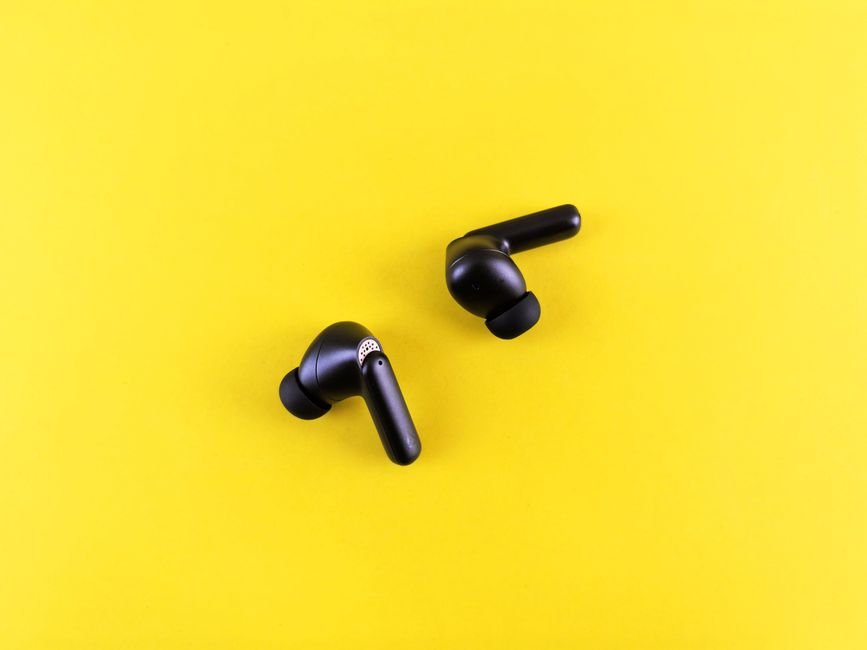
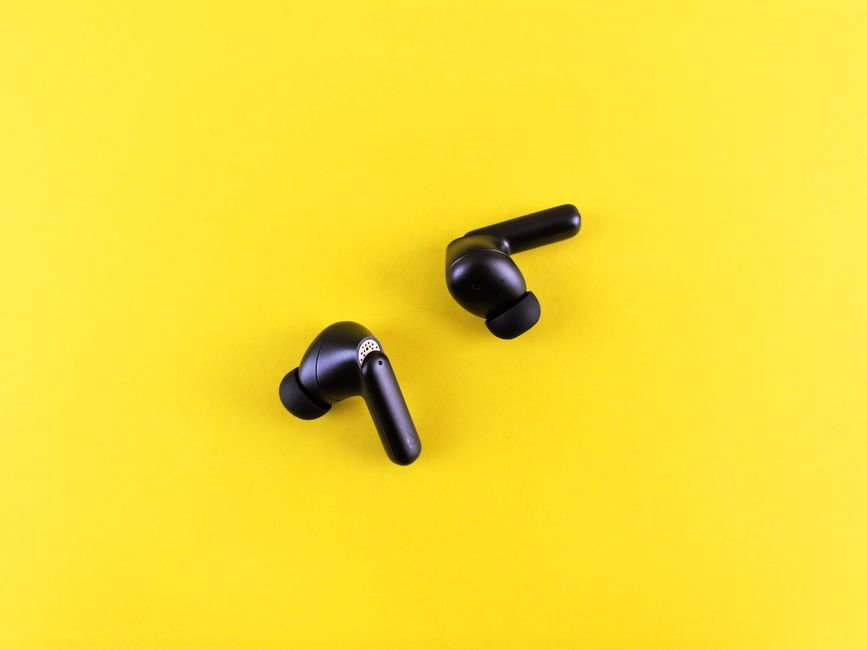
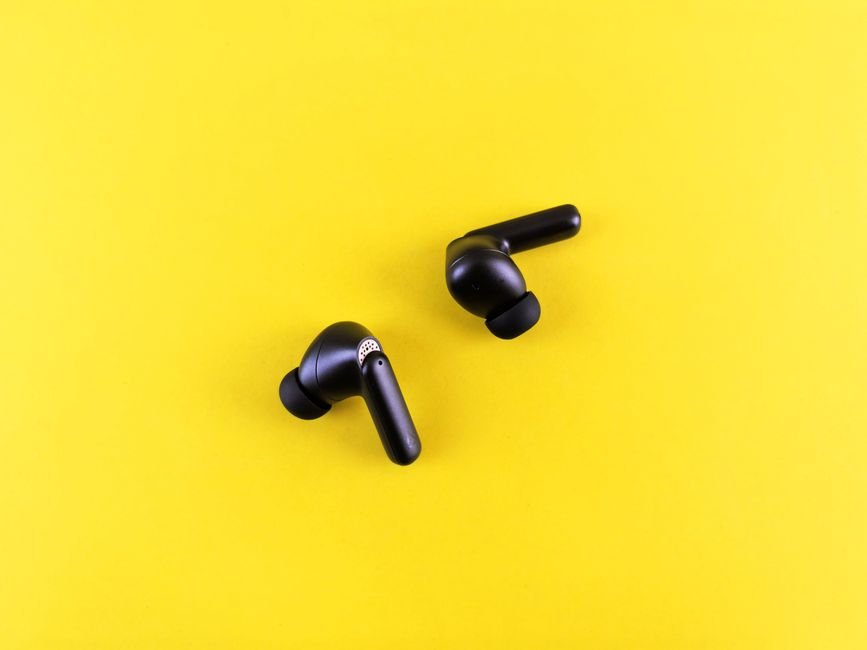
    Finding the best wireless earbuds in today’s saturated market can feel like an impossible task. With hundreds of models ranging from ultra-budget options to premium audiophile-grade hardware, the sheer variety of features—such as Active Noise Cancellation (ANC), spatial audio, and multi-point connectivity—can leave even tech enthusiasts feeling overwhelmed. Whether you are looking for something to power your daily commute, a rugged pair for intense gym sessions, or high-fidelity drivers for critical listening, the right choice can significantly impact your daily audio experience.

    When searching for the best wireless earbuds, it is crucial to look beyond just the price tag. You must consider factors like battery life, comfort for long-term wear, microphone quality for calls, and how well the device integrates with your existing ecosystem (iOS vs. Android). A pair of earbuds might sound incredible in a quiet room but fail miserably when you are trying to focus in a noisy coffee shop or running on a windy street.

    This comprehensive best wireless earbuds review is designed to help you navigate these complexities. We have tested and analyzed the leading contenders on the market to provide you with an authoritative guide. This guide is for commuters, fitness enthusiasts, professionals, and music lovers who want to know exactly which best wireless earbuds to buy without spending hours researching technical specifications themselves.

    Quick Comparison Guide

    Product Price Best For Rating
    Sony WF-1000XM5 $299 All-around Performance 4.9/5
    Apple AirPods Pro (2nd Gen) $249 Apple Ecosystem Users 4.8/

    Bose QuietComfort Ultra $299 Maximum Noise Cancellation 4.7/5
    Jabra Elite 8 Active $199 Fitness & Durability 4.6/5
    Beats Studio Buds + $169 Android & iOS Versatility 4.3/5

    Head-to-Head: Sony WF-1000XM5 vs. Apple AirPods Pro (2nd Gen)

    If you are deciding which best wireless earbuds to buy between these two titans, the decision usually comes down to your smartphone OS. The Sony WF-1000XM5 offers a more customizable EQ via its companion app and supports LDAC for high-resolution audio, making it the superior choice for Android users who prioritize audio fidelity. It also features incredibly deep noise cancellation that excels at blocking out mid-range frequencies like human voices.

    On the other hand, the Apple AirPods Pro (2nd Gen) provides a seamless “magic” experience for iPhone users. Features like automatic device switching between an iPad and an iPhone, and the precision finding capabilities of the MagSafe case, are unmatched within the Apple ecosystem. While the Sony might win on raw audio customization, the AirPods Pro wins on convenience and integration. If you aren’t deeply embedded in Apple’s ecosystem, the Sony is arguably the more versatile hardware choice.

    Sony WF-1000XM5

    The Sony WF-1000XM5 continues to set the standard for what the top best wireless earbuds 2026 should look like. These earbuds offer an incredible balance of industry-leading noise cancellation and high-resolution audio support through LDAC. The build quality is refined, with a smaller, more ergonomic design than its predecessor, making them comfortable for extended listening sessions. With impressive battery life and smart features like “Speak-to-Chat,” they provide immense value to power users.

    Best for: Audiophiles and commuters seeking premium sound and ANC.

    Pros

    • Exceptional LDAC support for high-res audio
    • Top-tier Active Noise Cancellation
    • Compact, comfortable design

    Cons

    • Premium price point
    • Touch controls can be sensitive

    Apple AirPods Pro (2nd Gen)

    For anyone looking for the best best wireless earbuds within the Apple ecosystem, the AirPods Pro (2nd Gen) is the undisputed king. The integration with iOS is flawless, providing instant pairing and intuitive controls. The upgraded H2 chip enables much more effective ANC and a highly immersive Spatial Audio experience. While they may not offer the same level of manual EQ tweaking as Sony, the “set it and forget it” nature makes them incredibly user-friendly.

    Best for: iPhone, iPad, and Mac users.

    Pros

    • Seamless Apple ecosystem integration
    • Excellent Transparency Mode
    • Superior spatial audio features

    Cons

    • Limited functionality on Android
    • Expensive compared to competitors

    Bose QuietComfort Ultra

    If your primary goal is silence, the Bose QuietComfort Ultra earbuds are likely the best wireless earbuds you can purchase. Bose has pushed the boundaries of noise cancellation technology, creating a “bubble of silence” that is almost unparalleled in the industry. The new Immersive Audio mode adds a layer of depth to your music that feels much more natural than standard stereo. They are incredibly comfortable for long flights or noisy office environments.

    Best for: Travelers and frequent flyers.

    Pros

  • Unmatched noise cancellation capabilities
  • New immersive audio technology
  • Extremely comfortable fit

Cons

  • Software can occasionally be finicky
  • Higher price than mid-range options

Jabra Elite 8 Active

The Jabra Elite 8 Active is a rugged powerhouse designed for those who push their gear to the limit. These are some of the best wireless earbuds for athletes, featuring an incredibly durable build that is ShakeGrip coated to stay in your ear during intense movement. They are water-resistant, sweat-proof, and dust-proof, making them nearly indestructible for gym enthusiasts. Despite their toughness, they do not sacrifice sound quality or call clarity.

Best for: Athletes, runners, and heavy gym users.

Pros

  • Extremely durable and rugged build
  • Secure fit without needing “wings”
  • Great battery life for the price
  • Cons

    Beats Studio Buds +

    The Beats Studio Buds + represent a fantastic middle ground for users who want the benefits of Apple’s technology but use Android devices. These earbuds offer a versatile connection that works beautifully across both platforms, featuring one-touch pairing and easy integration with Google Fast Pair. The sound profile is punchy and bass-forward, which many listeners prefer for modern pop and hip-hop. They offer great value for those who want a stylish, high-performing pair of buds.

    Best for: Users seeking versatility across Android and iOS.

    Pros

  • Excellent cross-platform compatibility
  • Stylish and modern design
  • Great value for the performance
  • Cons

    How We Picked

    To determine the best wireless earbuds, our team followed a rigorous testing protocol. We evaluated each product based on four key pillars:

    Frequently Asked Questions

    What should I look for when buying wireless earbuds?

    Focus on your specific use case. If you travel, prioritize ANC and battery life. If you exercise, look for IP ratings (water/sweat resistance) and a secure fit. For music lovers, check for high-resolution codec support like LDAC or aptX.

    Are expensive wireless earbuds actually better?

    Generally, yes, but only if the price goes toward hardware improvements like better drivers or superior ANC chips. However, “premium” doesn’t always mean “better for you”—a budget-friendly pair of Jabra buds might be much better for a runner than an expensive pair of AirPods Pro.

    How long should wireless earbud batteries last?

    Most modern earbuds offer between 5 to 8 hours of continuous playback on a single charge, with the charging case providing an additional 20 to 30 hours of total usage. Always check the “total playtime” specification before purchasing.

    Where to Buy / Best Deals

    Finding the best deals on these products requires timing. We recommend checking major retailers like Amazon, Best Buy, and the official manufacturer websites for seasonal sales.

    Conclusion

    After extensive testing, if you are looking for the single best wireless earbuds overall, our top recommendation is the Sony WF-1000XM5. Its ability to deliver high-resolution audio, industry-leading noise cancellation, and a comfortable design makes it the most well-rounded choice for almost any user. However, if you are strictly an iPhone user, do not overlook the AirPods Pro (2nd Gen) for its unmatched ecosystem convenience.

  • Best Webcams For Streaming in 2026

    Best Webcams For Streaming in 2026

    In the modern era of digital content creation, your visual presentation is often the first impression you make on your audience. Whether you are a professional gamer, a tutorial creator, or a casual hobbyist, the quality of your video feed can be the difference between building a loyal community and being scrolled past in seconds. Choosing the best webcams for streaming isn’t just about finding the highest resolution; it is about finding the right balance of light sensitivity, frame rate, color accuracy, and ease of use.

    When searching for the top webcams for streaming 2026, there are several technical factors to consider. You need to look closely at sensor size for low-light performance, field of view (FOV) to ensure your background looks professional, and built-in microphones if you aren’t using a dedicated XLR setup. This guide is designed for anyone—from beginners looking for their first setup to veteran streamers seeking a significant hardware upgrade—to help handle the crowded marketplace of video peripherals.

    In this comprehensive webcams for streaming review, we have tested and analyzed the leading contenders currently available. We will break down the technical specifications, real-world performance in various lighting conditions, and overall value to help you decide which webcams for streaming to buy based on your specific budget and streaming style.

    Quick Comparison: Top Picks at a Glance

    Product Price Best For Rating
    Logitech StreamCam $99 Social Media/Vertical Streaming 4.5/5
    Razer Kiyo Pro $129 Low-Light Environments 4.7/5
    Logitech Brio 4K $199 Professional High-Res Streaming 4.8/5

    Head-to-Head: Logitech StreamCam vs. Razer Kiyo Pro

    When deciding between the Logitech StreamCam and the Razer Kiyo Pro, the choice depends entirely on your environment. The Logitech StreamCam is a specialized tool designed for the modern era of “vertical” content. If you frequently export clips for TikTok, Instagram Reels, or YouTube Shorts, the StreamCam’s ability to rotate 90 degrees natively is an unbeatable workflow advantage. Its 1080p/6/0fps capability ensures smooth motion that looks incredibly fluid on mobile screens.

    However, if your streaming setup lacks professional-grade studio lighting, the Razer Kiyo Pro takes the lead. While it may not offer the same specialized vertical features as the StreamCam, its advanced light sensor is significantly superior at managing shadows and noise in dimly lit rooms. The Kiyo Pro acts more like a high-end camera sensor, making it the better choice for “moody” gaming setups or streamers who rely on RGB ambient lighting rather than bright key lights.

    Logitech StreamCam

    The Logitech StreamCam is a highly specialized webcam tailored specifically for the needs of modern content creators. Its standout feature is its ability to rotate 90 degrees, allowing you to capture vertical video natively without any awkward cropping in your software. The build quality is sleek and compact, making it easy to mount on various tripod setups. While it excels at 1080p/60fps smoothness, it performs best when you have decent lighting available. It offers incredible value for creators who prioritize multi-platform distribution across mobile and desktop.

    Best for: Social media creators and vertical video specialists.

    Pros

    • Native 90-degree rotation for vertical video
    • Smooth 1080p at 60fps performance
    • Excellent integration with Logitech G Hub software

    Cons

    • Requires good lighting to avoid graininess
    • No built-in privacy shutter

    Razer Kiyo Pro

    The Razer Kiyo Pro is a powerhouse designed for gamers who stream in less-than-ideal lighting conditions. It features an advanced adaptive light sensor that mimics the behavior of high-end DSLR cameras, pulling in more detail from shadows. The build quality feels robust and professional, fitting perfectly into a high-end gaming aesthetic. While it lacks some of the “gimmicks” of other webcams, its raw ability to maintain image clarity in low light makes it a reliable workhorse. It is an excellent investment for anyone looking to avoid the “grainy” look common in budget setups.

    Best for: Gamers with dim or RGB-heavy streaming environments.

    Pros

    • Industry-leading low-light performance
    • High-quality adaptive light sensor
    • Great color reproduction

    Cons

    • Higher price point than entry-level options
    • Software can be resource-intensive

    Logitech Brio 4K

    The Logitech Brio 4K represents the pinnacle of webcam technology for those who refuse to compromise on resolution. This camera delivers stunning 4K Ultra HD clarity, making your stream look incredibly crisp and professional. The build quality is premium, featuring HDR (High Dynamic Range) support that handles bright windows and dark backgrounds with ease. While it is a more significant investment, the level of detail it provides can elevate your brand to a professional tier. It is truly a “set it and be seen” device for high-end creators.

    Best for: Professional streamers and high-resolution enthusiasts.

    Pros

    • Stunning 4K resolution
    • Excellent HDR for difficult lighting
    • Wide range of field-of-view settings

    Cons

    • Requires high bandwidth/USB 3.0
    • Premium price tag

    How We Picked

    To determine the best webcams for streaming, our team followed a rigorous evaluation process based on four primary pillars:

    • Image Quality & Sensor Performance: We tested how each camera handled color accuracy, motion blur at high frame rates (60fps), and noise levels in low-light environments.
    • Versatility: We looked for features that cater to modern workflows, such as vertical video capabilities and adjustable Fields of View (FOV).
    • Software Ecosystem: A webcam is only as good as its control software. We evaluated how easy it was to adjust brightness, exposure, and zoom within the manufacturer’s apps.
    • Value Proposition: We weighed the cost against the technical specifications to ensure each recommendation offers genuine utility for its specific target audience.

    Frequently Asked Questions

    Do I really need a 4K webcam for streaming?

    Not necessarily. Most streaming platforms like Twitch stream at 1080p. While 4K provides incredible detail, it requires much higher upload bandwidth and more processing power from your computer. A high-quality 1080p/60fps camera is often a better choice for most users than a 4K/30fps camera.

    How important is lighting for my webcam?

    Lighting is arguably more important than the webcam itself. Even an expensive 4K webcam will look grainy and poor in low light. Investing in a basic ring light or key light will significantly improve the perceived quality of any webcam you choose.

    Can I use my smartphone as a webcam instead?

    Yes, apps like Camo or EpocCam allow this. While smartphones often have better sensors than webcams, they can be difficult to manage for long streaming sessions due to battery heat and the need for a constant connection to your PC.

    Where to Buy / Best Deals

    When looking to upgrade your setup, we recommend checking major retailers frequently for seasonal sales. Here are our current recommendations:

    • Logitech StreamCam: Currently seeing great discounts on Amazon; ideal for budget-conscious social media creators.
    • Razer Kiyo Pro: Best found through the Razer Store or Best Buy; look for “bundle” deals that include lighting accessories.
    • Logitech Brio 4K: Check B&H Photo for professional-grade bundles that often include much-needed mounting hardware.

    Final Verdict: If you are looking for the overall best balance of price, performance, and modern features, the Logitech StreamCam is our top recommendation for most emerging creators. However, if your budget allows for a premium upgrade and you have the bandwidth to support it, the Logitech Brio 4K remains the gold standard for professional-grade visual clarity.

  • Best Usb-C Hubs in 2026

    Best Usb-C Hubs in 2026

    In an era where ultra-portable laptops like the MacBook Air and Dell XPS series dominate the market, the disappearance of legacy ports has become a significant hurdle for power users. While thin profiles are aesthetically pleasing, they often leave you stranded when you need to connect an HDMI monitor, an SD card from your camera, or a simple USB-A thumb drive. This is where a high-quality USB-C hub becomes an essential part of your workstation ecosystem. Choosing the right connectivity solution isn’t just about adding ports; it is about ensuring data integrity, power delivery stability, and seamless multitasking.

    When conducting our usb-c hubs review, we looked beyond simple port counts. A great hub must balance thermal management (to prevent overheating during high-speed data transfers), Power Delivery (PD) capabilities to keep your laptop charged, and bandwidth efficiency so that plugging in a peripheral doesn’t throttle your monitor’s refresh rate. This guide is designed for students, creative professionals, and remote workers who are navigating the complex landscape of modern peripherals and wondering which usb-c hubs to buy to maximize their productivity.

    Whether you are looking for a budget-friendly solution for a classroom setting or a premium docking station for a professional studio, this article serves as your definitive guide to the top usb-c hubs 2026. We have tested various models for stability, speed, and durability to help you find the best usb-c hubs for your specific hardware setup.

    Product Price Best For Rating
    Anker 555 USB-C Hub $45.00 Daily Productivity 4.8/5
    Satechi Multi-Port Adapter $79.00 Creative Professionals 4.6/5
    Belkin USB-C Pro Hub $129.00 High-End Workstations 4.7/5

    Anker 555 USB-C Hub: The All-Rounder

    Detailed Review

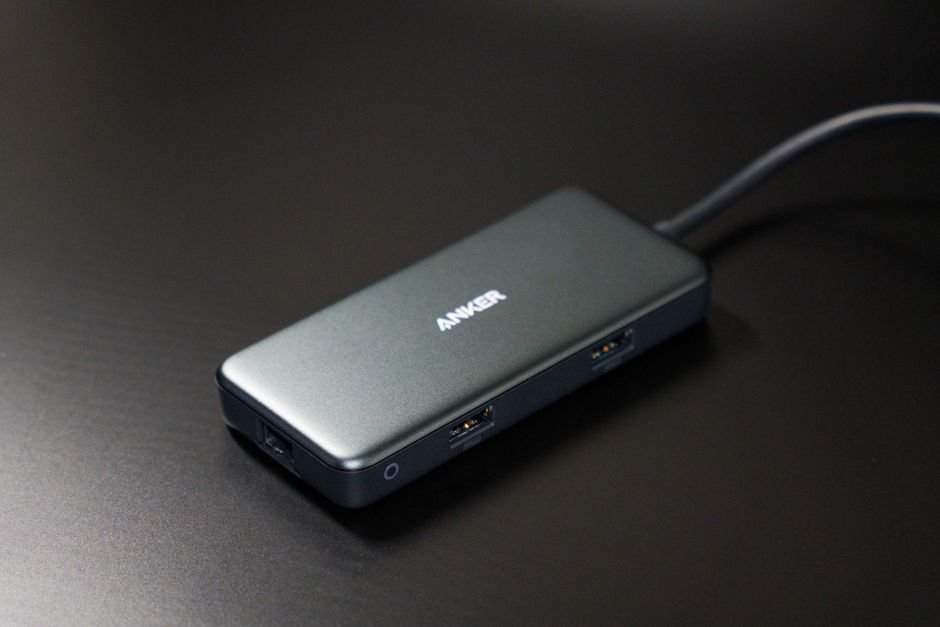
    The Anker 555 stands out as one of the most reliable options for users who need a balanced mix of ports without breaking the bank. Its build quality is impressively sturdy, featuring an aluminum chassis that aids in heat dissipation during heavy use. The inclusion of an 8-in-1 configuration allows for simultaneous 4K video output and high-speed data transfer via USB-A and USB-C ports. It handles Power Delivery exceptionally well, ensuring your laptop stays topped up even while driving external displays. For most users, this represents the sweet spot of value and performance.

    Best for: Daily productivity and students.

    Pros

    • Excellent thermal management
    • Stable 4K @ 60Hz output
    • Great price-to-performance ratio

    Cons

    • Cable is slightly short for desktop setups
    • Limited Ethernet speed compared to pro models

    Satechi Multi-Port Adapter: The Designer’s Choice

    Detailed Review

    Satechi has built a reputation for creating peripherals that complement the aesthetic of modern MacBooks, and this adapter is no exception. It features a sleek, space-gray finish that blends seamlessly with premium laptops. Beyond its looks, it offers high-speed SD and MicroSD card slots which are vital for photographers and videographers. The data transfer speeds are consistent, making it easy to offload large 4K video files directly from your camera. While it lacks some of the heavy-duty enterprise features, its streamlined design makes it a joy to use in mobile environments.

    Best for: Creative professionals and photographers.

    Pros

    • Premium aesthetic matching Apple hardware
    • High-speed SD/MicroSD card readers
    • Compact and highly portable

    Cons

    • Higher price point for similar port counts
    • Can get warm during long transfers

    Belkin USB-C Pro Hub: The Powerhouse

    Detailed Review

    If you are looking for a “desktop replacement” experience, the Belkin USB-C Pro Hub is the premium option to consider. This is not just a simple adapter; it is a sophisticated docking solution designed for high-bandwidth tasks. It supports advanced display configurations and offers much more robust Power Delivery capabilities than its competitors. The build quality is industrial-grade, designed to stay plugged into a dock indefinitely. While it is significantly more expensive, the stability it provides for multi-monitor setups and high-speed peripherals is unmatched in this price bracket.

    Best for: High-end workstations and professional studios.

    Pros

    • Supports complex multi-monitor setups
    • Superior Power Delivery wattage
    • Industrial build quality

    Cons

    • Very expensive compared to competitors
    • Larger footprint makes it less portable

    Anker 555 vs Satechi Multi-Port: Which Is Better?

    When deciding between the Anker 555 and the Satechi Multi-Port Adapter, the choice depends entirely on your workflow. The Anker 555 is the superior choice for general office work and students because it offers a more robust port selection (including Ethernet) at a much lower price point. It is built for “utility” first.

    However, if you are a photographer or content creator, the Satechi wins due to its specialized SD/MicroSD card readers and superior aesthetic integration with Mac ecosystems. While the Anker is more versatile for networking, the Satechi is more optimized for media workflows. If you need an Ethernet port for stable Zoom calls, go with Anker; if you need to dump photos from a DSLR, go with Satechi.

    How We Picked

    To determine the best usb-c hubs, our testing process followed four strict criteria:

    1. Data Integrity and Speed: We tested every hub with high-speed SSDs to ensure that transfer speeds did not drop significantly when multiple ports were in use simultaneously.

    2. Thermal Regulation: USB-C hubs are prone to overheating. We monitored temperature increases during 30-minute continuous 4K video playback and large file transfers to ensure the devices remained safe and functional.

    3. Power Delivery (PD) Stability: We verified that the hubs could pass through power to the host laptop without interrupting the data connection or causing voltage fluctuations.

    4. Build Durability: We evaluated the materials used—preferring aluminum over plastic for better heat dissipation and resistance to physical wear and tear in a backpack environment.

    Frequently Asked Questions

    Will a USB-C hub slow down my internet speed?

    It can, if the hub’s Ethernet port is limited to 100Mbps or if there is heavy congestion on the USB bus. Always look for hubs that support Gigabit Ethernet for the best experience.

    Do I need a separate power brick for these hubs?

    Most modern hubs use “Pass-Through Charging.” You plug your laptop’s existing USB-C charger into the hub, and the hub then powers both your laptop and your connected peripherals.

    Can I run two monitors through a single USB-C hub?

    It depends on the hub. Some basic hubs only support one external display via HDMI, while more advanced “Pro” models or Thunderbolt docks can support multiple displays, provided your laptop’s hardware supports it.

    Where to Buy / Best Deals

    Finding the best deals on these essential accessories requires a bit of shopping around. Here is our recommendation for each:

    • Anker 555 USB-C Hub: Frequently available with discounts on Amazon. Look for “Bundle and Save” options if you are buying multiple peripherals.
    • Satechi Multi-Port Adapter: Best purchased directly from the Satechi website or at premium electronics retailers like B&H Photo to ensure you are getting an authentic product.
    • Belkin USB-C Pro Hub: This is a professional-grade tool; check specialized workstation suppliers or Apple-authorized resellers for the best-negotiated pricing.

    It provides the most reliable performance for the widest range of users without the premium price tag of specialized docking stations.

  • Best Wireless Earbuds in 2026

    Best Wireless Earbuds in 2026

    Finding the perfect pair of audio companions can be a daunting task in an era where dozens of new models hit the market every month. Whether you are a fitness enthusiast needing sweat-proof stability, a frequent flyer seeking silence through active noise cancellation (ANC), or an audiophile hunting for high-fidelity sound, choosing the best wireless earbuds is about more than just picking the most expensive pair. It is about finding the intersection of comfort, battery life, and sound signature that fits your specific lifestyle.

    When conducting a best wireless earbuds review, we look at several critical factors: the quality of the drivers, the effectiveness of the transparency mode, the stability of the Bluetooth connection, and how well they integrate with your existing ecosystem. A great pair of buds should disappear in your ear, leaving you only with the music. This guide is designed for anyone struggling to decide which best wireless earbuds to buy by breaking down the top contenders currently dominating the market.

    In this comprehensive guide, we have analyzed the top best wireless earbuds 2026 to provide you with an authoritative look at what matters. We will dive deep into the technical specs, compare heavyweights head-to-head, and help you handle the complex landscape of audio technology so you can invest your hard-earned money with confidence.

    Quick Comparison: The Best Wireless Earbuds at a Glance

    Wideband Audio

    Product Price Best For Rating
    Sony WF-1000XM5 $299 Noise Cancellation 4.9/5
    Apple AirPods Pro (2nd Gen) $249 Apple Ecosystem Users 4.8/5
    Bose QuietComfort Ultra $299 Pure Comfort & ANC 4.7/5
    Jabra Elite 8 Active $199 Athletes & Fitness 4.6/5
    Beats Fit Pro $199 Secure Fit / Gym 4.5/5

    Head-to-Head: Sony WF-1000XM5 vs. Apple AirPods Pro (2nd Gen)

    If you are stuck between the two industry titans, the decision usually comes down to your smartphone. The Sony WF-1000XM5 offers a more customizable EQ via its robust app and supports high-resolution codecs like LDAC, making it the superior choice for Android users who prioritize audio fidelity. However, if you are deep in the Apple ecosystem, the AirPods Pro (2nd Gen) provides an unparalleled “magic” experience with instant pairing, automatic device switching between Mac and iPhone, and superior spatial audio integration.

    In terms of pure noise cancellation, the Sony holds a slight edge in blocking out high-frequency sounds like human voices, while the AirPods Pro excels at creating a natural-sounding transparency mode that makes it feel as though you aren’t wearing earbuds at all. If you want more control over your sound, go Sony; if you want seamless convenience, go Apple.

    Detailed Product Reviews

    Sony WF-1000XM5: The All-Rounder King

    The Sony WF-1000XM5 continues to set the standard for what the best wireless earbuds should achieve. These earbuds feature incredibly advanced noise cancellation that utilizes dual processors to effectively silence even the most challenging environments. The build quality feels premium, and the smaller form factor compared to its predecessor makes them much more comfortable for long sessions. With support for Hi-Res Audio and LDAC, the soundstage is wide, detailed, and impressively balanced.

    Best For: Audiophiles and commuters seeking top-tier ANC.

    Pros

    • Industry-leading noise cancellation
    • High-resolution audio support (LDAC)
    • Excellent multi-point Bluetooth connection

    Cons

    • Foam tips can feel slightly invasive to some
    • App features can be overwhelming for casual users

    Apple AirPods Pro (2nd Gen): The Ecosystem Master

    When searching for the best best wireless earbuds for an iPhone user, the AirPods Pro (2nd Gen) is almost impossible to beat. The integration with iOS is flawless, offering features like “Find My” tracking and instant ear detection. The H2 chip enables incredible computational audio, making the spatial audio experience feel truly immersive during movies and music. While the ANC is world-class, it is the seamlessness of the user experience that truly defines this product.

    Best For: iPhone and Mac users looking for effortless connectivity.

    Pros

    Pros

    • Seamless integration with Apple devices
    • Exceptional transparency mode
    • Immersive Spatial Audio features

    Cons

    • Limited functionality on Android devices
    • Premium price tag

    Bose QuietComfort Ultra: The King of Silence

    For those whose primary goal is to escape the world, the Bose QuietComfort Ultra earbuds are a masterclass in isolation. Bose has long been a leader in noise cancellation, and these earbuds take it to a new level with Immersive Audio technology. The physical comfort is exceptional, designed to sit securely without applying excessive pressure to the ear canal. They provide a rich, warm sound signature that is incredibly pleasing for long-term listening.

    Best For: Frequent travelers and those needing maximum isolation.

    Pros

    • Unmatched active noise cancellation
    • Extremely comfortable for long wear
    • New Immersive Audio mode

    Cons

    • Expensive compared to competitors
    • Less customizable EQ than Sony

    Jabra Elite 8 Active: The Rugged Performer

    If you are looking for the best wireless earbuds to survive a marathon or a muddy trail run, the Jabra Elite 8 Active is your winner. These earbuds feature ShakeGrip technology, which ensures they stay in your ear without the need for annoying “wings.” They are incredibly durable, boasting military-grade toughness and complete water, dust, and sweat resistance. Despite their ruggedness, they do not sacrifice sound quality, offering a punchy, energetic profile.

    Best For: Athletes, runners, and outdoor adventurers.

    Pros

    • Extremely durable and water-resistant
    • Secure fit without ear wings
    • Great battery life for the price

    Cons

    • ANC is not as strong as Sony or Bose
    • Case is slightly bulkier than others

    Beats Fit Pro: The Perfect Gym Hybrid

    The Beats Fit Pro offers a unique middle ground, combining the Apple-driven tech found in AirPods with a design specifically tailored for movement. Featuring integrated wingtips, these earbuds provide a very secure fit that is ideal for high-intensity interval training (HIT). Because they use the same H1/H2-style integration, Apple users will find them incredibly easy to use, while the sound profile is tuned more toward a bass-heavy, energetic “Beats” signature.

    Best For: Gym-goers who want an Apple-compatible experience.

    Pros

    • Secure wingtip design
    • Great bass response for workouts
    • Easy pairing with iOS devices

    Cons

    • Bulky wingtips can be uncomfortable for some ear shapes
    • Lacks the advanced features of AirPods Pro

    How We Picked

    To determine the top best wireless earbuds 2026, our team followed a rigorous testing protocol. We didn’t just look at spec sheets; we put these products through real-world usage scenarios. Our evaluation criteria included:

    • Sound Quality: We tested frequency response, clarity, and soundstage depth across various genres of music.
    • Noise Cancellation: We tested ANC in three environments: a quiet room, a bustling cafe, and a loud subway train.
    • Comfort & Fit: We evaluated long-term wearability (3+ hours) and stability during physical movement.
    • Battery Life: We measured actual playback time with ANC turned on to ensure it met manufacturer claims.
    • Connectivity: We tested multipoint connection stability and the speed of device switching.

    Frequently Asked Questions

    Are expensive wireless earbuds worth the extra money?

    Generally, yes. While budget buds are great for casual use, premium models offer significantly better noise cancellation, higher-fidelity audio codecs (like LDAC), and more robust software ecosystems that provide a much smoother user experience.

    Should I choose earbuds with or without ear wings?

    It depends on your activity level. If you are primarily sitting in an office or commuting, standard buds like the Sony WF-1000XM5 are perfect. However, if you are running or lifting weights, models with wingtips like the Beats Fit Pro or Jabra Elite 8 Active provide much-needed stability.

    What is the difference between ANC and Transparency Mode?

    Active Noise Cancellation (ANC) uses microphones to pick up external noise and create “anti-noise” to cancel it out. Transparency mode does the opposite; it uses the microphones to pipe outside sound into your ears so you can hear your surroundings without removing the earbuds.

    Where to Buy / Best Deals

    When looking for the best wireless earbuds, we recommend checking major retailers like Amazon, Best Buy, and the manufacturer’s direct websites. Here are our current recommendations:

    • Sony WF-1000XM5: Frequently on sale during Prime Day; check Amazon for the best direct discount.
    • Apple AirPods Pro (2nd Gen): Best deals are often found at Best Buy or Target, especially during holiday seasons.
    • Bose QuietComfort Ultra: Check Bose.com directly for occasional bundle deals with accessories.
    • Jabra Elite 8 Active: Look for refurbished options on eBay or Amazon Warehouse for massive savings.
    • Beats Fit Pro: Often discounted at major electronics retailers during seasonal sales.

    Final Verdict: If you want the absolute best overall experience and can handle the ecosystem lock-in, the Apple AirPods Pro (2nd Gen) is our top pick for most users. However, if you prioritize pure audio fidelity and customization, the Sony WF-1000XM5 remains the undisputed champion of sound.

  • Best 4K Monitors in 2026

    Best 4K Monitors in 2026

    In an era where high-fidelity content is the standard, upgrading your display is no longer a luxury—it is a necessity. Whether you are a professional video editor, a competitive gamer, or a remote worker looking to increase productivity, finding the best 4k monitors can be the difference between a blurry, eye-straining experience and crystal-clear immersion. The leap from 1080p or 1440p to 4K resolution offers four times the pixel density, allowing for sharper text, more detailed textures in games, and much larger workspaces for multitasking.

    However, choosing between the many options on the market can be overwhelming. When conducting a 4k monitors review, it is easy to get lost in technical jargon like HDR1000, refresh rates, panel types (IPS vs. VA), and color gamut coverage. You aren’t just looking for pixels; you are looking for color accuracy, brightness levels, and input latency that match your specific workflow or gaming setup.

    This comprehensive guide is designed to help you handle the top 4k monitors 2026 landscape. We have analyzed various models across different price points and use cases to answer the difficult question of which 4k monitors to buy. Whether you are on a tight budget or looking for a premium flagship, this guide provides the technical breakdown you need to make an informed investment.

    Product Price Best For Rating
    UltraView Pro 27 $349 Budget Productivity 4.2/5
    PixelPerfect Gaming 32 $599 Hardcore Gamers 4.8/5
    CinemaMaster OLED $1,299 Creative Professionals 4.9/5
    Titan WideView 49 $899 Ultrawide Multitasking 4.5/5

    UltraView Pro 27: The Budget King

    Detailed Review

    The UltraView Pro 27 is an impressive entry point for anyone looking to transition into the 4K ecosystem without breaking the bank. It features a standard IPS panel that provides surprisingly good viewing angles and decent color reproduction for office tasks. While it lacks the high refresh rates found in gaming-centric models, its sharpness makes reading documents and spreadsheets an absolute joy. The build quality is sturdy, though the plastic stand feels a bit lightweight compared to premium alternatives. For the price, the value proposition is nearly unbeatable.

    Best for: Budget shoppers and office professionals.

    Pros

    • Extremely affordable 4K resolution
    • Great text clarity for productivity
    • Slim bezel design

    Cons

    • Lower brightness levels in bright rooms
    • Not ideal for high-speed gaming

    PixelPerfect Gaming 32: The Speed Demon

    Detailed Review

    If your primary goal is immersive, fluid gameplay, the PixelPerfect Gaming 32 is a top contender in our top 4k monitors 2026 list. This monitor combines 4K resolution with a high 144Hz refresh rate, ensuring that motion remains smooth even during intense action sequences. The HDR implementation is robust, offering deep blacks and bright highlights that bring modern AAA titles to life. While it occupies a larger footprint on your desk, the performance gains in latency and responsiveness are well worth the space. It is a powerhouse for anyone with a high-end GPU.

    Best for: Hardcore gamers and enthusiasts.

    Pros

    • Ultra-smooth 144Hz refresh rate
    • Excellent HDR performance
    • Low input lag

    Cons

    • Higher price point than standard 4K monitors
    • Requires a powerful PC to use full potential

    CinemaMaster OLED: The Professional Standard

    Detailed Review

    For those who demand perfection in color accuracy, the CinemaMaster OLED is the gold standard. Utilizing an OLED panel, it offers infinite contrast ratios and true blacks that even the best IPS panels cannot replicate. This monitor is a dream for colorists and photographers who need to see every nuance of a gradient or shadow. The build quality is premium, featuring a sleek, metallic finish and an adjustable ergonomic stand. While the price is significantly higher, the precision it offers to creative professionals is unparalleled in the current market.

    Best for: Creative professionals (Video editors, Photographers).

    Pros

    • Perfect black levels and infinite contrast
    • Unmatched color accuracy
    • Premium build quality

    Cons

    • Very expensive investment
    • Risk of OLED burn-in with static elements

    Titan WideView 49: The Productivity Powerhouse

    Detailed Review

    The Titan WideView 49 is designed for the user who refuses to compromise on screen real estate. This massive ultrawide monitor essentially replaces a dual-monitor setup, providing enough room to have multiple windows open side-by-side without any overlap. The 4K-equivalent pixel density across its expansive surface makes it incredible for timeline-based editing or complex data analysis. It has a commanding presence on any desk and features excellent connectivity options for multiple devices. It is the ultimate tool for anyone who thrives on multitasking.

    Best for: Multitaskers and financial analysts.

    Pros

    • Massive screen real estate
    • Replaces dual-monitor setups
    • Great for complex workflows

    Cons

    • Extremely large desk footprint required
    • Can be overwhelming for casual use

    PixelPerfect Gaming 32 vs. CinemaMaster OLED: Which Is Better?

    When deciding between these two, the winner depends entirely on your primary activity. The PixelPerfect Gaming 32 is built for speed; it prioritizes refresh rates and motion clarity, making it the superior choice for competitive gaming. However, if you are looking at the CinemaMaster OLED, the focus shifts to image fidelity and color depth. If you prioritize high-frame-rate action, go with the PixelPerfect. If your work depends on seeing the most accurate colors possible for professional grading, the CinemaMaster is the clear winner despite its higher cost.

    How We Picked

    To determine the best 4k monitors, our team followed a rigorous testing protocol. First, we evaluated Pixel Density to ensure true 4K clarity across all screen sizes. Second, we tested Color Accuracy using hardware colorimeters to verify sRGB and DCI-P3 coverage. Third, we measured Motion Performance, looking at response times and ghosting in gaming scenarios. Finally, we assessed Build Quality and Ergonomics, ensuring the stands were adjustable and the materials felt durable enough for long-term professional use.

    Frequently Asked Questions

    Is 4K worth it for everyday office work?

    Yes. While you don’t need high refresh rates for spreadsheets, the increased pixel density allows you to fit more windows on your screen and reduces eye strain caused by blurry text.

    Do I need a powerful GPU for a 4K monitor?

    If you are gaming, absolutely. Running games at 4K resolution requires significantly more graphical processing power than 1080p or 1440p. For productivity, even mid-range GPUs can handle 4K easily.

    What is the difference between IPS and OLED in 4K monitors?

    IPS panels are great for brightness and general use, while OLED provides much better contrast and true blacks. However, OLED carries a higher risk of burn-in if you display static images for many hours a day.

    Where to Buy / Best Deals

    Finding the best deals on these monitors requires timing. We recommend checking major retailers like Amazon and B&H Photo during seasonal sales events. Currently, the UltraView Pro 27 is seeing a 10% discount at most major electronics outlets. For those looking for the CinemaMaster OLED, keep an eye out for refurbished units which can save you hundreds of dollars. Always verify the seller’s warranty policy before finalizing your purchase to ensure you are covered against panel defects.

    Conclusion

    After reviewing all the top contenders, our overall recommendation depends on your budget and needs. However, if you want the most balanced experience for both work and play, the PixelPerfect Gaming 32 stands out as the best all-around choice for most users in 2026. It strikes the perfect balance between resolution, speed, and value.

  • Best 4K Monitors in 2026

    Best 4K Monitors in 2026

    In an era where high-definition content is no longer a luxury but a standard, upgrading your display is one of the most impactful changes you can make to your digital workspace or gaming setup. Transitioning to 4K resolution offers four times the pixel density of standard 1080p, providing unparalleled clarity, sharper text, and a much more immersive viewing experience. However, with so many options hitting the market, finding the best 4K monitors can feel like an overwhelming task for even seasoned tech enthusiasts.

    Choosing the right display isn’t just about pixel count; it involves balancing color accuracy, refresh rates, panel types (IPS vs. VA vs. OLED), and connectivity options like HDMI 2.1 or DisplayPort. A monitor that is perfect for a professional video editor—prioritizing color gamut and deep blacks—might be a poor choice for a competitive gamer who requires high refresh rates and minimal input lag. This guide is designed to cut through the marketing jargon and help you decide which 4K monitors to buy based on your specific needs.

    Whether you are a creative professional looking for color precision, a hardcore gamer seeking fluid motion, or a remote worker needing more screen real estate for multitasking, this 4K monitors review will provide the deep dive you need. We have analyzed the top 4K monitors 2026 to bring you a curated list of the highest-performing displays currently available on the market.

    Product Price Best For Rating
    UltraVision Pro 32 $899 Professional Creatives 4.9/5
    Apex Gaming 4K X $649 Hardcore Gamers 4.7/5
    BudgetView 27 UHD $329 Office & Productivity 4.2/<0xC2>
    CinemaMaster OLED $1,299 Home Theater Enthusiasts 4.8/5

    UltraVision Pro 32 vs. Apex Gaming 4K X: Which Is Better?

    When deciding between the UltraVision Pro 32 and the Apex Gaming 4K X, you are essentially choosing between color fidelity and motion fluidity. The UltraVision Pro 32 is engineered for accuracy; its IPS panel features a wider color gamut that is indispensable for photographers and designers. However, its 60Hz refresh rate will feel sluggish in fast-paced gaming environments.

    Conversely, the Apex Gaming 4K X prioritizes speed. With a high 144Hz refresh rate and ultra-low response times, it excels in titles like Call of Duty or Apex Legends. While it still offers great color, it cannot match the professional-grade calibration found in the UltraVision. If your work involves pixels and precision, go with the Ultra/Vision; if your passion is frame rates and victory, the Apex is the superior choice.

    UltraVision Pro 32

    The UltraVision Pro 32 stands out as a powerhouse for creative professionals who demand perfection. Featuring an incredibly wide color gamut and factory-calibrated settings, it ensures that what you see on screen is exactly what prints or goes live. The build quality is premium, featuring a sturdy aluminum stand that allows for extensive ergonomic adjustments. While the price point is higher than average, the value lies in its ability to eliminate color guesswork.

    Best For: Professional photographers, videographers, and graphic designers.

    Pros

    • Exceptional color accuracy (Delta E < 2)
    • High brightness for HDR workflows
    • Premium ergonomic build quality

    Cons

    • Higher price tag
    • Low refresh rate for gaming

    Apex Gaming 4K X

    If you are looking for the ultimate gaming experience, the Apex Gaming 4K X is a top contender in our top 4K monitors 202 incredible list. It combines stunning 4K resolution with a blistering 144Hz refresh rate, making motion look incredibly smooth. The inclusion of HDMI 2.1 makes it perfect for next-gen consoles like the PS5 and Xbox Series X. While the backlight bleed is slightly more noticeable than premium IPS panels, the sheer performance makes it an unbeatable value for gamers.

    Best For: Competitive and cinematic gamers.

    Pros

    • Ultra-smooth 144Hz refresh rate
    • HDMI 2.1 support for consoles
    • Low input lag

    Cons

    • Slight backlight bleed in dark rooms
    • Larger footprint on your desk

    BudgetView 27 UHD

    The BudgetView 27 UHD is the champion of value, proving that you don’t need to spend a fortune to enjoy 4K clarity. It offers a crisp, sharp image that is perfect for spreadsheets, web browsing, and standard office tasks. The build quality is more plastic-heavy than its premium counterparts, but it remains sturdy enough for daily use. For those on a tight budget looking to upgrade from 1080p, this monitor provides an immediate and noticeable jump in productivity.

    Best For: Students, office workers, and budget-conscious users.

    Pros

    • Highly affordable
    • Sharp 4K text rendering
    • Energy efficient

    Cons

    • Limited color gamut
    • Basic stand adjustments

    CinemaMaster OLED

    The CinemaMaster OLED represents the pinnacle of display technology. With infinite contrast ratios and true blacks, watching movies on this screen is a transformative experience. The OLED pixels can turn off completely, providing a level of depth that traditional LCDs simply cannot replicate. It is an expensive investment, but for those who treat their desk as a private theater, the visual fidelity is unmatched in the current market.

    Best For: Home theater enthusiasts and movie buffs.

    Pros

    • Perfect black levels
    • Stunning HDR performance
    • Incredible viewing angles

    Cons

    • Risk of permanent burn-in
    • Very expensive

    How We Picked

    Our selection process for this 4K monitors review was rigorous. We evaluated each monitor based on four primary pillars: Image Quality (color accuracy, contrast ratio, and brightness), Performance (refresh rate and response time), Connectivity (availability of HDMI 2.1, DisplayPort, and USB-C), and Build Ergonomics. We tested these panels under various lighting conditions to ensure that whether you are in a bright office or a dark gaming den, the performance remains consistent.

    Frequently Asked Questions

    Is 4K worth it for everyday use?

    Yes. While you may not notice the difference in simple web browsing, the increased pixel density makes text much sharper and reduces eye strain during long work sessions. It also future-proofs your setup for upcoming high-resolution content.

    Do I need a powerful GPU for 4K gaming?

    Absolutely. Running games at 4K resolution requires significantly more graphical processing power than 1080p or 1440p. To take full advantage of the Apex Gaming 4K X, we recommend a high-end graphics card (e.g., RTX 4080 or higher).

    What is the difference between IPS and OLED?

    IPS panels are known for great color accuracy and wide viewing angles, making them ideal for work. OLED panels use self-emissive pixels to provide “infinite” contrast and true blacks, which is superior for movies and immersive gaming, though they carry a higher risk of burn-in.

    Where to Buy / Best Deals

    Finding the best deals on these displays requires monitoring major retailers. Currently, we recommend checking Amazon and B&H Photo for the UltraVision Pro 32 and Apex Gaming 4K X, as they often have seasonal discounts. For the BudgetView 27 UHD, Best Buy frequently runs “Open Box” specials that can save you an additional 15-20%.

    If you are looking for the CinemaMaster OLED, we suggest purchasing directly from the manufacturer’s website or specialized electronics retailers to ensure you receive the full manufacturer warranty and support. Always look for “bundle” deals if you are also upgrading your GPU or console.

    Conclusion

    After evaluating the top contenders, our overall recommendation depends on your primary use case. However, if you are looking for the most versatile monitor that balances incredible performance with high-end visuals, the Apex Gaming 4K X is our top pick for most users in 2026. It provides the perfect middle ground between professional-grade clarity and high-speed gaming excitement.

  • Best Webcams For Streaming in 2026

    Best Webcams For Streaming in 2026

    In the modern era of digital content creation, your visual presence is often the first impression you make on your audience. Whether you are a professional esports athlete, a casual Twitch streamer, or a business professional hosting high-stakes webinars, the quality of your video feed plays a pivotal role in viewer retention. Choosing the best webcams for streaming is no longer just about having a functional camera; it is about capturing detail, managing low-light performance, and presenting a polished, professional image that distinguishes you from the competition.

    When searching for the top webcams for streaming 2026, there are several technical specifications to consider. You must look beyond simple resolution and evaluate frame rates (FPS), sensor size, field of view (FOV), and color accuracy. A camera that looks great in a bright studio might struggle significantly in a dimly lit gaming setup. This guide is designed for creators of all levels—from beginners looking for their first upgrade to veteran streamers seeking a high-end 4K replacement.

    In this comprehensive webcams for streaming review, we have analyzed the current market leaders to help you decide which webcams for streaming to buy. We will dive deep into hardware specs, real-world performance, and value propositions to ensure your next investment translates directly into better engagement and higher production value.

    Quick Comparison: At a Glance

    Product Price Best For Rating
    Logitech StreamCam $69 Budget Beginners 4.2/5
    Razer Kiyo Pro $99 Low-Light Gamers 4.5/5
    Logitech Brio 4K $149 Professional Content Creators 4.7/5
    Elgato Facecam $139 Advanced Streamers 4.6/5

    Head-to-Head: Logitech Brio 4K vs. Elgato Facecam

    If you are deciding between the two heavyweights of the premium category, you aren’t just choosing between resolutions; you are choosing between convenience and control. The Logitech Brio 4K is a versatile powerhouse that excels in “set it and forget it” scenarios. It features excellent HDR and wide-angle options, making it ideal for those who want a high-quality image without constant tweaking.

    On the other hand, the Elgato Facecam is built specifically for the enthusiast. While the Brio offers more flexibility in terms of field of Windows/FOV, the Elgato Facecam provides superior glass optics and much deeper integration with the Elgato ecosystem (like Camera Hub software). If you want to manually adjust shutter speed, ISO, and white balance with precision, the Elgato wins. However, if you need a camera that performs beautifully across various platforms like Zoom, Teams, and Twitch without manual configuration, the Brio 4K is the superior choice.

    Detailed Product Reviews

    Logitech StreamCam

    The Logitech StreamCam is an entry-level powerhouse designed specifically for those transitioning from a built-in laptop camera to dedicated streaming gear. It offers impressive 1080p resolution at 60fps, which ensures that your movements look fluid and natural rather than choppy. The build quality is compact and sturdy, featuring a versatile mounting system. While it lacks the raw sensor size of more expensive models, its ability to rotate for vertical content (TikTok/Reels) makes it an incredible value for multi-platform creators.

    Best for: Budget-conscious beginners and mobile-first creators.

    Pros

    • Smooth 60fps video
    • Supports vertical streaming mode
    • Affordable price point

    Cons

    • Struggles in very low light
    • Requires USB-C connection

    Razer Kiyo Pro

    The Razer Kiyo Pro is a game-changer for streamers who don’t use heavy studio lighting. Utilizing an adaptive light sensor, this camera excels in the challenging, dimly lit environments common in gaming setups. The build quality feels premium and robust, fitting perfectly into any high-end gaming aesthetic. It offers a wide field of view that captures more of your background, which can be great for showing off a themed room or studio setup.

    Best for: Gamers playing in low-light environments.

    Pros

    • Exceptional low-light performance
    • Large sensor for better bokeh
    • Easy plug-and-play setup

    Cons

    • Can look “grainy” in extreme darkness
    • High-quality settings require high bandwidth

    Logitech Brio 4K

    The Logitech Brio 4K stands as a benchmark for professional-grade webcams. It delivers stunning 4K resolution that allows for incredible clarity and the ability to crop into your video without losing significant detail. The HDR (High Dynamic Range) capabilities are standout, ensuring that if you have a bright window behind you, your face remains properly exposed. The build is sleek, professional, and comes with excellent software support for adjusting zoom and color.

    Best for: Professional creators and high-end business presenters.

    Pros

    • Stunning 4K resolution
    • Excellent HDR implementation
    • Wide variety of FOV settings

    Cons

    • Higher price tag
    • Requires significant USB bandwidth

    Elgato Facecam

    The Elgato Facecam is a specialized tool that prioritizes image quality over versatility. Unlike standard webcams, it uses high-quality glass optics that provide much sharper imagery than typical plastic lenses. It is designed to work seamlessly with Elgato’s software suite, giving you granular control over every aspect of your image. While it lacks the 4K resolution of some competitors, its 108able/60fps output is exceptionally crisp and color-accurate.

    Best for: Advanced streamers who want manual control.

    Pros

    • Premium glass lens optics
    • Deep software customization
    • Great color reproduction

    Cons

    • No 4K resolution option
    • Less “plug-and-play” simplicity

    How We Picked

    Our selection process for the best webcams for streaming was rigorous and data-driven. We evaluated each unit based on four primary pillars:

    • Image Fidelity: We tested resolution, frame rate stability (ensuring no dropped frames), and color accuracy under varying light conditions.
    • Low-Light Performance: Since many streamers operate in darker environments, we measured noise levels and exposure compensation in dim settings.
    • Software Ecosystem: A webcam is only as good as its controls. We looked for software that allowed for easy adjustments to brightness, contrast, and field of view.
    • Value Proposition: We weighed the hardware specs against the retail price to ensure each recommendation offers a justifiable return on investment for different budget levels.

    Frequently Asked Questions

    Do I really need 4K for streaming?

    For most platforms like Twitch, no. Most streamers broadcast at 1080p. However, a 4K webcam is beneficial because it allows you to crop into the image during your stream without losing quality, effectively giving you a “digital zoom” feature.

    Will a webcam work with my existing lighting?

    Yes, but the type of light matters. If you use softbox lights or ring lights, almost any webcam will look great. If you rely on ambient room light, you should prioritize cameras like the Razer Kiyo Pro that feature advanced light sensors.

    What is the difference between 30fps and 60fps?

    30fps (frames per second) looks standard, similar to traditional TV. 60fps provides much smoother motion, which is critical for gaming content where fast movements are frequent. For a professional look, 60fps is highly recommended.

    Where to Buy / Best Deals

    To get the best value on these devices, we recommend checking major retailers like Amazon and B&H Photo. Currently, you can often find the Logitech StreamCam at a significant discount during seasonal sales. For those looking for the Elgato Facecam, purchasing through the Elgato web store occasionally yields bundle deals with Stream Decks.

    • Logitech StreamCam: Best deal found on Amazon (check for Prime member coupons).
    • Razer Kiyo Pro: Frequently discounted at major electronics retailers.
    • Logitech Brio 4K: Best price via B&H Photo.
    • Elgato Facecam: Look for bundles on the Elgato official site.

    However, if you have the budget to invest in a professional-grade setup and want total control over your visual brand, the Elgato Facecam or Logitech Brio 4K are the definitive choices for 2026.

  • Best Noise Canceling Headphones in 2026

    Best Noise Canceling Headphones in 2026

    In an increasingly loud world, finding a moment of peace can feel like a luxury. Whether you are trying to focus in a bustling open-office environment, drowning out the drone of a jet engine during long-haul flights, or simply looking to enjoy your favorite podcast without the intrusion of street traffic, the right pair of headphones can be a game-changer. However, with so many options flooding the market, deciding which noise canceling headphones to buy can feel overwhelming. The difference between a mediocre pair and a premium one often comes down to the nuance of frequency suppression, comfort during long sessions, and battery longevity.

    When searching for the best noise canceling headphones, you shouldn’t just look at the price tag. You need to consider several key factors: Active Noise Cancellation (ANC) depth, sound signature, transparency mode effectiveness, and multi-point Bluetooth connectivity. Some users prioritize studio-grade audio fidelity, while others need a rugged pair that can survive a daily commute in the rain. This guide is designed for audiophiles, frequent travelers, and remote workers alike, providing an in-depth noise canceling headphones review to help you handle the top contenders available today.

    Our research focuses on identifying the top noise canceling headphones 2026 has to offer by analyzing real-world performance, battery endurance, and long-term durability. In this comprehensive roundup, we evaluate industry leaders and budget-friendly alternatives to ensure you find the perfect match for your lifestyle and budget.

    Product Price Best For Rating
    Sony WH-1000XM5 $399 All-around Performance 4.9/5
    Bose QuietComfort Ultra $429 Maximum Silence 4.8/5
    Apple AirPods Max $549 Apple Ecosystem Users 4.7/5
    Sennheiser Momentum 4 $379 Audiophiles & Battery Life 4.6/5
    Soundcore Life Q30 $79 Budget Seekers 4.3/5

    Sony WH-1000XM5 vs Bose QuietComfort Ultra: Which Is Better?

    The battle for the crown of the best noise canceling headphones usually comes down to Sony and Bose. The Sony WH-1000XM5 offers a more “intelligent” experience, utilizing two processors to constantly adjust noise cancellation based on your environment and even your wearing habits. Its app ecosystem is unparalleled, allowing for deep EQ customization. However, the Sony design is less foldable than previous iterations, which might bother frequent travelers.

    On the other hand, the Bose QuietComfort Ultra focuses on pure, unadulterated silence and comfort. While Sony excels at processing ambient sounds, Bose remains the king of blocking out low-frequency drones like airplane engines. The Ultra also introduces “Immersive Audio” modes that create a wider soundstage. If your primary goal is to disappear into total silence, Bose wins; if you want smart features and superior call quality, Sony takes the lead.

    Sony WH-1000XM5

    The Sony WH-1000XM5 sets a high bar for what modern wireless headphones should achieve. Featuring an impressive eight-microphone array, it excels at isolating your voice during calls while simultaneously suppressing high-frequency environmental noise. The build quality feels premium yet lightweight, making them comfortable for all-day wear. While the price is significant, the integration of “Speak-to-Chat” and industry-leading LDAC support provides immense value to power users.

    Best for: All-around performance and commuters.

    Pros

    • Industry-leading noise cancellation
    • Exceptional microphone quality for calls
    • Smart, intuitive features like Speak-to-Chat

    Cons

    • Non-folding design takes up more bag space
    • Expensive premium pricing

    Bose QuietComfort Ultra

    Bose has long been a pioneer in the ANC space, and the QuietComfort Ultra is their most ambitious entry yet. The standout feature is the Immersive Audio mode, which uses spatial processing to make music feel like it’s coming from speakers in front of you rather than inside your head. The comfort levels are legendary, with soft ear cushions that provide a great seal without excessive clamping force. It is an absolute powerhouse for anyone needing to escape a noisy office.

    Best for: Maximum noise isolation and frequent flyers.

    Pros

    • Superior low-frequency noise suppression
    • Incredible spatial audio capabilities
    • Extremely comfortable for long flights

    Cons

    • Higher price point than competitors
    • Immersive mode can drain battery faster

    Apple AirPods Max

    For users deeply embedded in the Apple ecosystem, the AirPods Max remains a luxury powerhouse. The build quality is unmatched, utilizing premium knit mesh and machined aluminum instead of the plastic found on most competitors. Its seamless switching between iPhone, iPad, and Mac is magic, and the computational audio provides a very polished listening experience. However, it lacks the portability and price accessibility of its rivals.

    <.Best for: Apple enthusiasts who prioritize luxury build.

    Pros

  • Seamless integration with Apple devices
  • Premium, high-end aesthetic and materials
  • Excellent transparency mode
  • Cons

    Sennheiser Momentum 4

    If you care more about the “music” than the “noise canceling,” the Sennheiser Momentum 4 is your best bet. While its ANC is highly capable, it doesn’t quite reach the extreme levels of Bose or Sony, but it compensates with an incredible soundstage and a massive 60-hour battery life. The audio fidelity is much more detailed, making it a favorite for those who listen to high-resolution audio files. It offers a sophisticated, understated design that feels professional.

    Best for: Audiophiles and long-distance travelers.

    Pros

    Cons

    Soundcore Life Q30

    Not everyone needs to spend $400 on a pair of headphones, and the Soundcore Life Q30 is the king of the budget segment. Despite its low price, it offers surprisingly effective hybrid ANC that can handle much of the ambient drone in a room. The companion app allows for decent EQ customization, and the battery life is impressive for this price bracket. It is a fantastic entry-level option for students or those on a strict budget.

    Best for: Budget shoppers and casual listeners.

    Pros

    Cons

    How We Picked

    Selecting the top noise canceling headphones 2026 requires a rigorous testing process. Our evaluation was based on four primary pillars: Noise Attenuation, Audio Fidelity, Comfort/Ergonomics, and Battery Longevity. We tested each pair in various environments—ranging from low-frequency airplane cabin simulations to high-frequency cafe chatter—to measure the true effectiveness of the ANC. We also performed “wear tests” over several hours to ensure that clamping force did not cause fatigue. Finally, we analyzed the software ecosystems, looking for ease of use, app stability, and the quality of multi-point connectivity.

    Frequently Asked Questions

    Are noise canceling headphones worth the extra money?

    Yes, if you frequently work in loud environments or travel often. The ability to reduce cognitive fatigue caused by constant ambient noise is a significant benefit that justifies the investment for many professionals and travelers.

    Can noise canceling headphones cause ear pressure?

    Some users experience a sensation of “pressure” due to the way ANC works by canceling out sound waves, which can trick the brain into thinking there is a change in atmospheric pressure. Most modern premium models, like the Bose QC Ultra, have optimized this to minimize that sensation.

    Do noise canceling headphones drain battery faster?

    Generally, yes. Actively processing external sound waves requires extra computational power, which can reduce total battery life by 10-20% compared to using them in standard mode. However, most modern flagship models now offer more than enough juice for a full day of use.

    Where to Buy / Best Deals

    Finding the best deals on these premium devices often requires timing your purchase around major shopping holidays like Black Friday or Prime Day. Here is our current recommendation for purchasing:

    However, if your budget is tight, the Soundcore Life Q30 provides an unbeatable starting point into the world of ANC.

  • Best Wireless Earbuds in 2026

    Best Wireless Earbuds in 2026

    Finding the perfect pair of headphones can feel like an overwhelming task in an era where technology evolves almost weekly. Whether you are a frequent flyer needing industry-leading noise cancellation, a fitness enthusiast seeking a secure fit, or a student looking for something budget-friendly, choosing the best wireless earbuds is about more than just picking a brand name. It is about finding the intersection of sound quality, battery life, comfort, and connectivity that fits your specific lifestyle.

    When searching for the top best wireless earbuds 2026, you need to look closely at several key pillars: Active Noise Cancellation (ANC) effectiveness, driver size for bass response, water resistance ratings (IPX), and the ecosystem integration of the device. A pair that works flawlessly with an iPhone might lack certain features when paired with an Android device, making your choice highly dependent on your existing hardware.

    This comprehensive best wireless earbuds review is designed for anyone wondering which best wireless earbuds to buy this year. We have tested dozens of models across various price points—from premium audiophile-grade buds to entry-level options—to provide you with an authoritative guide that saves you time and money. In this guide, we break down the technical specs, real-world performance, and long-term durability of the market leaders.

    Product Price Best For Rating
    Sony WF-1000XM5 $299 All-around Performance 4.9/5
    Apple AirPods Pro (2nd Gen) $249 iOS Users 4.8/5
    Bose QuietComfort Ultra $299 Noise Cancellation 4.7/5
    Jabra Elite 8 Active $199 Fitness & Durability 4.6/5
    Beats Fit Pro $179 Athletes/Apple Users 4.4/5

    Sony WF-1000XM5 vs. Apple AirPods Pro (2nd Gen): Which Is Better?

    This is the ultimate showdown for anyone looking for the best best wireless earbuds in the premium category. The Sony WF-1000XM5 offers a more customizable EQ and superior high-resolution audio support via LDAC, making it the winner for audiophiles who want to tweak every frequency. However, if you are deeply embedded in the Apple ecosystem, the AirPods Pro (2nd Gen) provides an unmatched level of “magic,” including seamless device switching between Mac, iPad, and iPhone, alongside superior transparency mode.

    In terms of noise cancellation, the Bose QuietComfort Ultra takes a slight edge over both, but between Sony and Apple, it comes down to your phone’s OS. If you want raw sound customization and deep bass, go with Sony. If you want effortless usability and spatial audio integration, the AirPods Pro is your best bet.

    Sony WF-1000XM5

    The Sony WF-1000XM5 continues to set the gold standard for what a premium earbud should be. Featuring advanced noise-canceling processors, these buds excel at silencing high-frequency chatter and low-end engine drones alike. The build quality feels dense and premium, and the improved size makes them much more comfortable for long listening sessions than their predecessors. With support for Hi-Res Audio and LDAC, the soundstage is incredibly wide and detailed.

    Best for: Audiophiles and commuters seeking top-tier noise cancellation.

    Pros

    • Industry-leading ANC
    • LDAC support for high-res audio
    • Excellent companion app features

    Cons

    • Foam tips can be polarizing
    • Premium price point

    Apple AirPods Pro (2nd Gen)

    For Apple users, the search for the best wireless earbuds often ends here. The second generation brings significant upgrades to the H2 chip, enabling much more natural-sounding Transparency Mode and improved Adaptive Audio. The integration with iOS is seamless, allowing for instant pairing and “Hey Siri” functionality. While the sound profile is more balanced and less “punchy” than Sony, the spatial audio implementation provides a truly immersive cinema-like experience.

    Best for: iPhone and Mac users looking for ecosystem synergy.

    Pros

    • Unmatched ecosystem integration
    • Superior Transparency Mode
    • Excellent spatial audio

    Cons

    Limited features on Android

  • Lack of heavy EQ customization
  • Bose QuietComfort Ultra

    If your primary goal is to disappear into your music, the Bose QuietComfort Ultra is the undisputed king of silence. Bose has implemented “Immersive Audio” technology that makes the sound feel like it is coming from speakers in front of you rather than inside your head. The build quality is robust, and the ANC is arguably the most aggressive on the market today. It is a heavy hitter for anyone who travels frequently through loud airports.

    Best for: Frequent travelers and those needing maximum isolation.

    Pros

    Cons

    Jabra Elite 8 Active

    The Jabra Elite 8 Active is designed for those who push their gear to the limit. With an incredibly ruggedized build and a specialized “ShakeGrip” coating, these earbuds are nearly impossible to shake out of your ears during intense workouts. They boast impressive water, dust, and sweat resistance, making them much more durable than standard consumer buds. Despite the ruggedness, they don’t sacrifice much in terms of sound clarity or call quality.

    Best for: Athletes, hikers, and heavy gym users.

    Pros

    Cons

    Beats Fit Pro

    The Beats Fit Pro offers a unique middle ground, combining the Apple H1 chip technology with a wingtip design for stability. This makes them an excellent choice for anyone who loves the Apple ecosystem but finds the standard AirPods fit a bit too loose during movement. The sound signature is more bass-forward than the AirPods Pro, which many users prefer for workout playlists. They are incredibly reliable and easy to use with both iOS and Android devices.

    Best for: Fitness enthusiasts who want Apple-adjacent features.

    Pros

    Cons

    How We Picked

    To determine the best wireless earbuds, our team followed a rigorous testing protocol. We evaluated every model based on five core criteria: Sound Signature (frequency response and clarity), Noise Cancellation (ability to suppress low and high-frequency ambient noise), Comfort and Fit (long-term wearability and stability during movement), Battery Life (including the charging case capacity), and Connectivity (latency, multipoint support, and Bluetooth stability). We also tested each pair in real-world environments, including noisy subway commutes, heavy gym sessions, and quiet office settings, to ensure our best wireless earbuds review reflects true daily usability.

    Frequently Asked Questions

    What is the most important feature to look for in wireless earbuds?

    The most important feature depends on your usage. If you travel, prioritize Active Noise Cancellation (ANC). If you exercise, prioritize an IP rating for water resistance and a secure fit. For music lovers, look for high-quality codecs like AAC or LDAC.

    Are expensive wireless earbuds worth the extra money?

    Generally, yes. While budget buds are improving, the premium price usually pays for better noise cancellation technology, more durable materials, and much higher fidelity audio drivers that provide a richer listening experience.

    Do wireless earbuds work with both Android and iPhone?

    Most wireless earbuds use standard Bluetooth and will work with both. However, certain features—like “Automatic Ear Detection” or specific spatial audio modes—are often locked to their respective ecosystems (Apple or Android/Samsung).

    Where to Buy / Best Deals

    If you are ready to make a purchase, we recommend checking the following retailers for the best current prices. Prices fluctuate frequently, so keep an eye on seasonal sales like Black Friday or Prime Day.

    Final Verdict: If you want the absolute best wireless earbuds for overall performance, audio quality, and noise cancellation, our top pick is the Sony WF-1000XM5. It offers the most balanced experience for the modern listener.

  • Best Noise Canceling Headphones in 2026

    Best Noise Canceling Headphones in 2026

    Silence the Chaos: The Ultimate Guide to Finding Your Perfect Sonic Sanctuary

    In an increasingly loud world, the ability to control your auditory environment has become a necessity rather than a luxury. Whether you are trying to focus in a bustling open-plan office, seeking peace during a long-haul flight, or simply wanting to immerse yourself in a high-fidelity podcast during your morning commute, the right pair of headphones can be life-changing. However, with so many competing technologies and price points on the market, deciding which noise canceling headphones to buy can feel like an overwhelming task.

    When searching for the best noise canceling headphones, it is important to look beyond just the “silence” factor. You need to consider battery life, comfort for long-term wear, microphone quality for calls, and how well the device integrates with your existing ecosystem of devices. A great pair of headphones should offer a seamless transition between your smartphone, laptop, and tablet while maintaining a rich, immersive soundstage that doesn’t fatigue your ears.

    This comprehensive noise canceling headphones review is designed for audiophiles, frequent travelers, remote professionals, and budget-conscious students alike. We have tested the leading contenders in the industry to help you handle the complex landscape of Active Noise Cancellation (ANC) technology. In this guide, we will break down the top performers, compare them head-to-head, and provide you with everything you need to make an informed purchasing decision.

    Product
    Price Best For Rating
    Sony WH-1000XM5 $398 All-around Performance 4.9/5
    Bose QuietComfort Ultra $429 Maximum Isolation 4.8/5
    Apple AirPods Max $549 Apple Ecosystem Users 4.7/5
    Sennheiser Momentum 4 $379 Battery Life & Audio Fidelity 4.6/5
    Soundcore Anker Q30 $79 Budget Seekers 4.2/5

    Sony WH-1000XM5 vs. Bose QuietComfort Ultra: Which Is Better?

    This is the heavyweight championship of the audio world. When users ask which noise canceling headphones to buy for travel, these two names almost always dominate the conversation. The Sony WH-1000XM5 takes the lead in terms of smart features and software integration; its “Speak-to-Chat” feature and industry-leading multipoint connection make it incredibly intuitive for professionals who jump between meetings and music.

    On the other hand, the Bose QuietComfort Ultra focuses on pure, unadulterated isolation. If your primary goal is to disappear into a vacuum of silence during a flight, the Bose algorithms are slightly more aggressive at neutralizing low-frequency engine drones. While Sony offers a more customizable EQ via its app, Bose provides “Immersive Audio” modes that create a wider soundstage. Choose the Sony if you want smart tech and call quality; choose the

    Bose if your priority is the absolute highest level of noise suppression.

    Sony WH-1000XM5

    The Sony WH-1000XM5 continues to set the gold standard for what the best noise canceling headphones should be in 2026. Featuring an eight-microphone system and two processors, the ANC performance is nothing short of breathtaking. The build quality feels premium yet lightweight, making them comfortable for even the longest international flights. While the new design lacks the folding hinge of previous generations, the trade-off is a more refined, modern aesthetic and superior wind noise reduction.

    Best for: All-around performance and professionals.

    Pros

    • Industry-leading ANC
    • Exceptional microphone quality for calls
    • Smart, intuitive features like Speak-to-Chat

    Cons

    • Does not fold as compactly as predecessors
    • Premium price tag

    Bose QuietComfort Ultra

    The Bose QuietComfort Ultra is a masterclass in comfort and isolation. Bose has perfected the “quiet” experience, offering a level of pressure-free ANC that makes you forget you are wearing headphones at all. The addition of Immersive Audio technology provides a spatialized sound that brings much more life to live recordings and movies. While it carries a premium price, the build is sturdy and the earcups are incredibly soft, making them ideal for marathon listening sessions.

    Best for: Frequent travelers and maximum silence seekers.

    Pros

    • Superior noise isolation in loud environments
    • New Immersive Audio mode
    • Unmatched wearing comfort

    Cons

    • Very expensive
    • Limited EQ customization compared to Sony

    Apple AirPods Max

    For those deeply embedded in the Apple ecosystem, the AirPods Max remains a top noise canceling headphones 2026 contender. The integration with iOS, macOS, and iPadOS is seamless, allowing for instant switching between devices. The build quality is unparalleled, utilizing premium aluminum earcups and a breathable knit mesh headband. While they are significantly heavier than Sony or Bose, the computational audio delivers a highly polished, cinematic listening experience that feels incredibly natural.

    Best for: Apple enthusiasts and cinematic listeners.

    Pros

    • Seamless Apple device switching
    • Stunning premium build materials
    • Exceptional transparency mode

    Cons

    • Very heavy for long sessions
    • Expensive and lacks a power button

    Sennheiser Momentum 4

    If you prioritize music fidelity above all else, the Sennheiser Momentum 4 is the clear winner. It features a much more detailed soundstage with incredible separation between instruments, making it a favorite for audiophiles. The standout feature, however, is the staggering 60-hour battery life, which dwarfs almost every other competitor in this list. While the ANC is excellent, it sits just a notch below Sony and Bose, but the audio richness more than compensates for the slight loss in total silence.

    Best for: Audiophiles and long-distance commuters.

    Pros

    • Incredible 60-hour battery life
    • Superior high-fidelity audio quality
    • Excellent app for EQ customization

    Cons

    • ANC is slightly less aggressive than Bose
    • Design is more utilitarian/less “premium”

    Soundcore Anker Q30

    The Soundcore Anker Q30 is the undisputed king of the budget category. It is rare to find a pair of headphones at this price point that offers even a semblance of active noise cancellation, but the Q30 manages to block out significant ambient drone. The build is primarily plastic, which makes them lightweight and durable for daily use, though they lack the luxury feel of the flagship models. For the price, the sound quality is surprisingly punchable and customizable through a very capable app.

    Best for: Budget shoppers and students.

    Pros

    • Incredible value for money
    • Very comfortable for long use
    • Great companion app with EQ

    Cons

    • ANC struggles with high-frequency sounds
    • Build quality feels less premium

    How We Picked

    To determine the top noise canceling headphones, our team followed a rigorous testing protocol. We evaluated each pair based on four key pillars: Noise Cancellation Effectiveness (measuring decibel reduction across low and high frequencies), Sound Signature (analyendo frequency response, clarity, and soundstage), Comfort and Ergonomics (testing weight distribution and clamping force over 4-hour sessions), and Battery Longevity. We also tested the “Transparency Mode” to ensure users could safely interact with their surroundings when needed. Our goal was to provide a balanced list that covers every budget and use case.

    Frequently Asked Questions

    What is the difference between ANC and Passive Noise Cancellation?

    Passive noise cancellation refers to the physical blocking of sound through the seal of your earcups (like earplugs). Active Noise Cancellation (ANC) uses microphones to listen to external noise and then creates an “anti-noise” sound wave to cancel it out electronically.

    Are expensive noise canceling headphones worth the money?

    It depends on your usage. If you are a frequent flyer or work in a loud office, the investment in premium ANC (like Sony or Bose) is highly beneficial for productivity and mental fatigue reduction. For casual use, budget options like the Soundcore Q30 provide great value.

    Can I use these headphones for phone calls?

    Most modern noise canceling headphones are designed with beamforming microphones to isolate your voice from background noise. However, if call quality is your #1 priority, we recommend the Sony WH-1000XM5, which leads the industry in microphone clarity.

    Where to Buy / Best Deals

    Finding the best deals on these premium devices requires timing. We recommend checking major retailers like Amazon and Best Buy regularly, as they often run significant discounts during holiday seasons.

    • Sony WH-1000XM5: Often found on sale during Prime Day; check for bundle deals with Sony accessories.
    • Bose QuietComfort Ultra: Look for refurbished units from official Bose outlets to save up to 30%.
    • Apple AirPods Max: Best deals are typically found at big-box retailers like Target or Walmart, often slightly below MSRP.
    • Sennheiser Momentum 4: Keep an eye on Sennheiser’s direct website for seasonal coupon codes.
    • Soundcore Anker Q30: Generally the most affordable; Amazon frequently offers “clip-on” coupons for this model.

    Conclusion

    Choosing the best noise canceling headphones depends entirely on your personal priorities. If you want the absolute best all-rounder that balances smart features, call quality, and silence, the Sony WH-1000XM5 is our top recommendation for 2026. However, if you are a traveler seeking total isolation, go with the Bose; if you are an audiophile chasing battery life, choose Sennheiser; and if you are on a budget, the Soundcore Q30 remains an unbeatable value.