Blog

  • Best Portable Chargers in 2026

    Best Portable Chargers in 2026

    In an era where our lives are inextricably linked to our digital devices, running out of battery isn’t just an inconvenience—it can be a genuine disruption to your work, safety, and social connectivity. Whether you are navigating a new city using GPS, capturing high-resolution memories on a hiking trip, or managing a busy workday away from a desk, having a reliable power backup is essential. This portable chargers review aims to help you handle the overwhelming sea of options available on the market today.

    When searching for the best portable chargers, it is easy to get distracted by high mAh numbers. However, capacity is only one piece of the puzzle. You must also consider charging speed (wattage), port variety (USB-C vs. USB-A), weight, and compatibility with your specific devices like iPhones, Android smartphones, or even laptops. A massive battery is useless if it takes six hours to recharge your phone or if it is too heavy to carry in your pocket.

    This comprehensive guide is designed for tech enthusiasts, frequent travelers, and everyday commuters who are looking for the top portable chargers 2026 has to offer. We have analyzed dozens of models to determine which portable chargers to buy based on real-world performance, durability, and value for money. Whether you need a slim way to boost your phone during a commute or a heavy-duty brick to power a tablet in the wilderness, we have you covered.

    Quick Comparison: At a Glance

    Product Price Best For Rating
    Anker 737 Power Bank $149.99 Power Users & Laptops 4.9/5
    Baseus Adaman 22.5W $35.00 Budget Travelers 4.5/5
    UGREEN Nexode Power Bank $65.00 All-Rounder Performance 4.7/5

    Head-to-Head: Anker 737 vs. UGREEN Nexode

    If you are undecided between the two heavyweights of our list, you aren’t alone. The debate usually boils down to “Raw Power” versus “Balanced Efficiency.”

    The Anker 737 is a beast designed for those who need to charge much more than just a smartphone. With its massive wattage output and smart digital display, it acts almost like a miniature power station. However, this comes at the cost of significant weight and a premium price tag. It is the superior choice if you frequently carry a MacBook or a high-end iPad Pro.

    On the other hand, the UGREEN Nexode offers a more streamlined experience. While it might not hit the extreme peaks of the Anker in terms of sheer throughput for heavy laptops, its efficiency and portability make it much more “pocket-friendly” for the average user. If your primary goal is keeping an iPhone or Samsung Galaxy topped up throughout a long day of travel, the UGREEN provides a more ergonomic and cost-effective solution.

    Anker 737 Power Bank (PowerCore 24K)

    The Anker 737 stands in a league of its own when it comes to technological sophistication. Featuring a high-definition smart display, it provides real-time data on input/output wattage and remaining battery life, removing the guesswork from charging. The build quality is incredibly robust, designed to handle the rig-and-tear of frequent travel. While it is quite large, the ability to fast-charge laptops via USB-C makes it an indispensable tool for digital nomads.

    Best for: Power users and laptop owners.

    Pros

    • Incredible 140W fast charging capability
    • Informative smart digital display
    • High-capacity 24,000mAh reservoir

    Cons

    • Expensive compared to competitors
    • Heavy and bulky for small pockets

    Baseus Adaman 22.5W

    For those who want reliability without breaking the bank, the Baseus Adaman is a standout contender in the budget category. It features a sleek metal casing that feels much more premium than its price suggests, providing excellent heat dissipation during long charging sessions. The 22.5W output is perfect for modern smartphones, offering a significant boost over standard wall plugs. It strikes an impressive balance between capacity and a form factor that fits easily into a backpack side pocket.

    Best for: Budget-conscious shoppers and students.

    <<0xC2>=”pros”>

    Pros

    • Premium metallic build quality
    • Very affordable price point
    • Compact enough for everyday carry

    Cons

    • Not powerful enough for high-end laptops
    • Charging speeds are slower than premium models
    UGREEN Nexode Power Bank

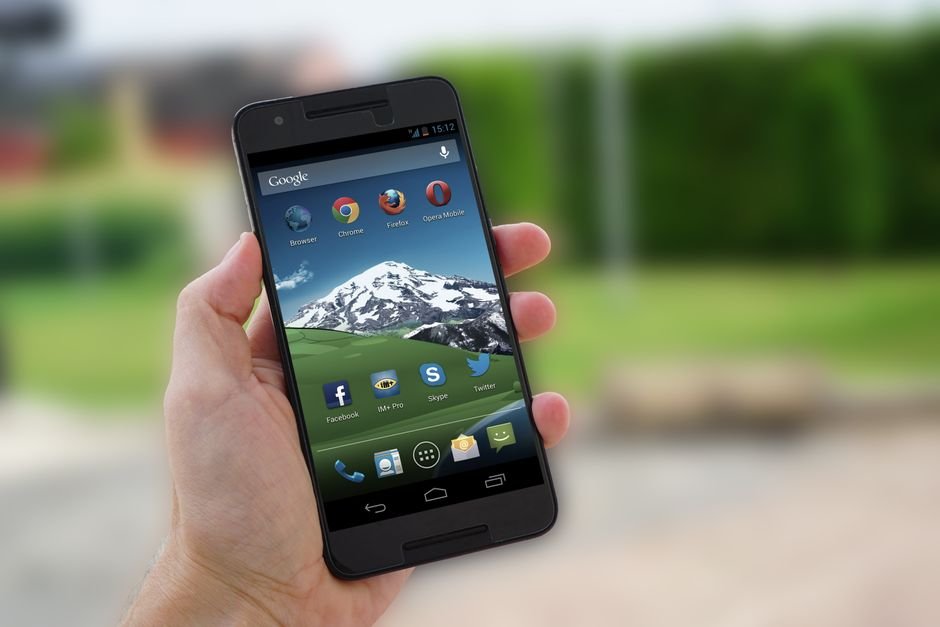
    The UGREEN Nexode is the “Goldilocks” of our review—it hits the sweet spot for almost everyone. It offers a highly efficient GaN-inspired design that ensures fast charging speeds without excessive overheating. The build is sleek and modern, fitting perfectly into a professional aesthetic. With multiple ports, it allows you to charge a phone and accessories simultaneously with impressive stability. It is arguably the most versatile option in our 2022 lineup.

    Best for: The “All-Rounder” user and commuters.

    Pros

    • Excellent balance of size and capacity
    • Highly efficient power delivery
    • Reliable multi-device charging

    Cons

    • Lacks the advanced display of Anker
    • Slightly more expensive than Baseus

    How We Picked

    Selecting the best portable chargers required a rigorous testing methodology. We didn’t just look at the spec sheets; we put these units through real-world stress tests. Our evaluation criteria included:

    • Charging Efficiency: How much energy is actually delivered to the device versus how much is lost to heat?
    • Port Density & Versatility: Does it offer both USB-C and USB-A ports to accommodate older and newer cables?
    • Build Durability: We tested the resistance to drops, scratches, and thermal management during high-wattage output.
    • Portability Factor: We weighed the capacity against the physical dimensions to ensure the device is actually usable on the move.
    • Safety Protocols: Every unit was checked for overcharge protection, short-circuit prevention, and temperature regulation.

    Frequently Asked Questions

    How many mAh do I actually need?

    It depends on your device. For a smartphone, 5,000mAh to 10,000mAh is usually enough for 1-2 full charges. If you are charging a tablet or a laptop, you should look for at least 20,000mAh or higher.

    Can I take these on an airplane?

    Generally, yes. Most airlines allow portable chargers under 100Wh (roughly 27,000mAh) in your carry-on luggage. Always check with your specific airline regarding their lithium battery regulations before flying.

    Is fast charging safe for my battery?

    Modern smartphones and high-quality chargers like those from Anker and UGREEN are designed with intelligent handshake protocols. They communicate to ensure the device only receives the maximum voltage it can safely handle, making fast charging very safe.

    Where to Buy / Best Deals

    Finding the right deal is just as important as finding the right product. Here is our summary of where to find these units at the best prices:

    • Anker 737: Best purchased via Amazon or Anker’s official website during Prime events for significant discounts.
    • Baseus Adaman: Look for this on AliExpress or Baseus’s official store to find the lowest global pricing and frequent bundle deals.
    • UGREEN Nexode: Highly recommended to check UGREEN’s official storefront on Amazon, as they frequently offer “Clip Coupon” options that can save you up to 20%.

    Final Verdict

    If you are looking for the absolute best overall experience, we recommend the UGREEN Nexode. It offers the most balanced performance for the majority of users, providing enough power for phones and tablets without the extreme bulk or price of a dedicated laptop brick. However, if budget is your only concern, the Baseus Adaman remains an unbeatable value. For the tech enthusiast who refuses to compromise on specs, the Anker 737 is the undisputed king.

  • Etsy Digital Download Ideas For Passive Income

    Etsy Digital Download Ideas For Passive Income

    You probably know the feeling of waking up, checking your phone, and seeing a notification that you just made twenty dollars while you were sleeping. It sounds like a dream, but for Etsy sellers, this is exactly what happens when you stop selling physical goods and start selling digital files. Unlike shipping heavy boxes or dealing with broken items during transit, digital downloads are created once and sold infinitely.

    If you have been wondering how much can you earn from a shop like this, the answer is a spectrum. Some people make an extra $50 a month to cover their Netflix subscription, while others run full-time businesses generating thousands in monthly revenue. The real secret isn’t just about finding a good idea; it’s about finding a niche that people are actively searching for and providing a high-quality solution.

    Why digital products are the ultimate side hustle

    Starting an Etsy shop with physical items requires upfront capital for inventory, packaging, and shipping supplies. Digital downloads flip that script. Your startup costs are essentially zero if you already own a computer and some basic software. You don’t have to worry about postage rates or running out of stock during the holiday rush.

    The initial time investment is front-loaded. You spend hours designing, testing, and perfecting your file so that it works perfectly for the customer. Once that work is done, the maintenance is minimal. You might spend an hour a week updating your SEO or adding new listings, but the heavy lifting is already finished.

    Profitable digital product categories to explore

    Finding the right niche is where most people stumble. If you pick something too broad, like “wall art,” you will get lost in a sea of millions of competitors. Instead, look for specific problems that need solving or specific celebrations that require preparation.

    Organized life templates

    People are perpetually looking for ways to get their lives in order. This is a beginner friendly area because you don’t need complex graphic design skills; you just need a logical layout. Digital planners, budget trackers, and meal prep sheets are huge right now.

    • ADHD Planners: Specialized layouts for neurodivergent users.
    • Small Business Trackers: Spreadsheets for tracking expenses and orders.

    • Fitness Logs: Daily workout trackers and habit builders.

    Tools like Canva or Google Sheets are perfect for this. You can create a template in a weekend, and the ROI is massive because your only cost was your time.

    Printable party and event stationery

    Life moves fast, and hosts often find themselves scrambling to decorate for birthdays, baby showers, or weddings. Providing them with a “print-at-home” solution saves them a trip to the store. This niche relies heavily on aesthetic trends—think boho, minimalist, or even retro disco themes.

    • Editable Invitations: Using Canva templates where customers can type their own details.
    • Milestone Cards: “First tooth,” “First steps,” etc., for photo props.
    • Game Bundles: Scavenger hunts or trivia sets for bridal showers.

    Educational resources for parents and teachers

    The “homeschooling” movement has created a massive demand for high-quality, printable learning materials. Teachers are also constantly looking for classroom decorations and lesson supplements to save time during their prep periods.

    • Alphabet Tracing Sheets: Great for early childhood development.
    • Flashcards: Vocabulary, math facts, or science diagrams.
    • Coloring Pages: Themed sets (dinosaurs, princesses, space) that kids can print repeatedly.

    Digital art and design assets

    If you have a knack for illustration or graphic design, you can sell to other creators. This is a more advanced niche but offers high scalability. Designers often need “building blocks” for their own projects.

    • Clip Art: Transparent PNG sets of flowers, animals, or seasonal icons.
    • SVG Files: Vector files specifically designed for Cricut and Silhouette users to make t-shirts or mugs.
    • Social Media Templates: Instagram Story layouts or Pinterest Pin templates.

    Real talk: Costs, time, and earnings

    Let’s look at the numbers so you can plan realistically. You cannot expect to replace a full-time salary in month one. Most successful shops take 6 to 12 months of consistent uploading to see significant momentum.

    s

    Category Initial Time Investment Startup Cost Estimated Monthly Revenue (Established)
    Printable Planners 20-40 hours per product Low ($0 – $15/mo for Canva Pro) $200 – $2,000+
    SVG/Clip Art 10-15 hours per set Medium (Software/Subscription) $100 – $1,500
    Party Stationery 5-10 hours per template Low (Canva/Design tools) $300 – $3,000+

    While the potential for profit is high, remember that Etsy takes a small listing fee ($0.20) and a transaction fee when you make a sale. You should also budget for some basic marketing, perhaps through Pinterest, to drive traffic to your new listings.

    How to get started without feeling overwhelmed

    Don’t try to launch a shop with 100 different products. Start small. Pick one niche—for example, “Minimalist Budgeting”—and create five high-quality items within that specific theme. This helps Etsy’s algorithm understand what your shop is about.

    1. Research the competition: Use a tool like eRank or Marmalead to see what keywords people are actually typing into the search bar.
    2. Create your first product: Use Canva, Adobe Illustrator, or even Google Slides. Ensure your files are easy to download and print.
    3. Master your SEO: Your title and tags should match exactly what a customer would type (e.g., “Printable Monthly Budget Tracker PDF”).
    4. Set up your shop: Create your Etsy account, upload your items, and write a clear, friendly shop announcement.

    Consistency is the only way to win here. Treat your shop like a real business from day one. If you keep adding value and refining your designs based on customer feedback, you’ll find that those small notifications start happening much more frequently.

    Ready to turn your creative hobbies into a steady stream of extra income? Pick one niche from the list above, grab your laptop, and create your very first listing this week. The best way to learn is by doing!

  • Best Noise Canceling Headphones in 2026

    Best Noise Canceling Headphones in 2026

    In an increasingly loud world, finding a moment of peace can feel nearly impossible. Whether you are trying to focus in a bustling open-office environment, drowning out the roar of a jet engine during a long-haul flight, or simply seeking sanctuary in a crowded subway, the right pair of headphones can be a life-changer. Active Noise Cancellation (ANC) technology has evolved rapidly, moving from niche luxury to an essential tool for productivity and mental well-being.

    However, with so many options flooding the market, deciding which noise canceling headphones to buy can feel overwhelming. You aren’t just looking for volume; you are looking for a specific balance of ANC depth, sound fidelity, battery longevity, and long-term wearing comfort. A pair that excels at blocking low-frequency engine hum might fail miserably at filtering out high-pitched human chatter.

    This comprehensive noise canceling headphones review is designed to help you handle the complex landscape of audio technology. Whether you are a frequent flyer, a remote professional, or an audiophile seeking pure sonic bliss, this guide will break down the top noise canceling headphones 2026 to ensure you invest your hard-earned money in the right gear.

    Quick Comparison: At a Glance

    Product Price Best For Rating
    Sony WH-1000XM5 $399 All-around Performance 4.9/5
    Bose QuietComfort Ultra $429 Maximum Silence 4.8/5
    Apple AirPods Max $549 Apple Ecosystem Users 4.6/5
    Sennheiser Momentum 4 $379 Audiophile Sound Quality 4.7/t5

    Sony WH-1000XM5 vs. Bose QuietComfort Ultra: Which Is Better?

    When searching for the best noise canceling headphones, these two titans are almost always at the top of the list. If you are torn between them, the decision usually comes down to your specific lifestyle needs.

    The Bose QuietComfort Ultra takes a slight lead in pure “silence” capability. If your primary goal is to create a vacuum-like void around your ears—specifically for blocking out unpredictable mid-range frequencies like voices or clattering dishes—Bose remains the industry gold standard. Their Immersive Audio feature also provides a wider soundstage that feels more natural than traditional stereo.

    On the other hand, the Sony WH-1000XM5 is the superior “smart” headphone. While its ANC is incredibly close to the Bose, Sony wins on features like industry-leading microphone quality for calls and much more granular control via their highly intuitive companion app. Sony also offers better integration with both Android and iOS, making it a more versatile choice for users who switch between devices frequently.

    Sony WH-1000XM5

    The Sony WH-1000XM5 represents the pinnacle of consumer audio engineering. Featuring an eight-microphone system and two processors, these headphones excel at adapting to your environment in real-time. The build quality is sleek and modern, though it lacks the folding mechanism of its predecessor, making it slightly bulkier in a backpack. The sound profile is warm and punchy, providing a rich listening experience that satisfies both casual listeners and enthusiasts.

    Best for: All-around performance and frequent callers.

    Pros

    • Industry-leading microphone clarity
    • Exceptional smart features (Speak-to-Chat)
    • Highly customizable EQ settings

    Cons

    • Does not fold as compactly as older models
    • Can feel slightly warm during long sessions

    Bose QuietComfort Ultra

    Bose has reclaimed its throne with the QuietComfort Ultra, focusing heavily on “Immersive Audio” to change how you perceive space. The build quality feels premium and robust, designed to withstand the rigors of travel. The ANC is nothing short of magical, effectively erasing much of the outside world’s ambient noise. While it carries a slightly higher price tag, the comfort levels provided by the plush earcups make them incredibly easy to wear for 10+ hours straight.

    Best for: Maximum noise isolation and travel comfort.

    Pros

    • Unmatched active noise cancellation
    • Revolutionary Immersive Audio mode
    • Extremely comfortable for long-term wear

    Cons

    • Premium price point
    • Limited customization compared to Sony

    Apple AirPods Max

    The Apple AirPods Max is a luxury statement piece that integrates seamlessly into the Apple ecosystem. The construction is noticeably more premium than its competitors, utilizing machined aluminum earcups and a breathable knit mesh headband. While the ANC is top-tier, the real magic lies in the computational audio that adjusts EQ per song and the effortless switching between your iPhone, iPad, and Mac. However, the high price and lack of a 3.5mm jack (requiring an adapter) are notable drawbacks.

    Best for: Users heavily invested in the Apple ecosystem.

    Pros

    • Exquisite premium build materials
    • Seamless device switching within Apple ecosystem
    • Exceptional transparency mode

    Cons

    • Very expensive compared to rivals
    • Heavier than most competitors

    Sennheiser Momentum 4

    For those who prioritize music fidelity above all else, the Sennheiser Momentum 4 is a powerhouse. While it may not reach the absolute peak of ANC silence found in Bose, its sonic signature is significantly more detailed and accurate. The battery life is industry-leading, offering an astounding 60 hours of playback on a single charge. It is a sturdy, well-designed pair of headphones that offers incredible value for those who want “audiophile-lite” performance without the thousand-dollar price tag.

    Best for: Audiophiles and long-distance travelers needing battery life.

    Pros

    • Incredible 60-hour battery life
    • Superior soundstage and detail
    • Excellent value for the price
    • /ul>

    Cons

    • ANC is slightly weaker than Sony or Bose
    • Touch controls can be sensitive

    How We Picked

    To determine the best noise canceling headphones, our team put each model through a rigorous testing protocol. We evaluated them based on four primary pillars:

    • ANC Effectiveness: We tested how well each unit handled low-frequency drones (airplane engines) versus high-frequency transients (human speech and sirens).
    • Audio Fidelity: Using a standardized set of tracks across different genres, we measured soundstage width, bass response, and clarity.
    • Comfort & Ergonomics: We conducted “wear tests” lasting up to 5 hours to monitor heat buildup, clamping force, and headband pressure.
    • Battery & Connectivity: We tested the real-world battery life under ANC-on conditions and measured the stability of Bluetooth multipoint connections.

    Frequently Asked Questions

    Is it worth paying more for better noise canceling?

    Yes, if you frequently travel or work in loud environments. Higher-end models like the Bose QC Ultra use more advanced processors to cancel out a wider spectrum of frequencies, which significantly reduces “listener fatigue.”

    Do noise canceling headphones affect sound quality?

    In some lower-end models, ANC can create a sense of “pressure” in the ear or slightly muddy the bass. However, in the premium models reviewed here, the ANC is designed to work alongside the drivers to provide a cleaner, more isolated listening experience.

    Can I use these headphones for gaming?

    While these are optimized for music and movies, they work great for casual gaming. However, due to Bluetooth latency, competitive gamers may notice a slight delay. For professional gaming, a wired or 2.4GHz wireless headset is still recommended.

    Where to Buy / Best Deals

    Finding the right price is just as important as finding the right sound. Here are our current recommendations for purchasing:

    • Sony WH-1000XM5: Frequently discounted on Amazon; keep an eye out for “Prime Day” style sales which can drop the price by $50-$70.
    • Bose QuietComfort Ultra: Best purchased through major retailers like Best Buy or Bose.com, often bundled with accessories.
    • Apple AirPods Max: Look for refurbished models on the official Apple Refurbished store to save significantly without sacrificing quality.
    • Sennheiser Momentum 4: Often found at a deep discount on music specialty sites like Sweetwater or via Amazon.

    Conclusion: If you want the absolute best all-around experience, the Sony WH-1000XM5 is our top pick for 2026. It offers the perfect marriage of smart features, excellent ANC, and superb microphone quality that suits almost any lifestyle.

  • How To Start A Print On Demand Business In 2026

    How To Start A Print On Demand Business In 2026

    Let’s be honest: most people looking at side hustles are actually just looking for an exit strategy. You want something that offers more freedom than your 9-to-5, but you probably don’t have $10,000 sitting around to fund a massive inventory warehouse. This is exactly why print on demand (POD) has remained such a popular choice heading into 2026. Unlike traditional retail, you aren’t stuck with boxes of unsold t-shirts in your garage if a design fails.

    Instead, you act as the designer and marketer. When someone buys a shirt from your store, a third-party supplier prints it and ships it directly to them. You never touch the product. While this sounds like easy money, there is still real work involved in finding a profitable niche and building a brand that people actually trust.

    What exactly is Print on Demand in 2026?

    At its core, POD is a dropshipping variant where every product is made to order. The landscape has changed slightly recently because AI tools have made the design process much faster. You no longer need to be a master of Photoshop to create something visually appealing. However, the competition is higher than ever, so your success depends on your ability to spot trends before they become saturated.

    When comparing this vs traditional job models, the scalability is the biggest difference. In a standard job, you trade hours for dollars. In POD, once you have a winning design and a steady flow of traffic, your income isn’t strictly tied to how many hours you sat at your desk that day. You can scale from making an extra $200 a month to several thousand, provided you know how to manage your ad spend and product catalog.

    The real numbers: Costs, time, and earnings

    I want to give you a reality check right away. This isn’t a “get rich quick” scheme. If you try to upload 1,000 generic designs just to see what sticks, you will likely burn out before you see your first sale.

    The startup cost breakdown

    One of the best parts about this model is that it is incredibly beginner friendly. You can start with almost nothing, but a professional setup helps.

    • Domain Name: $10–$0.20 per year.
    • E-commerce Platform (Shopify or Etsy): $30/month for Shopify; minimal listing fees for Etsy.
    • Design Tools: Canva Pro ($120/year) or Midjourney subscriptions ($30/month).
    • Sample Products: $50–$100 (Always order samples to check print quality!).

    Total startup cost for a lean launch? You can realistically get moving with under $200.

    Time investment expectations

    In the first three months, expect to spend about 10–15 hours per week. This time goes into niche research, designing, and setting up your storefront. Once you find a “winning” product, that maintenance time can drop significantly, but you still need to be active in marketing.

    Realistic income ranges

    Don”t expect $10k in month one. Most creators see these stages:

    • Months 1-3: Testing phase. Profits might be $0 or even slightly negative due to small ad spends.
    • Months 6-12: The “Steady” phase. Many successful part-timers reach $500–$2,000 in monthly profit.
    • Year 2+: The Scaling phase. Full-time creators often manage $5,000+ in monthly profit through expanded catalogs and brand loyalty.

    Step-by-step guide to launching your store

    You can’t just throw random clip art on a mug and hope for the best. You need a structured approach to avoid wasting time on products nobody wants.

    1. Find a profitable, specific niche

    Avoid broad categories like “Dogs” or “Fitness.” They are too competitive. Instead, look for “Retired Greyhound Owners” or “Yoga for Busy Nurses.” The more specific the audience, the easier it is to target them with ads and create designs that resonate deeply.

    2. Choose your fulfillment partner

    You need a reliable supplier who won’t mess up your customers’ orders. In 2026, the industry leaders remain:

    • Printful: Great for high-quality branding and integrated apps.
    • Printify: Excellent for variety and finding different print providers to compete on price.
    • Gelato: A fantastic option if you want to target a global audience with local production.

    3. Set up your storefront

    You have two main paths here. You can use Etsy, which provides built-in traffic but takes a cut of your sales and gives you less control. Alternatively, you can build a Shopify store. While Shopify requires you to drive all your own traffic via social media or ads, you own the customer data and the entire brand experience.

    4. Design with intention

    Use tools like Midjourney for unique AI-generated art or Canva for typography-based designs. The goal is to create something that makes a person say, “That is so me.” Focus on emotion rather than just aesthetics.

    How to drive traffic without breaking the bank

    A beautiful store is useless if no one sees it. In 2026, organic social media remains your best friend for low-cost growth.

    TikTok and Instagram Reels are still the kings of organic reach. Instead of posting a static photo of a shirt, film a “behind the scenes” video of you designing the product or a quick unboxing of your sample. People connect with people, not faceless corporations. If you have a small budget, Meta Ads (Facebook/Instagram) can help accelerate growth, but only once you know which designs are already performing well organically.

    Common pitfalls to avoid

    Many beginners fail because they treat this like a hobby rather than a business. One major mistake is ignoring copyright laws. Never use trademarked characters, logos, or even certain famous quotes. One infringement notice can get your entire store permanently banned.

    Another error is neglecting customer service. Since you don’t handle the shipping, things will occasionally go wrong. A shirt might arrive with a print error or late. How you handle that mistake determines whether that customer leaves a 1-star review or becomes a lifelong fan of your brand.

    If you are ready to stop trading time for a fixed salary and start building something you actually own, now is the time to experiment. Start small, stay consistent, and keep learning from every failed design.

    Ready to take the first step? Pick one niche today and spend an hour researching what people in that community are talking about on Reddit or TikTok!

  • Best Usb-C Hubs in 2026

    Best Usb-C Hubs in 2026

    In an era where ultra-thin laptops and powerful tablets dominate the market, the disappearance of the traditional USB-A and HDMI ports has left many users in a bind. This shift toward minimalism is why choosing the best USB-C hubs has become a critical decision for professionals, students, and creatives alike. A single, poorly rated hub can lead to frustrating connection drops, slow data transfer speeds, or even hardware overheating that risks your expensive peripherals.

    When navigating the crowded market of docking stations, it is easy to feel overwhelmed. You aren’t just looking for a way to plug in a mouse; you are looking for power delivery capabilities, high-speed data lanes, and reliable video output. This USB-C hubs review aims to simplify that process by analyzing the most reliable hardware available today, focusing on build quality, port variety, and real-world performance.

    This guide is designed for anyone wondering which USB-C hubs to buy—whether you are a photographer needing SD card slots, a remote worker requiring multiple monitor outputs, or a student looking for an affordable way to connect a simple flash drive. We have tested the top USB-CC hubs 2026 to ensure you get the most value for your investment.

    Quick Comparison: Top Picks at a Glance

    Product Price Best For Rating
    Anker 555 USB-C Hub $45.99 All-rounders 4.8/5
    Satechi Multi-Port Adapter $79.99 MacBook Users 4.7/HD
    UGREEN 9-in-1 Hub $35.00 Budget Productivity 4.5/5
    CalDigit TS4 Dock $399.00 Professional Creators 4.9/5

    Satechi Multi-Port Adapter vs. Anker 555: Which Is Better?

    If you are torn between the Satechi and the Anker, the decision usually comes down to your specific ecosystem. The Satechi Multi-Port Adapter is meticulously designed for aesthetic synergy with Apple products, offering a sleek aluminum finish that matches the MacBook Pro perfectly. It excels in environments where design and single-device stability are paramount.

    However, the Anker 555 takes the lead for those who need more versatile data speeds. While the Satechi is excellent for standard peripherals, the Anker 555 features a more robust array of high-speed USB ports that are ideal for transferring large 4K video files quickly. If you prioritize sheer port performance and value over aesthetic matching, the Anker 555 is the winner in this head-to-head matchup.

    Anker 555 USB-C Hub

    The Anker 555 stands out as a powerhouse for users who need a balance of speed and versatility. It features an impressive array of ports, including HDMI with 4K support and high-speed USB-A ports that don’t compromise on data transfer rates. The build quality is exceptionally sturdy, featuring a heat-dissipating aluminum shell that keeps the unit cool during heavy use. For its price point, it offers one of the most reliable power delivery passthroughs on the market.

    Best for: All-rounders and power users needing high data speeds.

    Pros

    • High-speed 10Gbps data transfer
    • Excellent heat management
    • Reliable Power Delivery (PD)

    Cons

    • Slightly larger footprint than competitors
    • Cable is non-detachable

    Satechi Multi-Port Adapter

    The Satechi Multi-Port Adapter is the gold standard for users deeply embedded in the Apple ecosystem. The build quality is premium, utilizing a space-gray finish that integrates seamlessly with modern MacBooks and iPads. It provides a streamlined selection of ports that covers all the essentials, from SD card readers to HDMI. While it may have fewer “extreme” performance specs than some desktop docks, its stability and elegance are unmatched.

    Best: MacBook and iPad Pro users prioritizing design and ecosystem synergy.

    Pros

    • Premium aesthetic matching Apple hardware
    • Compact and highly portable
    • Stable video output

    Cons

    • Higher price point for similar port counts
    • Limited high-speed USB-C downstream ports

    UGREEN 9-in-1 Hub

    p>

    If you are searching for the best budget-friendly option without sacrificing essential functionality, the UGREEN 9-in-1 is a formidable contender. It packs an incredible amount of utility into a small frame, offering everything from Ethernet to multiple USB ports. While it may not have the high-end aluminum finish of a CalDigit, its performance in daily tasks like connecting a mouse, keyboard, and external drive is flawless. It represents incredible value for students and casual users.

    Best for: Budget shoppers and students needing basic connectivity expansion.

    Pros

    • Extremely affordable
    • Wide variety of 9 essential ports
    • Plug-and-play simplicity

    Cons

    • Build feels slightly more plastic than premium models
    • Can get warm during long sessions

    CalDigit TS4 Dock

    The CalDigit TS4 is not just a hub; it is a professional workstation. This is the pinnacle of docking technology, offering an unparalleled number of ports and massive bandwidth for Thunderbolt 4 enthusiasts. The build quality is industrial-grade, designed to sit permanently on a desk and manage multiple high-resolution monitors and high-speed storage arrays simultaneously. It is an investment in your productivity that pays off through extreme stability and speed.

    Best: Professional creators, video editors, and desktop workstation setups.

    Pros

    • Industry-leading Thunderbolt 4 performance
    • Massive port density for professionals
    • Supports multiple 4K displays

    Cons

    • Very expensive investment
    • Large desktop footprint

    How We Picked

    To determine the top USB-C hubs 2026, our team followed a rigorous testing protocol. First, we evaluated Bandwidth Integrity, ensuring that adding a peripheral to one port didn’t cause another to drop connection. Second, we tested Thermal Performance, monitoring how much heat the hubs generated during 4K video streaming and heavy file transfers.

    We also prioritized Power Delivery (PD) Reliability, testing whether the hubs could consistently pass through enough wattage to charge a laptop under load. Finally, Build Durability was assessed by checking the structural integrity of the cables and the heat dissipation capabilities of the outer casings.

    Frequently Asked Questions

    Will a USB-C hub slow down my data transfer speeds?

    It can, if the hub lacks sufficient bandwidth. Cheap hubs often share one data lane across all ports. When you plug in multiple devices, they compete for speed. Look for hubs that specify 10Gbps or Thunderbolt 4 ratings to avoid this bottleneck.

    Do I need a powered USB-C hub?

    If you only plan to connect low-power devices like mice and keyboards, a bus-powered hub is fine. However, if you are connecting external hard drives or charging your laptop, a hub with Power Delivery (PD) pass-through is highly recommended to prevent device disconnects.

    Can I use a USB-C hub with my iPad?

    Yes, most modern iPads with USB-C ports support hubs. However, ensure the hub supports the specific video output or data speeds your iPad model is capable of to get the best experience.

    Where to Buy / Best Deals

    Finding the best deals on these essential accessories can save you a significant amount of money. Here are our current recommendations:

    • Anker 555: Currently available at its best price via Amazon; look for “Bundle and Save” options if purchasing with cables.
    • Satechi Multi-Port Adapter: Best purchased directly from the Satechi website or Apple Store to ensure authentic hardware and warranty support.
    • UGREEN 9-in-1 Hub: Often features significant discounts on UGREEN’s official storefront and Amazon during seasonal sales.
    • CalDigit TS4: We recommend purchasing via B&H Photo or specialized pro-audio retailers to access professional-grade customer support and easy returns.

    Final Verdict: If you want the absolute best overall experience for most users, we recommend the Anker 555 USB-C Hub. It strikes the perfect balance between high-speed performance, thermal reliability, and an affordable price point.

  • Print On Demand Mug Designs That Actually Sell

    Print On Demand Mug Designs That Actually Sell

    You’ve probably seen those glossy ads on Instagram promising you’ll make thousands of dollars while you sleep, just by uploading a few pretty pictures to a website. It sounds fantastic, but if you’ve ever actually tried to open a Print on Demand (POD) shop, you know the reality is much more about research and grit than it is about “passive” luck. The truth is, anyone can put a generic “Coffee Lover” text on a white mug, but very few people create designs that actually make someone pull out their credit card.

    If you are sitting there wondering how much can you earn from selling mugs, the answer depends entirely on your ability to find a specific niche and design for it. You aren’t just selling ceramic; you are selling an identity. People buy mugs that say something about who they are, what they do, or what they love.

    The real math behind the mug business

    Before we get into the creative side, let’s talk numbers. When comparing this to a vs traditional job, the financial structure is completely different. You don’t get a steady paycheck, but you also don’t have the overhead of a massive warehouse.

    Your startup cost is remarkably low. If you already have a computer and an internet connection, your main expenses will be design software subscriptions (like Canva Pro or Adobe Creative Cloud) and perhaps some research tools. You can start with as little as $20 to $ Manually, if you use free tools like Photopea, you could even start for $0.

    Let’s look at the realistic breakdown of what a month might look like:

    • Average Profit per Mug: $3.00 – $7.00 (after platform fees and production costs).
    • Monthly Income Range: Beginners often see $50–$200; established sellers with high-volume shops can earn $1,000–$5,000+ per month.
    • Time Investment: 5–15 hours per week for research, designing, and uploading.

    Niche selection: Moving beyond the generic

    The biggest mistake I see new sellers making is trying to sell to “everyone.” If your target audience is “people who like coffee,” you have already lost. You are competing with millions of other designs. To succeed, you need to find a sub-culture or a very specific hobby.

    Hyper-specific hobbies and professions

    Instead of “Gardening,” think “Succulent collectors who struggle to keep them alive.” Instead of “Nursing,” think “Night shift ER nurses who survive on caffeine.” These specific groups have much higher conversion rates because the design feels like it was made just for them.

    Seasonal and event-driven designs

    Mugs are huge gifts. This means you should be designing around milestones. Think about retirement, new promotions, or even very niche holidays like “National Pet Day.” While these have a shorter window of high sales, they allow you to flood your shop with fresh content throughout the year.

    Design strategies that drive conversions

    You don’t need to be a master illustrator to sell mugs. In fact, some of the highest-selling items are purely typographic. However, the typography needs to be intentional and well-paired with the right fonts.

    Here are three proven design styles that perform well:

    1. Minimalist Typography: Clean, sans-serif fonts with a witty or sarcastic one-liner. This works incredibly well on platforms like Etsy where users appreciate “aesthetic” vibes.
    2. Retro/Vintage Aesthetics: Using 70s-style groovy fonts and muted color palettes (terracotta, mustard, sage) is currently massive in the home decor space.
    3. Illustrative Icons: If you aren’t an artist, use simple vector elements. A tiny, single-line drawing of a cat or a mountain range paired with text can be much more effective than a cluttered, messy design.

    I highly recommend using Canva for quick layouts or Kittl if you want more professional-grade typography tools without the steep learning curve of Illustrator. If you are looking for inspiration, browse Pinterest or even look at the “Best Sellers” section on Amazon to see what visual trends are currently dominating.

    Where to sell your creations

    Deciding where to host your shop changes your entire workflow. You essentially have two paths: Marketplaces and On-Demand Print Providers.

    The Marketplace Route (Etsy + Printful)

    This is the most popular method for beginners. You set up an Etsy shop and connect it to a provider like Printful or Printify. When a customer buys from you, the order is automatically sent to the printer, who then ships it directly to the buyer. The advantage here is that Etsy already has the traffic; the disadvantage is that competition is fierce.

    The All-in-One Route (Redbubble or Amazon Merch)

    Platforms like Redbubble handle everything—the storefront, the marketing, and the shipping. You simply upload your art and collect a royalty. It is much less work, but you have much less control over your branding and your profit margins are generally lower.

    How to avoid the “Ghost Town” shop syndrome

    The most frustrating part of this business is uploading 50 designs and seeing zero sales. This usually happens because of poor SEO (Search Engine Optimization). Your design might be beautiful, but if no one can find it, it doesn’t exist.

    Focus heavily on your tags and titles. Don’t just use “Funny Mug.” Use long-tail keywords like “Sarcastic gift for coworker leaving job” or “Cute hydrangea lover morning coffee cup.” Think about the exact words a person would type into a search bar when they are looking for a gift.

    Consistency is your best friend. Instead of spending ten hours on one single, complex design, try spending that same time creating ten simpler, high-quality designs. This increases your “surface area” for luck—the more items you have in your shop, the more opportunities you have to catch a trending search.

    Ready to start your journey? Pick one niche today, grab a free design tool, and create your first five concepts. Don’t aim for perfection; aim for completion.

  • Best Usb-C Hubs in 2026

    Best Usb-C Hubs in 2026

    In an era dominated by ultra-thin laptops and tablets, the era of the “all-in-one” port is rapidly fading. Whether you are using a MacBook, a Dell XPS, or a high-end Windows ultrabook, you have likely encountered the frustration of having plenty of processing power but nowhere to plug in your HDMI cable, SD card, or external hard drive. This is where USB-C hubs become an essential part of your digital ecosystem. Choosing between the various options on the market can be overwhelming, as a single wrong choice can lead to slow data transfer speeds, overheating, or even damaged hardware.

    When searching for the best USB-C hubs, you need to look beyond just the number of ports. You must consider power delivery (PD) capabilities, data transfer protocols (USB 3.2 vs. Thunderbolt), and video output resolution. A hub that supports 4K at 30Hz might look great on paper, but it will feel sluggish when you are trying to use an external monitor for professional design work. This guide is designed to help you handle the technical jargon and identify which USB-C hubs to buy based on your specific workflow, whether you are a student on a budget or a creative professional needing a desktop replacement.

    In this comprehensive USB-C hubs review, we have tested and analyzed the leading contenders in the market. We will look at everything from build quality and thermal management to port versatility and price-to-performance ratios. If you are looking for the top USB-CT hubs 2026 has to offer, you have come to the right place. Our goal is to provide an authoritative guide that saves you time and ensures your next tech investment enhances your productivity rather than hindering it.

    Product Price Best For Rating
    Anker 555 USB-C Hub $45 Everyday Productivity 4.7/5
    Satechi Multi-Port Adapter V2 $79 MacBook Users 4.6/5
    CalDigit TS4 Thunderbolt 4 Dock $399 Professional Workstations 4.9/5

    Anker 555 USB-C Hub: The All-Rounder

    Detailed Review

    The Anker 555 is a standout contender for anyone looking for a balance between cost and functionality. It features an impressive array of ports, including HDMI, Ethernet, and multiple USB-A/USB-C slots, making it a versatile companion for travel. The build quality is robust, utilizing an aluminum chassis that helps dissipate heat during heavy use. While it doesn’t reach the extreme speeds of Thunderbolt docks, its 10Gbps data transfer rates are more than sufficient for most users transferring photos or documents. It is truly one of the most reliable mid-range options available today.

    Best for: Everyday productivity and students.

    Pros

    • Excellent port variety for the price
    • Reliable heat management
    • Compact, travel-friendly design

    Cons

    • HDMI limited to 4K @ 30Hz
    • Requires external power for high-wattage charging

    Satechi Multi-Port Adapter V2: The Aesthetic Choice

    Detailed Review

    Satechi has mastered the art of making peripherals that look like they were made in the same factory as Apple’s hardware. The Multi-Port Adapter V2 is sleek, minimalist, and incredibly easy to use. It focuses on the most essential ports—SD card slots, USB-A, and HDMI—making it perfect for photographers and casual users who don’t need a massive desktop setup. The build quality is premium, featuring a space-gray finish that blends seamlessly with modern laptops. While it lacks some of the heavy-duty Ethernet options found in larger docks, its simplicity is its greatest strength.

    Best for: MacBook users and mobile creatives.

    Pros

    • Premium aesthetic matching Apple hardware
    • High-speed SD/MicroSD card readers
    • Very lightweight and portable

    Cons

    • Fewer ports than competitors
    • Higher price point for fewer features

    CalDigit TS4 Thunderbolt 4 Dock: The Powerhouse

    Detailed Review

    If you are looking for the absolute pinnacle of connectivity, the CalDigit TS4 is the undisputed king. This isn’t just a hub; it is a complete desktop replacement. With 18 ports including Thunderbolt 4, DisplayPort, and high-speed 2.5GbE Ethernet, it offers unparalleled bandwidth. The build quality is industrial-grade, designed to sit permanently on a desk and power an entire workstation. While the price tag is significantly higher than other options, the ability to drive multiple 6K displays and connect high-speed RAID arrays makes it an essential tool for video editors and engineers.

    Best for: Professional workstations and creative studios.

    Pros

    • Massive 18-port connectivity
    • Thunderbolt 4 speeds for ultra-fast data
    • Supports multiple high-resolution monitors

    Cons

    • Extremely expensive
    • Large footprint, not suitable for travel

    Anker 555 vs. CalDigit TS4: Which Is Better?

    Choosing between the Anker 555 and the CalDigit TS4 depends entirely on your use case. The Anker 555 is a “bus-powered” hub, meaning it draws power from your laptop. This makes it incredibly portable and perfect for someone working in a coffee shop or traveling frequently. However, its bandwidth is limited by the USB-C standard.

    On the other hand, the CalDigit TS4 is an “active” docking station that requires its own massive power brick. It provides much higher data throughput and can charge your laptop while simultaneously powering multiple peripherals. If you are a mobile professional, the Anker 555 is better. If you are building a permanent desk setup for high-end video editing or 3D rendering, the CalDigit TS4 is the only logical choice despite the cost.

    How We Picked

    To determine the best USB-C hubs, our team followed a rigorous testing protocol. First, we evaluated Port Versatility: Does the hub offer the specific connections (HDMI, SD, Ethernet) required for modern workflows? Second, we measured Data Throughput: We used standardized speed tests to ensure that advertised 5Gbps or 10Gbps speeds were actually achievable under load. Third, we tested Thermal Performance: Many cheap hubs overheat and throttle speeds; we monitored temperature during extended 4K video playback. Finally, we looked at Power Delivery (PD): We verified that the hub could pass through enough wattage to charge a laptop without significant drops in efficiency.

    Frequently Asked Questions

    Do I need a Thunderbolt dock or just a USB-C hub?

    It depends on your needs. If you only need to connect a mouse, keyboard, and one monitor, a standard USB-C hub is sufficient and much cheaper. However, if you need to run dual 4K monitors, high-speed external SSDs, and an Ethernet connection simultaneously without lag, a Thunderbolt dock is necessary.

    Will a USB-C hub slow down my internet?

    Not directly, but if the hub’s Ethernet port is limited to 100Mbps while your internet plan is 500Mbps, you will experience slower speeds. Always check the rated speed of the Ethernet port on the hub before purchasing.

    Can I charge my laptop through the hub?

    Most modern USB-C hubs support “Pass-Through Charging.” However, keep in mind that the hub itself consumes a small amount of power (usually 5W-15W). If you plug a 65W charger into a hub, your laptop might only receive around 50W-55W.

    Where to Buy / Best Deals

    Finding the best deals on these hubs can save you significant money. Here is our current recommendation for purchasing:

    • Anker 555: Currently available at a great discount on Amazon. We recommend checking for “Clip Coupon” options during Prime events.
    • Satechi Multi-Port Adapter V2: Best purchased directly from the Satechi website or B&H Photo for reliable warranty support.
    • CalDigit TS4: Due to its high price, we recommend looking for refurbished units on official manufacturer outlets or specialized tech retailers like Newegg to save up to 15%.

    Conclusion: If you want the best overall value that works for almost everyone, the Anker 555 USB-C Hub is our top pick. It offers the perfect middle ground of portability, port variety, and price. However, if budget is no object and you require a professional-grade ecosystem, the CalDigit TS4 is worth every penny.

  • How To Start A Print On Demand Business In 2026

    How To Start A Print On Demand Business In 2026

    I remember sitting at my desk three years ago, staring at a spreadsheet and wondering if there was any way to make extra money without committing to a second full-time shift. That curiosity led me to print on demand (POD). If you are reading this in 2026, you already know that the internet isn’t going anywhere, but the way we sell products has changed significantly. You don’t need a warehouse full of dusty boxes or a massive bank account to get started. All you really need is a decent design idea and a way to connect it to a fulfillment partner.

    Starting a POD business feels like a low-risk experiment because you aren’t buying inventory upfront. If a t-shirt doesn’t sell, you haven’t lost any money on fabric or printing costs. However, while the barrier to entry is low, the competition is much higher than it used to be. To succeed this year, you can’t just slap a random quote on a white shirt and hope for the best. You need a strategy.

    Understanding the business model in 2026

    Print on demand works by acting as the middleman between a customer and a manufacturer. When a customer buys a product from your online store, the order is automatically sent to a provider like Printful, Printify, or Gelato. They print your design on the item, pack it up, and ship it directly to the buyer. Your profit is the difference between what you charge the customer and what the printer charges you.

    Many people compare this vs traditional job dynamics because of the flexibility it offers. You aren’t trading hours for dollars in a fixed way; you are building an asset that can sell while you sleep. However, don’t mistake this for “easy money.” It requires consistent work in design research, marketing, and customer service.

    The initial investment and startup cost

    One of the biggest draws here is how beginner friendly the financial side is. You don’t need thousands of dollars to launch. Unlike a boutique clothing brand that requires bulk orders, your primary expenses are software and marketing.

    • Domain and Store Hosting: Expect to pay around $30–$50 per year for a domain and roughly $30/month for a Shopify subscription or similar platform.
    • Design Tools: Canva Pro or Adobe Creative Cloud will run you anywhere from $12 to $60 per month.
    • Samples: You should always order samples of your own products. Budget at least $50–$100 to test quality and shipping times.
    • Marketing: This is your biggest variable. You can start with $0 using organic TikTok or Instagram Reels, but paid ads might require a budget of $200+ per month to see real data.

    Total startup cost for a lean launch? You can realistically get moving with under $200.

    Choosing your niche and finding your audience

    The biggest mistake new sellers make is trying to sell “everything to everyone.” If you try to create a store that sells funny dog shirts, minimalist coffee mugs, and retro gym hoodies all at once, you will fail. Your store will look like a digital junk drawer.

    Micro-niches are the secret sauce

    In 2026, the money is in the micro-niche. Instead of “Dog Lovers,” think “Retired Greyhound Owners” or “French Bulldog Moms who love gardening.” The more specific you are, the cheaper it is to market to them. When your audience is small and specific, your ads become much more effective because you aren’t wasting money showing cat designs to dog people.

    Using AI for trend research

    You don’t have to guess what’s trending. Tools like Pinterest Trends, Google Trends, and even specialized TikTok Creative Center insights can show you what topics are gaining momentum. Use these tools to see if a specific hobby or aesthetic is rising before you spend hours designing.

    Setting up your digital storefront

    You need a place for people to land. While marketplaces like Etsy are great because they have built-in traffic, they also have high competition and strict rules. Building your own site via Shopify or WooCommerce gives you total control over your branding and customer data.

    I recommend a hybrid approach if you are just starting out. Start on Etsy to take advantage of their existing shoppers, then use the profits to build your standalone brand. This allows you to learn the ropes without needing to master complex Facebook or Google advertising right away.

    The workflow: From idea to live product

    Success in POD comes down to a repeatable system. You shouldn’t be waiting for “inspiration” to strike; you should be following a process:

    1. Research: Identify a specific sub-culture or trending aesthetic.
    2. Design: Create high-resolution (300 DPI) files using Canva, Kittl, or Photoshop.
    3. Mockups: Use Placeit to create realistic photos of people wearing your designs. Never use the flat, boring images provided by the printer alone.
    4. Listing: Write SEO-optimized titles and descriptions that include keywords your customers are actually searching for.
    5. Upload: Sync your design to your chosen provider (like Printify) and push it to your store.

    Managing expectations: Time and income

    Let’s be real about the numbers. This is not a way to get rich overnight. Most people spend anywhere from 5 to 15 hours a week on their POD shop during the first six months. During this period, you are essentially in a “learning and building” phase.

    Regarding earnings, a realistic income range for a consistent part-timer is $200 to $1,000 per month in profit. Once you scale by adding more designs and optimizing your ads, reaching $3,000 or even $5,000 monthly is possible, but it requires significant reinvestment into your brand.

    Common pitfalls to avoid

    Copyright infringement is the fastest way to get your shop shut down. Never use Disney characters, sports team logos, or celebrity names. Even “inspired by” can get you in legal trouble. Stick to original art or licensed elements.

    Another trap is neglecting quality control. If a customer receives a blurry print or a shirt that shrinks after one wash, they won’t just ask for a refund—they will leave a review that kills your conversion rate. Always, always order samples before you list a product.

    If you are ready to stop trading time for money and start building something of your own, the best time to start is today. Pick one niche, create five designs, and get them live. The only way to truly learn is by doing.

    Ready to launch? Start by picking your niche today and creating your first three design concepts!

  • Best Usb-C Hubs in 2026

    Best Usb-C Hubs in 2026

    In an era where ultra-thin laptops and powerful tablets dominate the market, the disappearance of legacy ports has become a significant hurdle for productivity. Whether you are a creative professional needing to offload 4K footage via SD cards or a student trying to connect a projector for a presentation, finding the best USB-C hubs is essential to reclaiming your device’s lost functionality. A single, high-quality hub can transform a limited laptop into a full-scale desktop workstation.

    However, not all docks are created equal. When conducting our USB-C hubs review, we found that many users struggle with issues like overheating, slow data transfer speeds, or power delivery fluctuations that can damage expensive hardware. Choosing the wrong device can lead to frustrating bottlenecks in your workflow. This guide is designed to help you handle the crowded market by highlighting the top USB-C hubs 2026 has to offer, ensuring you invest in a tool that matches your specific connectivity needs.

    When deciding which USB-C hubs to buy, you should prioritize port variety (HDMI, USB-A, SD slots), power delivery (PD) capabilities, and data transfer protocols (such as USB 3.2 or Thunderbolt). This guide is for everyone from casual users needing an extra mouse port to high-end editors requiring multi-monitor setups and high-speed storage access.

    Product Price Best For Rating
    Anker 555 USB-C Hub $45.99 Everyday Productivity 4.8/5
    Satechi On-the-Go Multiport Adapter $79.99 Travelers & Students 4.6/5
    CalDigit TS4 Thunderbolt 4 Dock $399.99 Professional Workstations 4.9/5

    Anker 555 USB-C Hub: The All-Rounder

    Product Review

    The Anker 555 stands out as one of the most reliable mid-range options available today. It features a robust selection of ports, including HDMI for 4K output and multiple USB-A ports for peripherals. The build quality is impressively sturdy, utilizing an aluminum chassis that helps dissipate heat during heavy use. For the price point, it offers an incredible balance of speed and versatility, making it a staple for office workers. It handles power delivery smoothly, ensuring your laptop stays charged while you work.

    Best for: Everyday productivity and office setups.

    Pros

    • Excellent heat management
    • High-speed data transfer
    • Reliable Power Delivery

    Cons

    • No SD card slot
    • Cable is non-detachable

    Satechi On-the-Go Multiport Adapter: The Travel Companion

    Product Review

    If you are frequently moving between cafes, libraries, and airports, the Satechi On-the-Go adapter is a game changer. It is designed with portability in mind, featuring a sleek, compact form factor that fits easily into any laptop sleeve. Despite its small size, it packs essential ports like USB-A, HDMI, and an SD card reader. The aesthetic matches Apple hardware perfectly, making it a favorite for MacBook users. While it may not handle extreme heavy-duty workloads as well as a desktop dock, its convenience is unmatched.

    Best for: Students and frequent travelers.

    Pros

    • Ultra-portable design
    • Premium aesthetic
    • Includes SD/MicroSD slots

    Cons

    • Higher price per port
    • Limited power throughput

    CalDigit TS4 Thunderbolt 4 Dock: The Professional Powerhouse

    Product Review

    For those demanding the absolute best USB-C hubs can provide, the CalDigit TS4 is in a league of its own. This is not just a simple hub; it is a comprehensive docking station capable of managing massive amounts of data and multiple high-resolution displays. The build quality is heavy-duty, designed to sit permanently on a desk as the heart of a professional studio. It features an industry-leading number of ports, including Thunderbolt 4 downstream ports. While the price is significantly higher, the stability and bandwidth it provides for external SSDs and monitors are worth every penny.

    Best for: Creative professionals and power users.

    Pros

    • Massive port selection
    • Unmatched bandwidth
    • Supports dual 6K displays

    /div>

    Cons

    • Very expensive
    • Large footprint (not portable)

    CalDigit TS4 vs. Anker 555: Which Is Better?

    Choosing between the CalDigit TS4 and the Anker 555 depends entirely on your budget and your workflow. The CalDigit TS4 is a massive investment designed for users who need to connect multiple Thunderbolt peripherals, high-speed NVMe drives, and several monitors simultaneously. It acts as a permanent desktop replacement. On the other hand, the Anker 555 is much more affordable and suitable for users who only need to add a few essential ports like HDMI and USB-A for a mouse or keyboard. If you are a video editor working with high-bitrate RAW footage, go with the CalDigit. If you are an office professional managing spreadsheets and emails, the Anker 555 provides much better value.

    How We Picked

    To determine the best USB-C hubs for this review, our team followed a rigorous testing protocol. First, we evaluated Port Versatility, ensuring each hub offered a mix of video, data, and charging ports. Second, we tested Data Throughput using high-speed SSDs to ensure no bottlenecks occurred during large file transfers. Third, we monitored Thermal Performance under heavy load; a hub that gets too hot can throttle speeds or even damage your laptop. Finally, we assessed Build Quality and Value, looking for aluminum enclosures and durable cables that justify their retail price.

    Frequently Asked Questions

    Will a USB-C hub slow down my external hard drive?

    It depends on the hub’s specification. If you use a hub with USB 3.0 ports and connect a USB 3.2 Gen 2 drive, you may see reduced speeds. Always ensure your hub supports the same data transfer protocol as your peripherals to avoid bottlenecks.

    Do I need a separate power supply for my hub?

    Some hubs are “bus-powered,” meaning they draw power directly from your laptop. However, for high-performance setups or when connecting many peripherals, we recommend hubs that support Power Delivery (PD) pass-through so you can charge your laptop through the hub itself.

    Can I run two monitors through a single USB-C hub?

    This depends on the hub’s capabilities and your laptop’s video output support. Standard USB-C hubs often only support one external display, whereas high-end Thunderbolt 4 docks like the CalDigit TS4 are specifically designed to drive multiple high-resolution monitors.

    Where to Buy / Best Deals

    Finding the best deals on these essential accessories can save you significant money. Here is our current recommendation for purchasing:

    • Anker 555 USB-C Hub: Currently available at a great discount on Amazon. We recommend checking for “Clip Coupon” options on the product page to save an extra 5%.
    • Satechi On-the-Go Multiport Adapter: Best purchased directly from Satechi’s official website or B&H Photo for the most reliable shipping and warranty support.
    • CalDigit TS4 Thunderbolt 4 Dock: This is a premium item, so we recommend looking for seasonal sales on Amazon or specialized tech retailers like Newegg to find occasional price drops.

    However, if your budget allows for a professional studio setup, the CalDigit TS4 is an unbeatable investment for your productivity.

  • Kdp Low Content Book Ideas That Sell

    Kdp Low Content Book Ideas That Sell

    You’ve probably seen those screenshots on Instagram or YouTube of people claiming they make five figures a month sitting on a beach with nothing but a laptop. While much of that is exaggerated, there is a genuine way to build a steady stream of passive income through Amazon KDP (Kindle Direct Publishing). If you are looking for something beginner friendly that doesn’t require writing a 300-page novel, low-content books are the perfect entry point.

    Low-content books are essentially notebooks, journals, or planners where the interior is repetitive or minimal. The hard part isn’t the writing; it’s finding a specific enough niche that people actually want to buy. If you just upload a “Standard Notebook,” you will likely see zero sales because you’re competing with millions of identical books. To see a real ROI, you need to solve a small problem for a specific group of people.

    The Reality Check: Costs and Time

    Before we jump into the ideas, let’s talk numbers. This isn’t a “get rich quick” scheme, but it is a legitimate side hustle vs traditional job structures where you trade hours for dollars directly. You can start this with almost zero upfront cost.

    • Startup Costs: $0 to $50. You can use Canva’s free version to design interiors and covers. If you want to get serious, a subscription to Helium 10 or Publisher Rocket helps with keyword research, which might cost around $20-$30/month.
    • Time Investment: Expect to spend 2-5 hours per book if you are doing deep niche research and custom design. If you are just slapping templates together, it’s faster, but your sales will likely suffer.
    • Realistic Income: Most beginners earn $0 to $50 a month while learning the ropes. Once you have a library of 50-100 high-quality, niche-specific books, seeing $200 to $1,000 in monthly royalties is a realistic goal.

    Profitable Low-Content Niches for 2024

    The secret to success on KDP is “sub-nicheing.” Instead of making a “Fitness Journal,” you make a “Postpartum Weight Loss Tracker for Busy Moms.” The more specific you are, the less competition you face.

    1. Specialized Logbooks

    Logbooks are my favorite because they provide utility. People buy them to track something important. When someone is tracking a medical condition or a hobby, they aren’t looking for art; they are looking for organized data entry fields.

    • Blood Pressure/Glucose Trackers: Great for seniors or people managing chronic health issues.
    • lack of Pet Health Records: For new puppy owners to track vaccinations and vet visits.

    • Fishing Logs: For enthusiasts to record weather, bait used, and catch size.
    • Garden Planners: To track planting dates, soil types, and harvest yields.

    2. Hobby-Specific Activity Books

    While “activity books” can sometimes cross into medium-content territory, the low-content version focuses on simple prompts or repetitive patterns. These are great because hobbyists are passionate spenders.

    Think about communities like birdwatching, knitting, or even sourdough baking. A “Sourdust Starter Maintenance Log” is much easier to rank for than a generic “Recipe Book.”

    3. Gratitude and Mindfulness Journals

    The wellness industry is massive. However, the market is saturated with basic “Gratitude Journals.” To stand out, you need to tie mindfulness to a specific lifestyle. For example, a “Morning Reflection Journal for College Students” or a “Daily Manifestation Notebook for Entrepreneurs.”

    How to Find Your Own Winning Ideas

    You shouldn’t guess what will sell. You should use data. I highly recommend using the Amazon search bar itself. Start typing a broad term like “Logbook for…” and see what the auto-complete suggests. Those suggestions are literally what people are searching for right now.

    Using Tools to Validate Demand

    If you want to skip the guesswork, use tools like Publisher Rocket. It allows you to see the estimated monthly revenue for specific keywords and how much competition exists. If a keyword has high search volume but low “Competing Products” count, you’ve found gold.

    Analyzing the Competition

    Once you find a niche, look at the “Best Seller Rank” (BSR) of the top books in that category. A lower BSR means more frequent sales. If the top books all have a BSS under 100,000, there is definitely enough demand to justify your effort.

    Common Pitfalls to Avoid

    Many new publishers fail because they treat KDP like a dumping ground for junk. Here are three things that will get your account flagged or simply result in zero sales:

    1. Copyright Infringement: Never use Disney characters, Marvel logos, or even famous quotes you don’t own. Amazon is incredibly strict and will ban your account permanently.
    2. Keyword Stuffling: Don’t cram every possible word into your title. It looks spammy to customers and can lead to rejection during the review process.
    3. Low-Quality Interiors: If your lines are crooked or your margins are too small (meaning text gets cut off in printing), you will get 1-star reviews. One bad review cycle can kill a book’s momentum.

    Moving Forward

    The best way to start is to pick one niche, create three different versions of a logbook for that niche, and upload them. Don’t wait for perfection; just aim for “good enough” to get your first sale. The learning curve is steep at first, but once you understand how the Amazon algorithm works, you can begin building a real digital asset.

    Ready to start your publishing journey? Grab a free Canva account today and try designing a simple 6×9 inch lined journal. The hardest part is simply hitting the “Publish” button.